Particles
Our game, so far.
// My Game
// by Mr Green
// Created 2025/12/16

Symbol 0,"2__0_0_0_0_0_0_0_0_0_0_0_0_0_0_0_0_0_0_0P?0_0/P?0!P0,P0_0/P0,P0?P,00P0_0/P00P,0.P,00P0_0/P00P,0.P,00P0_0/P00P,0.P,00P!0!P!00P,0_0?P@0_0_0_0_0_0/P!0.P!0_0_0_0_0_0.P?0PP0P?0_0_0!PP0_0_0/P.0PP0P.0_0_0/PP0_0_0_0,PP0_0@P_P,0PP0P_P,0.P0_0_0@P0.P0_0_0@P0.P0_0_0@P0.P0@P0@P0@P0.PP0/P0@P0/PP0?P0/P0P!0P0/P0!P?0,P0@P0,P?0@P,0,P0@P0,P,0_0?P,0@P,";
Symbol 1,"2__0_0_0_0_0_0_0_0_0_0_0_0_0_0_00P,0_0_0@P_P,0_0?P_P,0?P0_0?P0?P,0@P0_0?P0_0/P0_0?P0_0/P?0!P?0_0_00P0!P0_0_0!P@0_0_0_0_0_0/P!0.P!0_0_0_0_0_0.P?0PP0P?0_0_0!PP0_0_0/P.0PP0P.0_0_0/PP0_0_0_0,PP0_0!P_P?0PP0P_P!0_0_0_0,PP0_0_0_0,PP0_0_0_0,PP0_0P0@P0_0PP0_0P0@P0_0PP0_0P0P!0P0_0PP0_0P0P0.P0P0_0PP0_0P0P0.P0P0_0P,0/P,0P!0P,0/P.0_0_0_0P.0_0_0_0PP";
Symbol 2,"2__0_0_0_0_0_0_0_0_0_0_0_0_0NN00NN0_0_0/NPQNNQPN0_0_0!NPQ.PN0_0_0!NPQ.PN0_0_0!NPQ.PN0_0_0!NPQ.PN0_0_0!NPQ.PN0_0_0!NPQ.PN0_0_0!NPQ.PN0_0_0!NPQ.PN0_0_0!NPQ.PN0_0_0!NPQ.PN0_0_0?NPPQ.PPN0_0_0.NPPQ.PPN0_0_0.NPPQ.PPN0_0_0.NPPQ.PPN0_0_0.NPQ!PN0_0_0.NPQ!PN0_0_0.NPQ!PN0_0_0,NPPQ!PPN0_0_00NPPQ!PPN0_0_00NPPQ!PPN0_0_00NPPQ!PPN0_0,P_P_P_P0,PS_S_S_SP0PS_S_S_S,PPSSR,S,R,S,RRS,R,S,R,SSP0S_S_S_S,0,S_S_S_S";
Symbol 3,"2__P_P_P_P_P_P_P_P_P_P_P_P_P_P_P_P_P_P_P_P_P_P_P_P_P_P_P_P_P_P_P_P_P_P_P_P_P_P_P_P_P_P_P_P_P_P_P_P_P_P_P_P_P_P_P_P_P_P_P_P_P_P_P_P_P_P_P_P_P_P_P_P_P_P_P_P_P_P_P_P_P_P_P_P_P_P_P_P_P_P_P_P_P_P_P_P_P_P_P_P_P_P_P_P_P_P_P_P_P_P_P_P_P_P/";
Symbol 4,"2__0_0_0_0_0_0_0_0_0_0_0_0_0_0_0_0_0_0_0_0_0_0_0_0_0_0_0_0_0_0_0_0_0_0_0_0_0_0_0_0_0_0_0_0_0_0_0_0_z0_0_0_0020,20_0_0_00;0_0_0_0z0;1;0z0_0_0_0;0_0_0_0020,20_0_0_00z";

AntiAlias Off // Turn off AntiAlias, for Crispy Invaders


// Arrays
Dim EnemyAlive(20)
Dim EnemyBullet(50,2)


// Main Loop
GameRun=0
Repeat
  If GameRun==0 then Gosub .StartScreen
  If GameRun==1 then Gosub .InGame
Flip
Forever


// This is our Titlescreen
.StartScreen
CLS
ResetDraw

  ShowInvader=1
  If Wrap(Frames,0,20)<10 Then ShowInvader=0
  DrawImg 320,160,ShowInvader

  SetFontSize 32
  Text 320,240,"Titlescreen!",1
  SetFontSize 16
  Text 320,360,"Press Fire to Play",1

  If GamePad(ButtonA)
    Gosub StartGame
    GameRun=1
  Endif
Return


// This resets the current level
.NextLevel
  DropDown=480
  For BadGuy=1 to 20
    EnemyAlive(BadGuy)=1
  Next

  // New variables to multiply the EnemyX and Y Angles
  WaveX=Rand(1,3)
  WaveY=Rand(1,3)
  Gap=Rand(3,15)

Return


// This prepares our game when the A Button is hit
.StartGame
  Score=0
  Dead=0

  PlayerX=320 // Middle of the screen
  PlayerY=440 // Bottom of the screen

  BulletX=0  // Reset player's bullet
  BulletY=0


  XPosition=1
  YPosition=2

  For b=0 to 50
    EnemyBullet(b,XPosition)=0
    EnemyBullet(b,YPosition)=1000
  Next

  EnemyBulletTo=0  // We increase this when an enemy fires a bullet.
  EnemyBulletDelay=0 // We'll have a delay between every bullet drop.

  Gosub NextLevel
Return


// This is our ingame loop
.InGame
CLS
ResetDraw

  // Starfield using Symbol 4
  Starfield 1,0,4

  // Player
  PlayerCollide=DrawImg(PlayerX,PlayerY,2)
  Speed=4
  If GamePad(ButtonLeft)>0.5 then PlayerX=PlayerX-Speed
  If GamePad(ButtonRight)>0.5 then PlayerX=PlayerX+Speed
  // Using >0.5 allows players to use a thumbstick, too!

  PlayerX=Limit(PlayerX,32,640-32)


  // Player's Bullet
  // Keep the Bullet going upwards
  BulletSpeed=16
  BulletY=Limit(BulletY-BulletSpeed, -100,480)

  // Draw the Bullet
  SetScale 0.2,0.5

  BulletCollide=DrawImg(BulletX,BulletY,3)

  // Handle Enemy Bullets
  For b=1 to 50
    If EnemyBullet(b, YPosition)<480
      EnemyBullet(b, YPosition)=EnemyBullet(b, YPosition)+8
      ThisCollide=DrawImg(EnemyBullet(b, XPosition),EnemyBullet(b, YPosition),3)
      If Collide(ThisCollide,PlayerCollide) then Dead=1
    EndIf
  Next

  // And reset things afterwards
  ResetDraw

  If BulletY<0 And GamePad(ButtonA)
    BulletX=PlayerX
    BulletY=PlayerY
    PlaySFX("Lazer_2")
  EndIf


  // Enemy Section

  // Reuse this to keep the invaders animated
  ShowInvader=1
  if Wrap(Frames,0,20)<10 then ShowInvader=0

  CircleSize=160
  // New Variable for Circle Position
  CircleX=320+Sin(Frames)*160
  CircleY=200-DropDown
  DropDown=Limit( DropDown-5 ,0,480)
    // Why not try changing this value, too.
      // The higher the number the faster the drop.
      // Make it slower to have the invaders creep into view!

  // Bullet Delay workings
  EnemyBulletDelay=Limit(EnemyBulletDelay-1, 0,200)


  BaddyCount=0
  // A loop for 20 Bad Guys
  For BadGuy=1 to 20
    // If Alive
    If EnemyAlive(BadGuy)==1

      BaddyCount=BaddyCount+1

      // Each enemy should be further around the loop.
      PlusAngle=BadGuy*Gap
      Angle=Wrap(Frames + PlusAngle,0,360)
      EnemyX=CircleX+Cos(Angle*WaveX)*CircleSize
      EnemyY=CircleY+Sin(Angle*WaveY)*CircleSize
      EnemyColour=Wrap(BadGuy,0,7)

      // New collision code
      EnemyCollide=DrawImg(EnemyX,EnemyY,ShowInvader,EnemyColour)
      If Collide(BulletCollide,EnemyCollide) And BulletY>0
        // If the bullet hits the Enemy

        // Turn off the Enemy
        EnemyAlive(BadGuy)=0
        // Make a Bang sound
        PlaySFX("Explode_Low_2")
        // Gimme 5 points!
        Gimme 5,EnemyX,EnemyY

        // Move the Bullet off the screen
        BulletY=-100
      EndIf // Collision

      // Dropping Bullets
      If Rand(0,10)==1 and EnemyY<240 and EnemyBulletDelay==0
        EnemyBulletTo=Wrap(EnemyBulletTo+1,1,50)
        // Wrap the value between 1 and 50

        // Then position the Bullet
        EnemyBullet(EnemyBulletTo, XPosition)=EnemyX
        EnemyBullet(EnemyBulletTo, YPosition)=EnemyY

        // Reset the Delay
        EnemyBulletDelay=100

        // And go "peow!"
        PlaySFX("Lazer_1")

      EndIf

    EndIf // Alive

  Next // Each BadGuy

  If BaddyCount<1 then Gosub NextLevel


  // Quit button (Return)
  If GamePad(ButtonStart) then GameRun=0
    // We can hit the Return key to quit


  If Dead>0
    If Dead==1 then PlaySFX("Explode_High_4")
    Dead=Dead+1
    EndGame "Too Bad"
    If Dead>120 Then GameRun=0
  EndIf

  SetFontSize 16
  Text 320,16,Score,1
Return
What are Particles?
Particles are the little sprinkles that we can add to our games, to give a little more fanciness to proceedings.
When things explode, or we collect gems, or genies pop out of lanterns, or we match three chocolate treats together.
They don't just appear or disappear on the screen. They tend to "Pop" with little sprinkled sprites scattering over the screen.
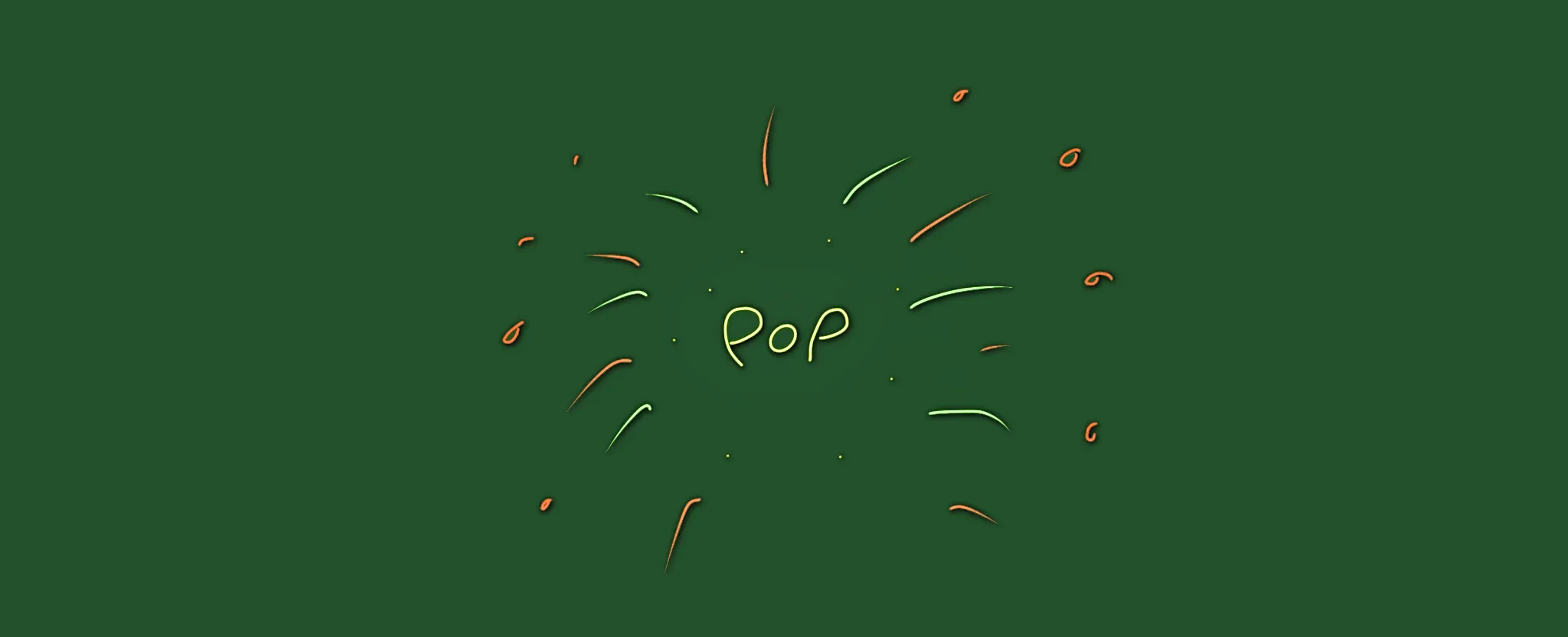
Pop Go the Particles
Particles are easy enough to work with, but we need to create a few things before we can use them.
Then we'll explain how it should behave.
And finally, we'll tell it where to launch the particles from.
A Symbol first
Let's start with a new Symbol. (We're up to number 5, by this point) Head to the Image Editor, and scribble something!
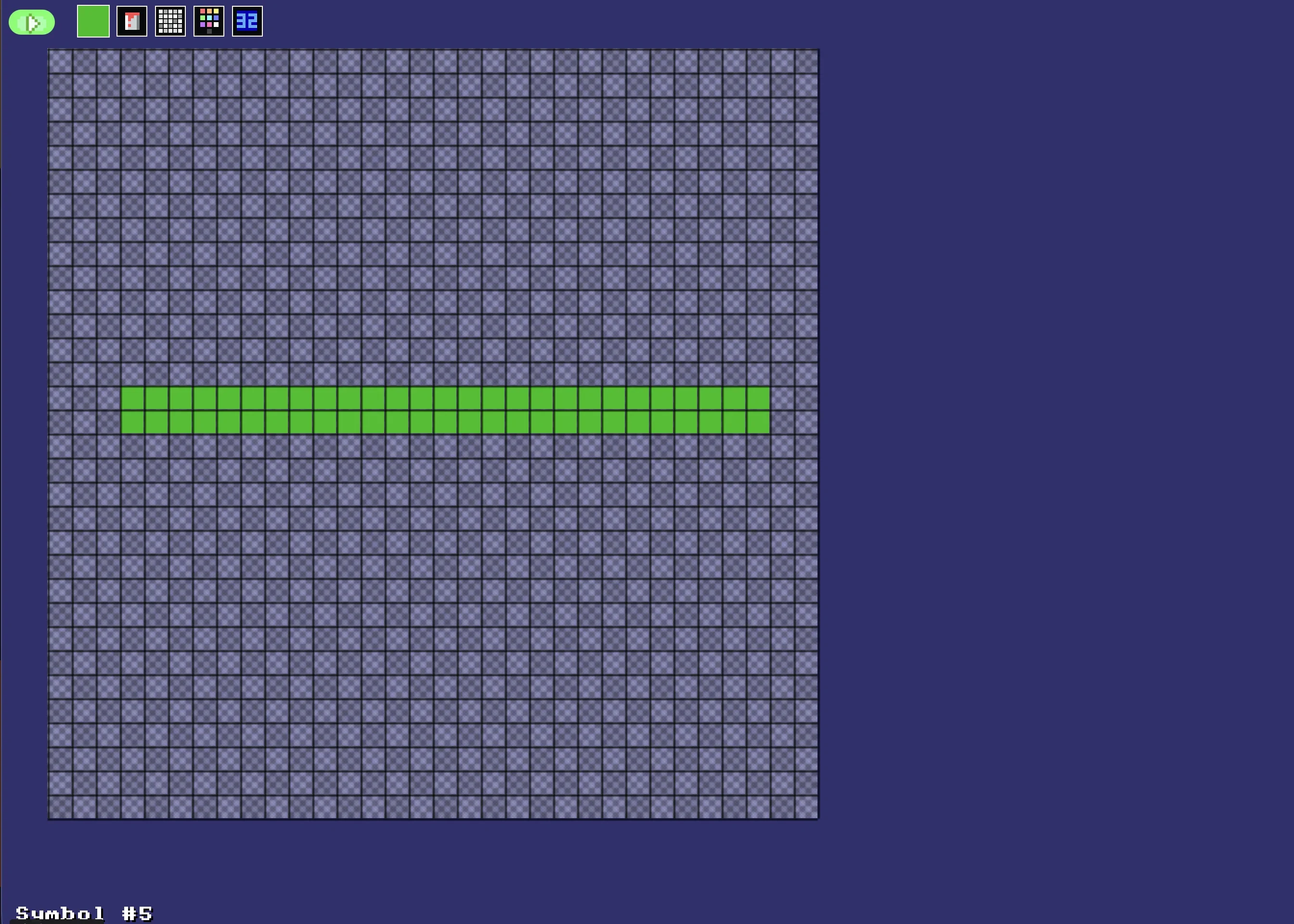
A green thing.
It doesn't matter what the image looks like. It could be crisp and edgy, or blobby and messy.
Don't forget to save!
Particle Setup
Next we need to define how our particle should appear. Place this section near the top of our program next to the Dim Arrays.
These will be used program-wide, like how Arrays need to be set up near the top of the program.
// Particle Setup

// Clear out settings
ResetParticle

// Setting for Particle type
SetParticleImage 5
SetParticleDirection 0,360
SetParticleSpeed 0.1,0.3

// Save particle style to Variable
StoreParticle ExplodingPiece

// And don't forget to reset, afterwards
ResetParticle
We've told the program that if we create any Particles named "ExplodingPiece", we want them to be..
. Drawn using Image 5 (The Symbol we just drew)
. Move in any random direction (Remember our compass directions? 0 is upwards, 90 is to the right, and so on until 360 is all the way around, back upwards again. So any angle, here.)
. And at a slow but random speed between 0.1 and 0.3 pixels per frame.
Spawning
We use the SpawnParticles command to create (or spawn) the particles at specific points on the screen.
Head into our BadGuy loop, and look for the line where we give the player 5 points.
Gimme 5,EnemyX,EnemyY
We'll Spawn our particles on the next line. (Points and Particles often go well together!)
SpawnParticles EnemyX,EnemyY,ExplodingPiece,10
We give the X and Y position, just like we did for Gimme, tell it to use the ExplodingPiece particles that we just set up, and then tell it to splatter 10 of them there.
Changing how many particles are spawned at once can be fun, but try not to draw too many since the "particle engine" can only handle so many at once!
You can't "overload" it, but it'll start to clear out the oldest particles of there's too many to handle.
Our game, so far.
// My Game
// by Mr Green
// Created 2025/12/16

Symbol 0,"2__0_0_0_0_0_0_0_0_0_0_0_0_0_0_0_0_0_0_0P?0_0/P?0!P0,P0_0/P0,P0?P,00P0_0/P00P,0.P,00P0_0/P00P,0.P,00P0_0/P00P,0.P,00P!0!P!00P,0_0?P@0_0_0_0_0_0/P!0.P!0_0_0_0_0_0.P?0PP0P?0_0_0!PP0_0_0/P.0PP0P.0_0_0/PP0_0_0_0,PP0_0@P_P,0PP0P_P,0.P0_0_0@P0.P0_0_0@P0.P0_0_0@P0.P0@P0@P0@P0.PP0/P0@P0/PP0?P0/P0P!0P0/P0!P?0,P0@P0,P?0@P,0,P0@P0,P,0_0?P,0@P,";
Symbol 1,"2__0_0_0_0_0_0_0_0_0_0_0_0_0_0_00P,0_0_0@P_P,0_0?P_P,0?P0_0?P0?P,0@P0_0?P0_0/P0_0?P0_0/P?0!P?0_0_00P0!P0_0_0!P@0_0_0_0_0_0/P!0.P!0_0_0_0_0_0.P?0PP0P?0_0_0!PP0_0_0/P.0PP0P.0_0_0/PP0_0_0_0,PP0_0!P_P?0PP0P_P!0_0_0_0,PP0_0_0_0,PP0_0_0_0,PP0_0P0@P0_0PP0_0P0@P0_0PP0_0P0P!0P0_0PP0_0P0P0.P0P0_0PP0_0P0P0.P0P0_0P,0/P,0P!0P,0/P.0_0_0_0P.0_0_0_0PP";
Symbol 2,"2__0_0_0_0_0_0_0_0_0_0_0_0_0NN00NN0_0_0/NPQNNQPN0_0_0!NPQ.PN0_0_0!NPQ.PN0_0_0!NPQ.PN0_0_0!NPQ.PN0_0_0!NPQ.PN0_0_0!NPQ.PN0_0_0!NPQ.PN0_0_0!NPQ.PN0_0_0!NPQ.PN0_0_0!NPQ.PN0_0_0?NPPQ.PPN0_0_0.NPPQ.PPN0_0_0.NPPQ.PPN0_0_0.NPPQ.PPN0_0_0.NPQ!PN0_0_0.NPQ!PN0_0_0.NPQ!PN0_0_0,NPPQ!PPN0_0_00NPPQ!PPN0_0_00NPPQ!PPN0_0_00NPPQ!PPN0_0,P_P_P_P0,PS_S_S_SP0PS_S_S_S,PPSSR,S,R,S,RRS,R,S,R,SSP0S_S_S_S,0,S_S_S_S";
Symbol 3,"2__P_P_P_P_P_P_P_P_P_P_P_P_P_P_P_P_P_P_P_P_P_P_P_P_P_P_P_P_P_P_P_P_P_P_P_P_P_P_P_P_P_P_P_P_P_P_P_P_P_P_P_P_P_P_P_P_P_P_P_P_P_P_P_P_P_P_P_P_P_P_P_P_P_P_P_P_P_P_P_P_P_P_P_P_P_P_P_P_P_P_P_P_P_P_P_P_P_P_P_P_P_P_P_P_P_P_P_P_P_P_P_P_P_P/";
Symbol 4,"2__0_0_0_0_0_0_0_0_0_0_0_0_0_0_0_0_0_0_0_0_0_0_0_0_0_0_0_0_0_0_0_0_0_0_0_0_0_0_0_0_0_0_0_0_0_0_0_0_z0_0_0_0020,20_0_0_00;0_0_0_0z0;1;0z0_0_0_0;0_0_0_0020,20_0_0_00z";
Symbol 5,"2__0_0_0_0_0_0_0_0_0_0_0_0_0_0_0_0_0_0_0_0_0_0_0_0_0_0_0_0_0_0_0_0_0_0_0_0_0_0_0_0_0_0_0_0_0_0_0?Q_Q_Q_0?Q_Q_Q_";

AntiAlias Off // Turn off AntiAlias, for Crispy Invaders


// Arrays
Dim EnemyAlive(20)
Dim EnemyBullet(50,2)

// Particle Setup

// Clear out settings
ResetParticle

// Setting for Particle type
SetParticleImage 5
SetParticleDirection 0,360
SetParticleSpeed 0.1,0.3

// Save particle style to Variable
StoreParticle ExplodingPiece

// And don't forget to reset, afterwards
ResetParticle


// Main Loop
GameRun=0
Repeat
  If GameRun==0 then Gosub .StartScreen
  If GameRun==1 then Gosub .InGame
Flip
Forever


// This is our Titlescreen
.StartScreen
CLS
ResetDraw

  ShowInvader=1
  If Wrap(Frames,0,20)<10 Then ShowInvader=0
  DrawImg 320,160,ShowInvader

  SetFontSize 32
  Text 320,240,"Titlescreen!",1
  SetFontSize 16
  Text 320,360,"Press Fire to Play",1

  If GamePad(ButtonA)
    Gosub StartGame
    GameRun=1
  Endif
Return


// This resets the current level
.NextLevel
  DropDown=480
  For BadGuy=1 to 20
    EnemyAlive(BadGuy)=1
  Next

  // New variables to multiply the EnemyX and Y Angles
  WaveX=Rand(1,3)
  WaveY=Rand(1,3)
  Gap=Rand(3,15)

Return


// This prepares our game when the A Button is hit
.StartGame
  Score=0
  Dead=0

  PlayerX=320 // Middle of the screen
  PlayerY=440 // Bottom of the screen

  BulletX=0  // Reset player's bullet
  BulletY=0


  XPosition=1
  YPosition=2

  For b=0 to 50
    EnemyBullet(b,1)=0
    EnemyBullet(b,2)=1000
  Next

  EnemyBulletTo=0  // We increase this when an enemy fires a bullet.
  EnemyBulletDelay=0 // We'll have a delay between every bullet drop.

  Gosub NextLevel
Return


// This is our ingame loop
.InGame
CLS
ResetDraw

  // Starfield using Symbol 4
  Starfield 1,0,4

  // Player
  PlayerCollide=DrawImg(PlayerX,PlayerY,2)
  Speed=4
  If GamePad(ButtonLeft)>0.5 then PlayerX=PlayerX-Speed
  If GamePad(ButtonRight)>0.5 then PlayerX=PlayerX+Speed
  // Using >0.5 allows players to use a thumbstick, too!

  PlayerX=Limit(PlayerX,32,640-32)


  // Player's Bullet
  // Keep the Bullet going upwards
  BulletSpeed=16
  BulletY=Limit(BulletY-BulletSpeed, -100,480)

  // Draw the Bullet
  SetScale 0.2,0.5

  BulletCollide=DrawImg(BulletX,BulletY,3)

  // Handle Enemy Bullets
  For b=1 to 50
    If EnemyBullet(b, YPosition)<480
      EnemyBullet(b, YPosition)=EnemyBullet(b, YPosition)+8
      ThisCollide=DrawImg(EnemyBullet(b, XPosition),EnemyBullet(b, YPosition),3)
      If Collide(ThisCollide,PlayerCollide) then Dead=1
    EndIf
  Next

  // And reset things afterwards
  ResetDraw

  If BulletY<0 And GamePad(ButtonA)
    BulletX=PlayerX
    BulletY=PlayerY
    PlaySFX("Lazer_2")
  EndIf


  // Enemy Section

  // Reuse this to keep the invaders animated
  ShowInvader=1
  if Wrap(Frames,0,20)<10 then ShowInvader=0

  CircleSize=160
  // New Variable for Circle Position
  CircleX=320+Sin(Frames)*160
  CircleY=200-DropDown
  DropDown=Limit( DropDown-5 ,0,480)
    // Why not try changing this value, too.
      // The higher the number the faster the drop.
      // Make it slower to have the invaders creep into view!

  // Bullet Delay workings
  EnemyBulletDelay=Limit(EnemyBulletDelay-1, 0,200)


  BaddyCount=0
  // A loop for 20 Bad Guys
  For BadGuy=1 to 20
    // If Alive
    If EnemyAlive(BadGuy)==1

      BaddyCount=BaddyCount+1

      // Each enemy should be further around the loop.
      PlusAngle=BadGuy*Gap
      Angle=Wrap(Frames + PlusAngle,0,360)
      EnemyX=CircleX+Cos(Angle*WaveX)*CircleSize
      EnemyY=CircleY+Sin(Angle*WaveY)*CircleSize
      EnemyColour=Wrap(BadGuy,0,7)

      // New collision code
      EnemyCollide=DrawImg(EnemyX,EnemyY,ShowInvader,EnemyColour)
      If Collide(BulletCollide,EnemyCollide) And BulletY>0
        // If the bullet hits the Enemy

        // Turn off the Enemy
        EnemyAlive(BadGuy)=0
        // Make a Bang sound
        PlaySFX("Explode_Low_2")
        // Gimme 5 points!
        Gimme 5,EnemyX,EnemyY
        SpawnParticles EnemyX,EnemyY,ExplodingPiece,10

        // Move the Bullet off the screen
        BulletY=-100


      EndIf // Collision

      // Dropping Bullets
      If Rand(0,10)==1 and EnemyY<240 and EnemyBulletDelay==0
        EnemyBulletTo=Wrap(EnemyBulletTo+1,1,50)
        // Wrap the value between 1 and 50

        // Then position the Bullet
        EnemyBullet(EnemyBulletTo, XPosition)=EnemyX
        EnemyBullet(EnemyBulletTo, YPosition)=EnemyY

        // Reset the Delay
        EnemyBulletDelay=100

        // And go "peow!"
        PlaySFX("Lazer_1")

      EndIf

    EndIf // Alive

  Next // Each BadGuy

  If BaddyCount<1 then Gosub NextLevel


  // Quit button (Return)
  If GamePad(ButtonStart) then GameRun=0
    // We can hit the Return key to quit

  If Dead>0
    If Dead==1 then PlaySFX("Explode_High_4")
    Dead=Dead+1

    EndGame "Too Bad"
      // We'll talk about this in Chapter 25!

    If Dead>120 Then GameRun=0
  EndIf

  SetFontSize 16
  Text 320,16,Score,1
Return
Dead Dead!
There's one slight quirk left in our game.
We haven't stopped the player from continuing to play, after they're dead. Let's go and fix that.
There's a whole set of Player code near the top of the .InGame subroutine.
Wrap the whole lot of it inside a bit If Dead==0 bow, like it's a giant present for alive players!
  // Player
  If Dead==0
    PlayerCollide=DrawImg(PlayerX,PlayerY,2)
    Speed=4
    If GamePad(ButtonLeft)>0.5 then PlayerX=PlayerX-Speed
    If GamePad(ButtonRight)>0.5 then PlayerX=PlayerX+Speed
    // Using >0.5 allows players to use a thumbstick, too!

    PlayerX=Limit(PlayerX,32,640-32)


    // Player's Bullet
    // Keep the Bullet going upwards
    BulletSpeed=16
    BulletY=Limit(BulletY-BulletSpeed, -100,480)
  EndIf
We'll also need to stop the player from shooting bullets when they're dead, so pop a "and Dead==0" to the end of our Shooting line.
  If BulletY<0 And GamePad(ButtonA) and Dead==0
    BulletX=PlayerX
    ...
Let's make them go BOOM!
One Final Big Boom
First, we'll ensure that we only die once!
Inside the Enemy Bullets section, add another "and Dead==0" check to the death line.
If Collide(ThisCollide,PlayerCollide) and Dead==0 then Dead=1
Then we'll head near the bottom of our code, where we have this line.
If Dead==1 then PlaySFX("Explode_High_4")
Let's make it EPIC!
  If Dead==1
    PlaySFX("Explode_High_4")

    SpawnParticles PlayerX,PlayerY,ExplodingPiece,100
  EndIf
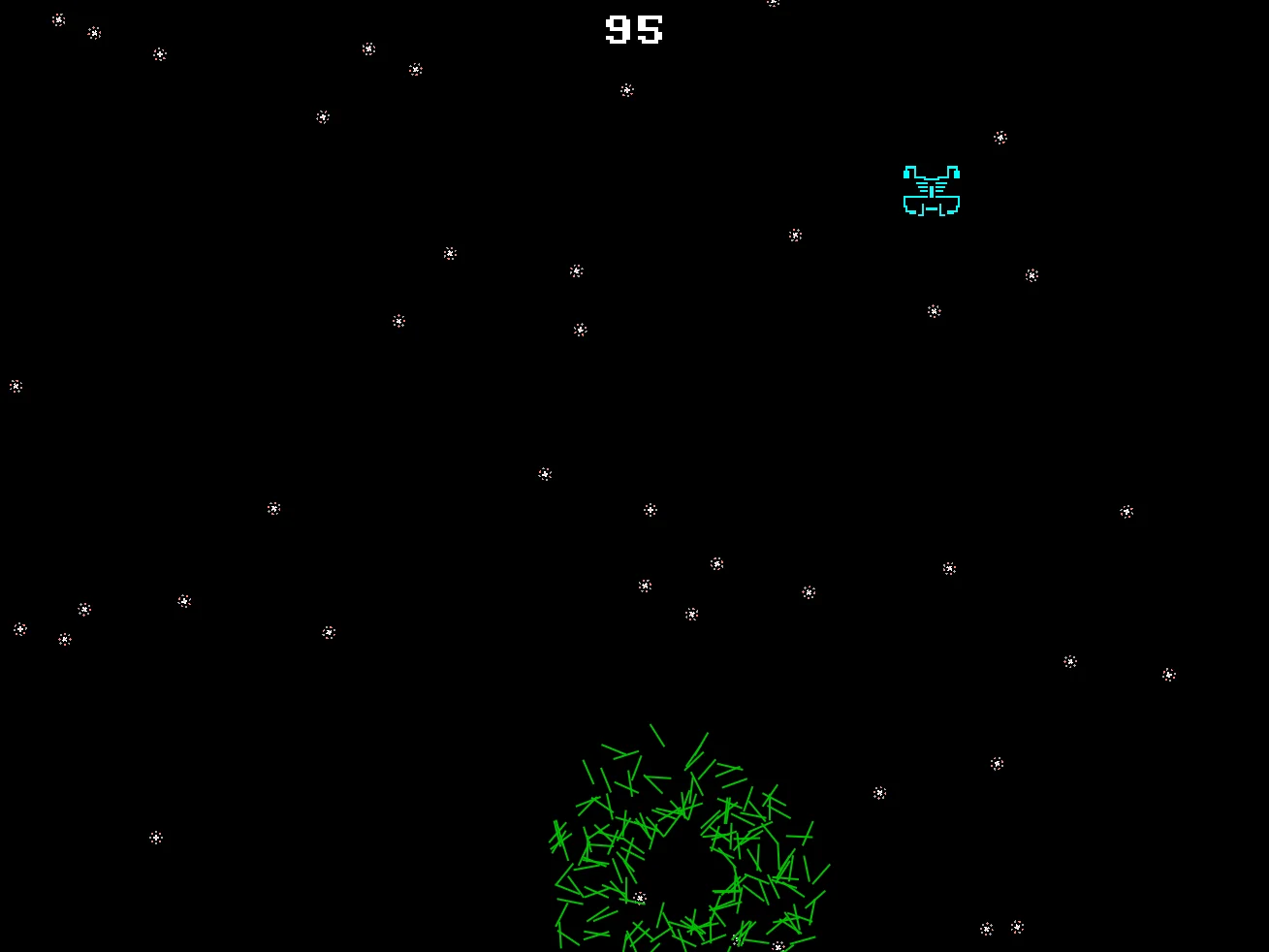
Booooooom!
Our game, so far.
// My Game
// by Mr Green
// Created 2025/12/16

Symbol 0,"2__0_0_0_0_0_0_0_0_0_0_0_0_0_0_0_0_0_0_0P?0_0/P?0!P0,P0_0/P0,P0?P,00P0_0/P00P,0.P,00P0_0/P00P,0.P,00P0_0/P00P,0.P,00P!0!P!00P,0_0?P@0_0_0_0_0_0/P!0.P!0_0_0_0_0_0.P?0PP0P?0_0_0!PP0_0_0/P.0PP0P.0_0_0/PP0_0_0_0,PP0_0@P_P,0PP0P_P,0.P0_0_0@P0.P0_0_0@P0.P0_0_0@P0.P0@P0@P0@P0.PP0/P0@P0/PP0?P0/P0P!0P0/P0!P?0,P0@P0,P?0@P,0,P0@P0,P,0_0?P,0@P,";
Symbol 1,"2__0_0_0_0_0_0_0_0_0_0_0_0_0_0_00P,0_0_0@P_P,0_0?P_P,0?P0_0?P0?P,0@P0_0?P0_0/P0_0?P0_0/P?0!P?0_0_00P0!P0_0_0!P@0_0_0_0_0_0/P!0.P!0_0_0_0_0_0.P?0PP0P?0_0_0!PP0_0_0/P.0PP0P.0_0_0/PP0_0_0_0,PP0_0!P_P?0PP0P_P!0_0_0_0,PP0_0_0_0,PP0_0_0_0,PP0_0P0@P0_0PP0_0P0@P0_0PP0_0P0P!0P0_0PP0_0P0P0.P0P0_0PP0_0P0P0.P0P0_0P,0/P,0P!0P,0/P.0_0_0_0P.0_0_0_0PP";
Symbol 2,"2__0_0_0_0_0_0_0_0_0_0_0_0_0NN00NN0_0_0/NPQNNQPN0_0_0!NPQ.PN0_0_0!NPQ.PN0_0_0!NPQ.PN0_0_0!NPQ.PN0_0_0!NPQ.PN0_0_0!NPQ.PN0_0_0!NPQ.PN0_0_0!NPQ.PN0_0_0!NPQ.PN0_0_0!NPQ.PN0_0_0?NPPQ.PPN0_0_0.NPPQ.PPN0_0_0.NPPQ.PPN0_0_0.NPPQ.PPN0_0_0.NPQ!PN0_0_0.NPQ!PN0_0_0.NPQ!PN0_0_0,NPPQ!PPN0_0_00NPPQ!PPN0_0_00NPPQ!PPN0_0_00NPPQ!PPN0_0,P_P_P_P0,PS_S_S_SP0PS_S_S_S,PPSSR,S,R,S,RRS,R,S,R,SSP0S_S_S_S,0,S_S_S_S";
Symbol 3,"2__P_P_P_P_P_P_P_P_P_P_P_P_P_P_P_P_P_P_P_P_P_P_P_P_P_P_P_P_P_P_P_P_P_P_P_P_P_P_P_P_P_P_P_P_P_P_P_P_P_P_P_P_P_P_P_P_P_P_P_P_P_P_P_P_P_P_P_P_P_P_P_P_P_P_P_P_P_P_P_P_P_P_P_P_P_P_P_P_P_P_P_P_P_P_P_P_P_P_P_P_P_P_P_P_P_P_P_P_P_P_P_P_P_P/";
Symbol 4,"2__0_0_0_0_0_0_0_0_0_0_0_0_0_0_0_0_0_0_0_0_0_0_0_0_0_0_0_0_0_0_0_0_0_0_0_0_0_0_0_0_0_0_0_0_0_0_0_0_z0_0_0_0020,20_0_0_00;0_0_0_0z0;1;0z0_0_0_0;0_0_0_0020,20_0_0_00z";
Symbol 5,"2__0_0_0_0_0_0_0_0_0_0_0_0_0_0_0_0_0_0_0_0_0_0_0_0_0_0_0_0_0_0_0_0_0_0_0_0_0_0_0_0_0_0_0_0_0_0_0?Q_Q_Q_0?Q_Q_Q_";

AntiAlias Off // Turn off AntiAlias, for Crispy Invaders


// Arrays
Dim EnemyAlive(20)
Dim EnemyBullet(50,2)

// Particle Setup

// Clear out settings
ResetParticle

// Setting for Particle type
SetParticleImage 5
SetParticleDirection 0,360
SetParticleSpeed 0.1,0.3

// Save particle style to Variable
StoreParticle ExplodingPiece

// And don't forget to reset, afterwards
ResetParticle


// Main Loop
GameRun=0
Repeat
  If GameRun==0 then Gosub .StartScreen
  If GameRun==1 then Gosub .InGame
Flip
Forever


// This is our Titlescreen
.StartScreen
CLS
ResetDraw

  ShowInvader=1
  If Wrap(Frames,0,20)<10 Then ShowInvader=0
  DrawImg 320,160,ShowInvader

  SetFontSize 32
  Text 320,240,"Titlescreen!",1
  SetFontSize 16
  Text 320,360,"Press Fire to Play",1

  If GamePad(ButtonA)
    Gosub StartGame
    GameRun=1
  Endif
Return


// This resets the current level
.NextLevel
  DropDown=480
  For BadGuy=1 to 20
    EnemyAlive(BadGuy)=1
  Next

  // New variables to multiply the EnemyX and Y Angles
  WaveX=Rand(1,3)
  WaveY=Rand(1,3)
  Gap=Rand(3,15)

Return


// This prepares our game when the A Button is hit
.StartGame
  Score=0
  Dead=0

  PlayerX=320 // Middle of the screen
  PlayerY=440 // Bottom of the screen

  BulletX=0  // Reset player's bullet
  BulletY=0


  XPosition=1
  YPosition=2

  For b=0 to 50
    EnemyBullet(b,1)=0
    EnemyBullet(b,2)=1000
  Next

  EnemyBulletTo=0  // We increase this when an enemy fires a bullet.
  EnemyBulletDelay=0 // We'll have a delay between every bullet drop.

  Gosub NextLevel
Return


// This is our ingame loop
.InGame
CLS
ResetDraw

  // Starfield using Symbol 4
  Starfield 1,0,4

  // Player
  If Dead==0
    PlayerCollide=DrawImg(PlayerX,PlayerY,2)
    Speed=4
    If GamePad(ButtonLeft)>0.5 then PlayerX=PlayerX-Speed
    If GamePad(ButtonRight)>0.5 then PlayerX=PlayerX+Speed
    // Using >0.5 allows players to use a thumbstick, too!

    PlayerX=Limit(PlayerX,32,640-32)


    // Player's Bullet
    // Keep the Bullet going upwards
    BulletSpeed=16
    BulletY=Limit(BulletY-BulletSpeed, -100,480)
  EndIf

  // Draw the Bullet
  SetScale 0.2,0.5

  BulletCollide=DrawImg(BulletX,BulletY,3)

  // Handle Enemy Bullets
  For b=1 to 50
    If EnemyBullet(b, YPosition)<480
      EnemyBullet(b, YPosition)=EnemyBullet(b, YPosition)+8
      ThisCollide=DrawImg(EnemyBullet(b, XPosition),EnemyBullet(b, YPosition),3)
      If Collide(ThisCollide,PlayerCollide) and Dead==0 then Dead=1
    EndIf
  Next

  // And reset things afterwards
  ResetDraw

  If BulletY<0 And GamePad(ButtonA) and Dead==0
    BulletX=PlayerX
    BulletY=PlayerY
    PlaySFX("Lazer_2")
  EndIf


  // Enemy Section

  // Reuse this to keep the invaders animated
  ShowInvader=1
  if Wrap(Frames,0,20)<10 then ShowInvader=0

  CircleSize=160
  // New Variable for Circle Position
  CircleX=320+Sin(Frames)*160
  CircleY=200-DropDown
  DropDown=Limit( DropDown-5 ,0,480)
    // Why not try changing this value, too.
      // The higher the number the faster the drop.
      // Make it slower to have the invaders creep into view!

  // Bullet Delay workings
  EnemyBulletDelay=Limit(EnemyBulletDelay-1, 0,200)


  BaddyCount=0
  // A loop for 20 Bad Guys
  For BadGuy=1 to 20
    // If Alive
    If EnemyAlive(BadGuy)==1

      BaddyCount=BaddyCount+1

      // Each enemy should be further around the loop.
      PlusAngle=BadGuy*Gap
      Angle=Wrap(Frames + PlusAngle,0,360)
      EnemyX=CircleX+Cos(Angle*WaveX)*CircleSize
      EnemyY=CircleY+Sin(Angle*WaveY)*CircleSize
      EnemyColour=Wrap(BadGuy,0,7)

      // New collision code
      EnemyCollide=DrawImg(EnemyX,EnemyY,ShowInvader,EnemyColour)
      If Collide(BulletCollide,EnemyCollide) And BulletY>0
        // If the bullet hits the Enemy

        // Turn off the Enemy
        EnemyAlive(BadGuy)=0
        // Make a Bang sound
        PlaySFX("Explode_Low_2")
        // Gimme 5 points!
        Gimme 5,EnemyX,EnemyY
        SpawnParticles EnemyX,EnemyY,ExplodingPiece,10

        // Move the Bullet off the screen
        BulletY=-100


      EndIf // Collision

      // Dropping Bullets
      If Rand(0,10)==1 and EnemyY<240 and EnemyBulletDelay==0
        EnemyBulletTo=Wrap(EnemyBulletTo+1,1,50)
        // Wrap the value between 1 and 50

        // Then position the Bullet
        EnemyBullet(EnemyBulletTo, XPosition)=EnemyX
        EnemyBullet(EnemyBulletTo, YPosition)=EnemyY

        // Reset the Delay
        EnemyBulletDelay=100

        // And go "peow!"
        PlaySFX("Lazer_1")

      EndIf

    EndIf // Alive

  Next // Each BadGuy

  If BaddyCount<1 then Gosub NextLevel


  // Quit button (Return)
  If GamePad(ButtonStart) then GameRun=0
    // We can hit the Return key to quit

  If Dead>0
    If Dead==1
      PlaySFX("Explode_High_4")

      SpawnParticles PlayerX,PlayerY,ExplodingPiece,100
    EndIf
    Dead=Dead+1

    EndGame "Too Bad"
      // We'll talk about this in Chapter 25!

    If Dead>120 Then GameRun=0
  EndIf

  SetFontSize 16
  Text 320,16,Score,1
Return
Tomorrow's chapter is going to be quite a large one, so we needed to get everything ready before then.
Now that we have a properly functioning game, we're ready to go, but maybe you could add one little extra thing for us.
Levels!
Set Level to 0 when that player starts the game.
When a Next Level happens, add one to Level.
Make it so that the enemy Bullet delay is quicker, based on the level the player is on.
If you subtract Level from the Delay, instead, then each time we move up a level, the Delay will be reduced quicker!
It might be a good idea to slow the bullets down a bit, too, though.
We don't want the game to be TOO hard!
Balance is the key to a good game.