Random Numbers
Rolling a Dice
"Random" numbers are like the numbers on a dice. Every time you ask for a random number, you never know what you might get!
The Rand command is used to return a random number.
For J=1 To 10
  Print Rand()
Next
Normally, the Rand command will give us either a 0 or a 1. If we want to do more interesting things with it, we need to give it a low and a high number.
Let's imagine we're making a Dice.
A normal playing dice has number 1 to 6 on it, so let's try making a dice in GotoJSE.
For J=1 To 10
  Print "You Rolled a "+Rand(1,6)
Next
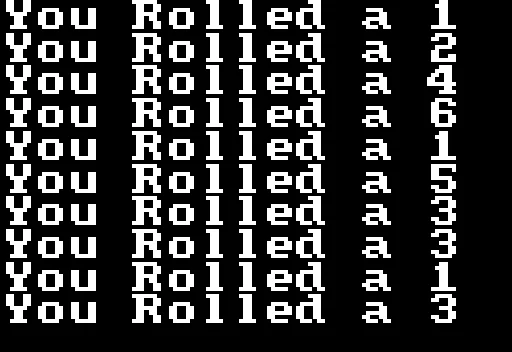
Random Dice Rolling
A single Dice is actually called a Die!
Stacking the Deck
Though the random numbers appear to be random, we can also fix them, so that they generate the same patterns.
To do this we use the SeedRnd command.
SeedRnd 1

For J=1 To 10
  Print "You Rolled a "+Rand(1,6)
Next
Every time you run this program, you'll get the same set of dice in the same order. 2,2,2,5,1,1,1,5,6,1
Think of this seed like the seed of a flower. If we plant the magic seed (in this case Seed 1), then the flower will grow in exactly the same way each time it's planted.
If we plant a different seed number, then we get a different flower, but those will also be the same each time.
They still "Look" random, but we now have a little bit of control over how they appear, by planting certain seeds.
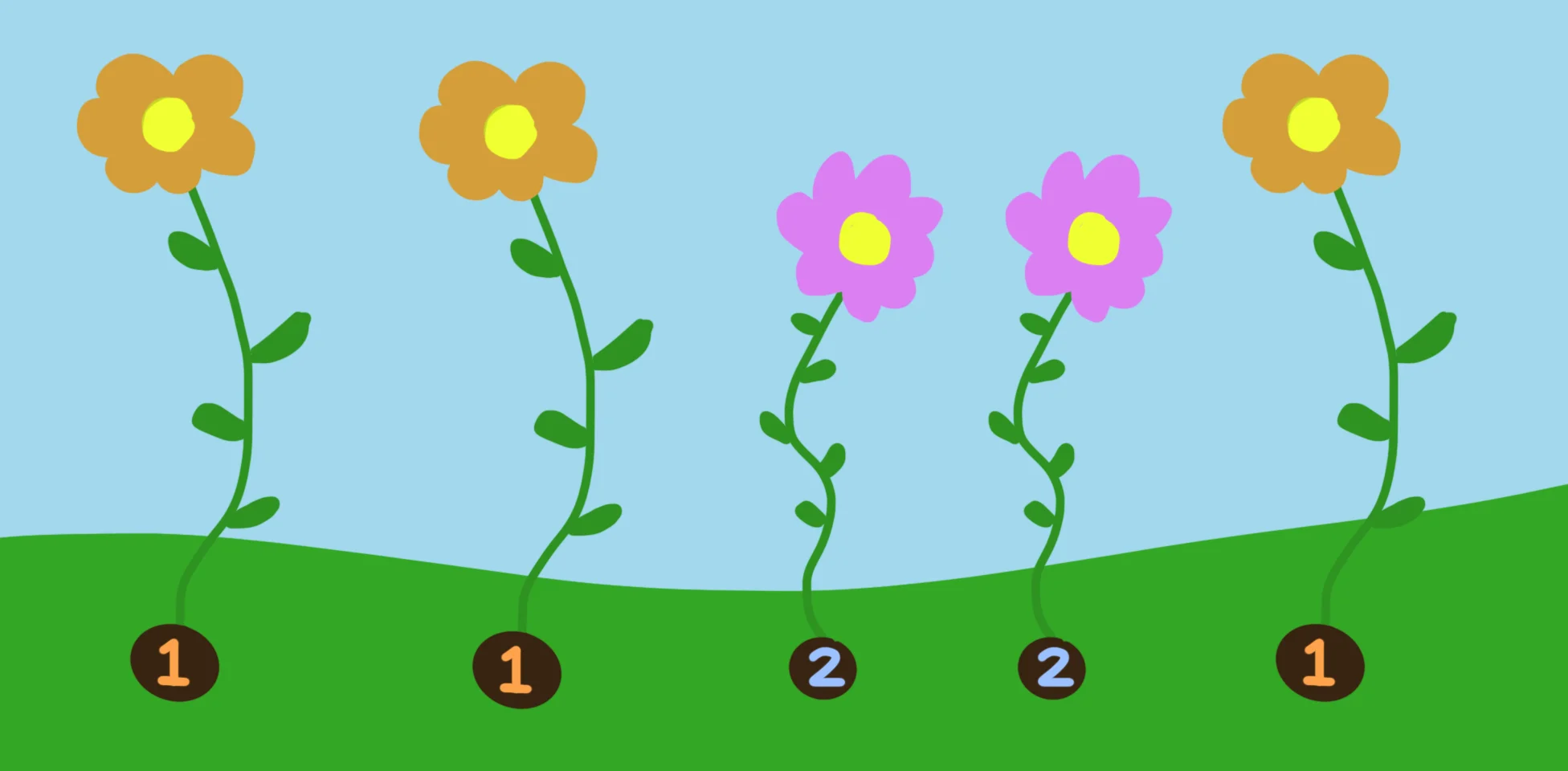
Different flowers grow from different seeds
If we ever want to go back to "pure" random numbers, we can just use SeedRnd without any number, and it'll be random once again.
// My date of birth!
SeedRnd 23021980

For J=1 To 10
  Print "You Rolled a "+Rand(1,6)
Next

Print

// Back to pure random
SeedRnd

For J=1 To 10
  Print "You Rolled a "+Rand(1,6)
Next
Random Decimal Numbers
If we want the computer to make Decimal numbers instead of whole numbers, we simply take a "a" out of Rand.
For J=1 To 10
  Print Rnd()
Next
This gives us decimal numbers, or Floating Point numbers, between 0 and 1.
We can then multiply these back up to be larger numbers once more.
Repeat
CLS

  For J=0 To 20
    Tall=Rnd()*120
    Rect J*32,320-Tall,16,Tall
  Next

Flip
Forever
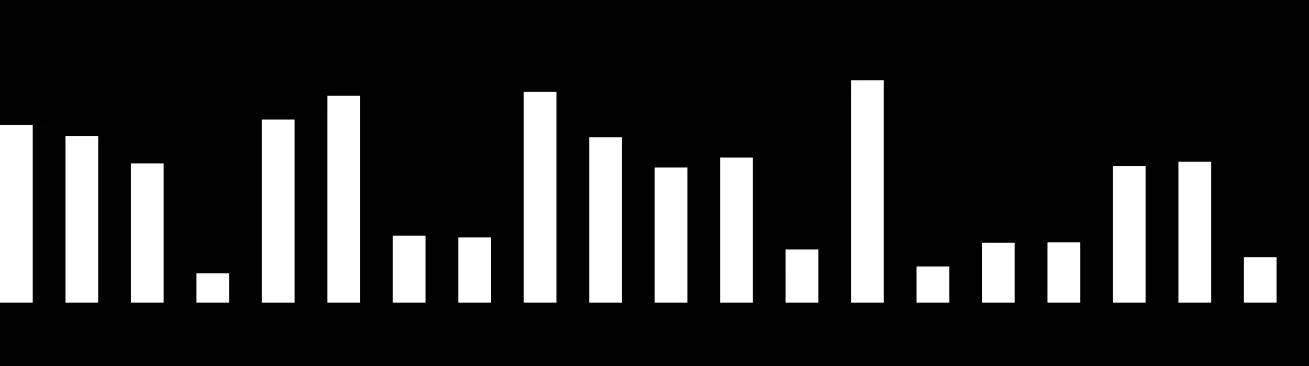
Cool. Just like a music player's volume meter!
Rnd will default to giving us decimal numbers between 0 and 1, but just like Rand(), we can also give it a low and high number.
For J=1 To 10
  Score=Rnd(0,10)
  Print Score
  if Score<5 then Print "   You Lose"
  if Score>=5 then Print "   You Win"
Next
Let's Draw Circles!
OK, now that we can see how we make use of random numbers.
Let's draw a row of random circles.
Repeat
CLS
  Y=280

  For X=0 To 640 Step 16
    Wide=Rand(20,32)
    Tall=Rand(20,32)
    Oval X,Y,Wide,Tall
  Next

Flip
Forever

A rather jumpy set of circles
Since we haven't set a Seed, these random circles seem to jump about, so let's fix that with a seed.
Repeat
CLS
  SeedRnd 1
  Y=280

  For X=0 To 640 Step 16
    Wide=Rand(20,32)
    Tall=Rand(20,32)
    Oval X,Y,Wide,Tall
  Next

Flip
Forever
Now every time the frame starts, the balls are reset to the same seed, so they no longer jump about all over the place!
The Snowman Returns
OK, let's go back to our snowman that we've been making.
We'll add a layer of snow to the floor, so that our snowman looks like he's standing somewhere.
// Snowman Example

ArmHigh=220
BodyWide=40
ArmWide=70

Repeat
CLS 160,190,220

  // New Bit vvv

    // Ground Snow
    SetCol 230,230,230
    Rect 0,280,640,480

  // New Bit ^^^

  // Snow White
  SetCol 255,255,255
  // Head
  Oval 320,200,64,64
  // Body
  Oval 320,260,96,96

  // Coal Black
  SetCol 0,0,0
  // Eyes
  Oval 320-10,200-10,10,10,5
  Oval 320+10,200-10,10,10,6

  // Mouth
  Oval 320-10,200+10,4,4,6
  Oval 320-5 ,200+12,4,5,5
  Oval 320   ,200+13,5,4,6
  Oval 320+5 ,200+12,4,4,7
  Oval 320+10,200+10,5,5,6

  // Buttons
  Oval 320,240,6,7,5
  Oval 320,260,7,5,6
  Oval 320,280,5,6,7

  // Hat
  Rect 300,170,40,5
  Rect 305,140,30,30

  // Carrot Orange
  SetCol 255,160,0
  // Nose
  Oval 320+5,200,20,5,4

  // Stick Brown
  SetCol 120,60,0
  // Arms
  Line 320-BodyWide,240,320-ArmWide,ArmHigh
  Line 320+BodyWide,240,320+ArmWide,ArmHigh

  // Default to Down
  ArmWave=1
  // Make it go up, if button is pressed
  If GamePad(ButtonA) then ArmWave=-1

  // Add ArmWave to ArmHigh
  ArmHigh=ArmHigh+ArmWave

  // Limit ArmHigh so the arms aren't stretchy
  ArmHigh=Limit(ArmHigh,220,250)

Flip
Forever
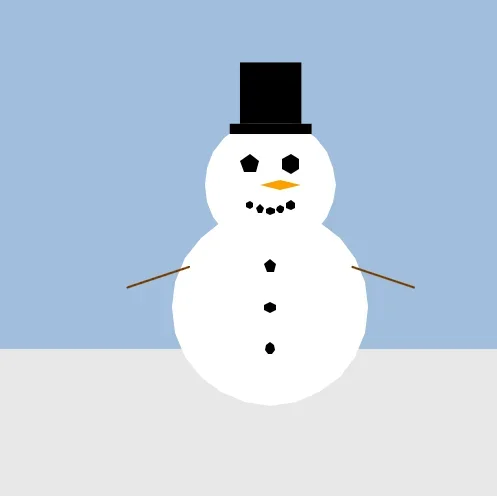
The Snowman's on the flat snowland.
Snowballs!
Now, what happens if we take the line of random circles that we just created.
We can place them just after the new drawing of the floor in our Snowman code?
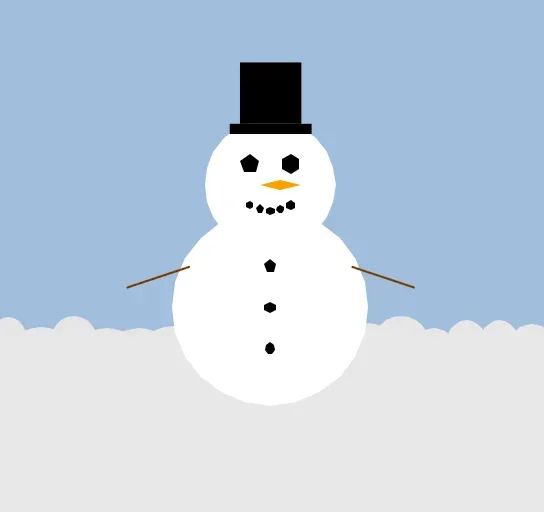
The Snowman's on top of a winter snowscape!
// Snowman Example

ArmHigh=220
BodyWide=40
ArmWide=70

Repeat
CLS 160,190,220

  // Ground Snow
  SetCol 230,230,230
  Rect 0,280,640,480

  // New Bit vvv
    SeedRnd 1
    Y=280

    For X=0 To 640 Step 16
      Wide=Rand(20,32)
      Tall=Rand(20,32)
      Oval X,Y,Wide,Tall
    Next
  // New Bit ^^^

  // Snow White
  SetCol 255,255,255
  // Head
  Oval 320,200,64,64
  // Body
  Oval 320,260,96,96

  // Coal Black
  SetCol 0,0,0
  // Eyes
  Oval 320-10,200-10,10,10,5
  Oval 320+10,200-10,10,10,6

  // Mouth
  Oval 320-10,200+10,4,4,6
  Oval 320-5 ,200+12,4,5,5
  Oval 320   ,200+13,5,4,6
  Oval 320+5 ,200+12,4,4,7
  Oval 320+10,200+10,5,5,6

  // Buttons
  Oval 320,240,6,7,5
  Oval 320,260,7,5,6
  Oval 320,280,5,6,7

  // Hat
  Rect 300,170,40,5
  Rect 305,140,30,30

  // Carrot Orange
  SetCol 255,160,0
  // Nose
  Oval 320+5,200,20,5,4

  // Stick Brown
  SetCol 120,60,0
  // Arms
  Line 320-BodyWide,240,320-ArmWide,ArmHigh
  Line 320+BodyWide,240,320+ArmWide,ArmHigh

  // Default to Down
  ArmWave=1
  // Make it go up, if button is pressed
  If GamePad(ButtonA) then ArmWave=-1

  // Add ArmWave to ArmHigh
  ArmHigh=ArmHigh+ArmWave

  // Limit ArmHigh so the arms aren't stretchy
  ArmHigh=Limit(ArmHigh,220,250)

Flip
Forever
Starfield!
A starfield is a series of stars that fly past the screen in the background.
We usually see them in space shooter games and that sort of thing.
GotoJSE can make starfields really easy, with a very handy Starfield command.
Repeat
CLS
  Starfield 1,0
  // Scrolls a starfield 1 across, and 0 down.
Flip
Forever

Stars!
All we need to do is give the Starfield a direction to move in, in this case X=+1,Y=0, so the stars move to the right. (+1,0)
Falling Snow
White Stars that float across the blackness of space are cool, but what if we draw the same Starfield over the top of our snowman?
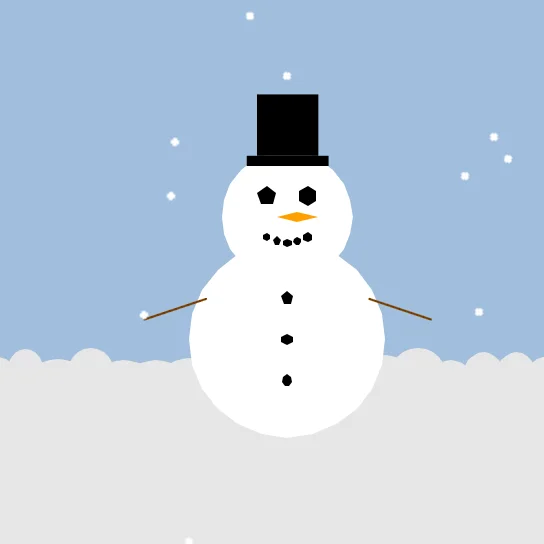
Stars becomes falling Snow!
All we have to do is add this single line, right at the end of the main loop, just above the "Flip" command.
Starfield 0,1
The starfield has become a wonderful blizzard of joyous snow!
ArmHigh=220
BodyWide=40
ArmWide=70

Repeat
CLS 160,190,220

  // Ground Snow
  SetCol 230,230,230
  Rect 0,280,640,480

  SeedRnd 1
  Y=280

  For X=0 To 640 Step 16
    Wide=Rand(20,32)
    Tall=Rand(20,32)
    Oval X,Y,Wide,Tall
  Next


  // Snow White
  SetCol 255,255,255
  // Head
  Oval 320,200,64,64
  // Body
  Oval 320,260,96,96

  // Coal Black
  SetCol 0,0,0
  // Eyes
  Oval 320-10,200-10,10,10,5
  Oval 320+10,200-10,10,10,6

  // Mouth
  Oval 320-10,200+10,4,4,6
  Oval 320-5 ,200+12,4,5,5
  Oval 320   ,200+13,5,4,6
  Oval 320+5 ,200+12,4,4,7
  Oval 320+10,200+10,5,5,6

  // Buttons
  Oval 320,240,6,7,5
  Oval 320,260,7,5,6
  Oval 320,280,5,6,7

  // Hat
  Rect 300,170,40,5
  Rect 305,140,30,30

  // Carrot Orange
  SetCol 255,160,0
  // Nose
  Oval 320+5,200,20,5,4

  // Stick Brown
  SetCol 120,60,0
  // Arms
  Line 320-BodyWide,240,320-ArmWide,ArmHigh
  Line 320+BodyWide,240,320+ArmWide,ArmHigh

  // Default to Down
  ArmWave=1
  // Make it go up, if button is pressed
  If GamePad(ButtonA) then ArmWave=-1

  // Add ArmWave to ArmHigh
  ArmHigh=ArmHigh+ArmWave

  // Limit ArmHigh so the arms aren't stretchy
  ArmHigh=Limit(ArmHigh,220,250)

  // Add "Stars" as Snow
  Starfield 0,1

Flip
Forever
Can you make the snowman's eyes blink randomly?
Something like "If a random number between 0 and 10 is less than 5, then draw his eyes with a height of 2 instead of 10"
Try changing the Starfield direction!
You can try making the wind "blow" the snow in random directions.