True or False
If.. Then
Sometimes our programs might need to check if something has happened.
From something as simple as whether the player hits the Jump button, to as complicated as whether they've completed the level in a certain time.
For testing we use the If command, which usually comes with a Then after it.
J=1
If J==2 then Print "Two!"
// This doesn't happen, J is 1

J=5
If J==2 then Print "Two!"
// This doesn't happen, J is 5

J=2
If J==2 then Print "Two!"
// This one's "true".  Hurray!
If "this is true" Then "do that"
If it's sunny, then I wear my sunglasses.
Two Equals?
The J==2 part might look confusing. That's because we're using it in a slightly different way.
One = means "Make it" (J=2 makes J become 2) This is how we set our variables, earlier.
But two == means "Is it?" (J==2 asks: Is J equal to 2?)
You can think of these as = Set As and == Is it Set As?
For J=1 To 10
  Print J
  If J==5 Then Print "Hurray for Five!"
Next
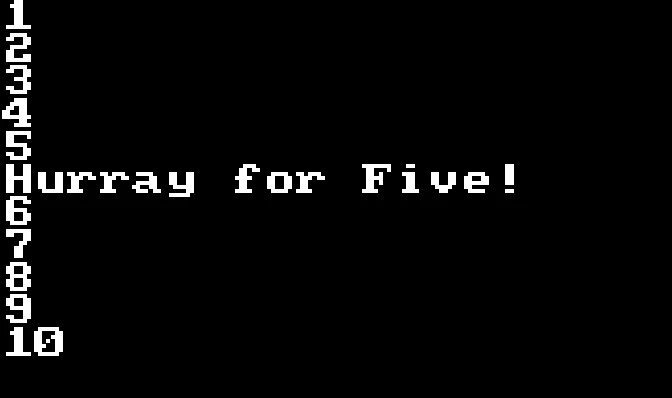
Only Five gets a special shout out!
More or Less
As well as checking if things are the same, we can also check if numbers are bigger or smaller than each other.
For this, we need to make use of Greater Than and Less Than signs.
// Change these numbers to see the results
J=3
K=7

Print "J="+J
Print "K="+K
If J<K Then Print "J is less than K"
If J==K Then Print "J is equal to K"
If J>K Then Print "J is bigger than K"
The < sign is Less Than, and is true If the left value is Less Than the right value. 3<5
The > sign is Greater Than, and is true If the left value is Greater Than the right value. 5>3
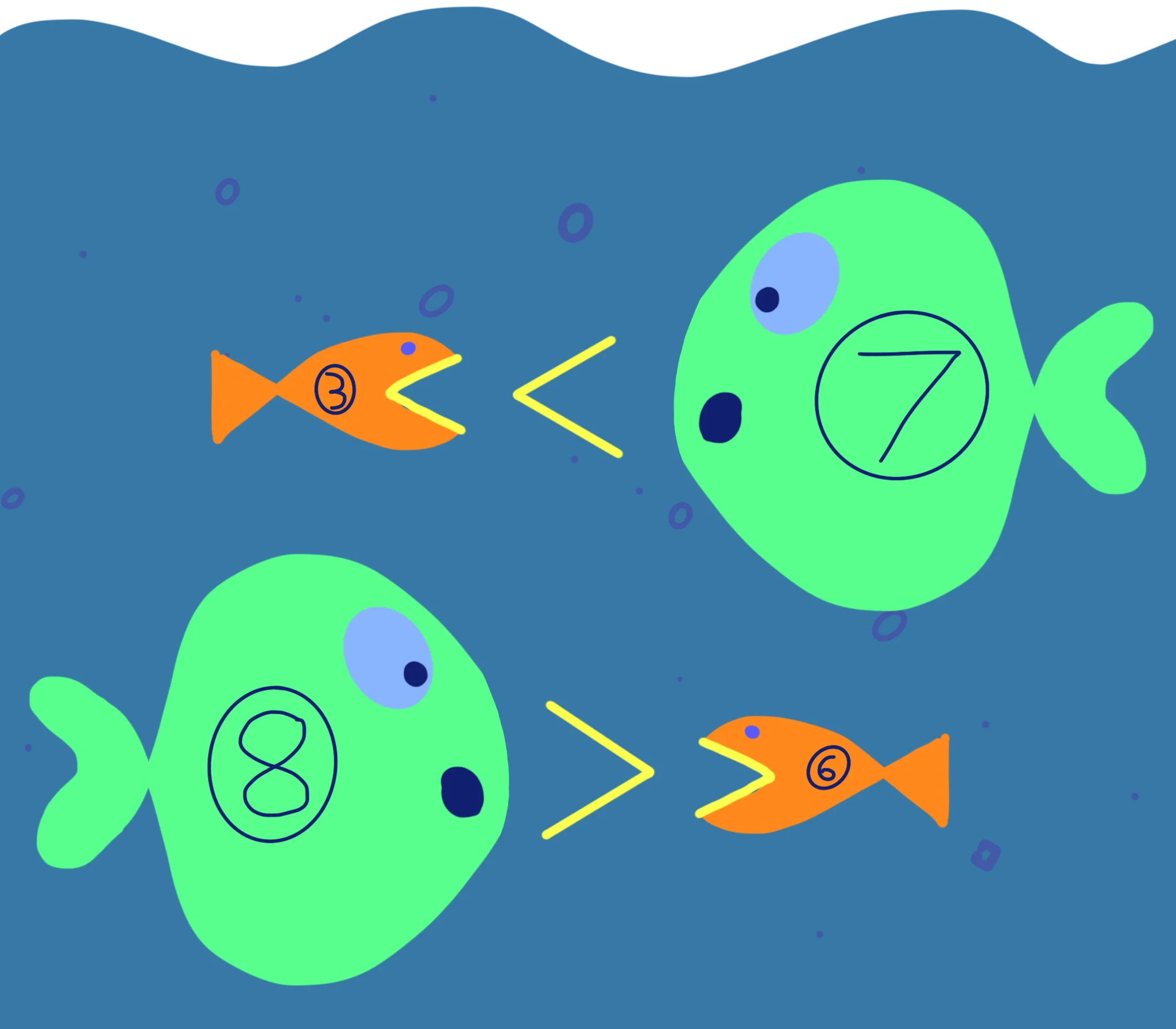
The little fish tries to eat the big fish!
The symbol is the mouth of the little fish, trying to eat the big fish.
More Comparisons
There are even more comparisons that we can do with numbers.
== Equal To happens when both things are the same.
< Less Than happens when the left is less than the right.
> Greater Than happens when the left is more than the right.
We can also use
!= Isn't Equal To only happens when the two numbers are different.
<= Less Than or Equal To happens when the left is "less or the same" as the right
>= Greater Than or Equal To happens when the left is "more or the same" as the right
// Change J to see different results

J=2

For K=1 To 3
  If J<K Then Print J+" is less than "+K
  If J==K Then Print J+" is equal to "+K
  If J>K Then Print J+" is bigger than "+K
  If J!=K Then Print J+" is not "+K
  If J<=K Then Print J+" is less or equal to "+K
  If J>=K Then Print J+" is bigger or equal to "+K
Next
These seem important, but why?
Let's see how we can use these.
..And Also
Sometimes we might need to test more than one thing at once.
For testing if two things are BOTH true, we can use the And command.
Here, we plot dots across the screen, but if J is bigger than Low and smaller than High, then it plots a second set of dots.
Low=100
High=200

For J=0 To 640
  Plot J,100

  // If J is between Low and High..
  If J>Low And J<High Then Plot J,90

Flip
Next
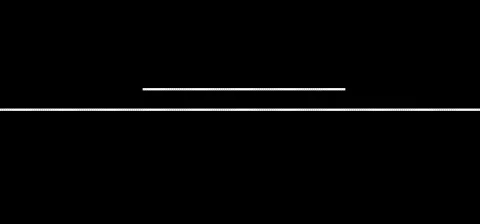
Plotting two lines of dots onto the screen.
If it's raining AND I'm walking, then I take my umbrella.
If it's sunny AND I'm outside, then I wear my sunglasses.
Either/Or
Other times, we might like to perform the same task if either of our facts are true.
This is when we use the Or command. When we want the computer to perform the task whether one or the other fact is true.
Low=100
High=200

For J=0 To 640
  Plot J,100

  // If J is between Low and High..
  If J>Low And J<High Then Plot J,90

  // If J is either lower than low, or higher than high.
  If J<Low Or J>High Then Plot J,110

Flip
Next
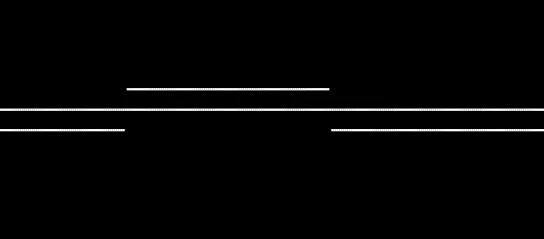
Plotting three lines of dots, depending on their position.
If it's raining OR I think it's stylish, then I take my umbrella.
If it's sunny OR I want to look cool, then I wear my sunglasses.
Can you complete this Program so it draws a diagonal line when X is less than 100.
For X=0 To 640

  Y=100
  If X<100 Then ...

  Plot X,Y

Next
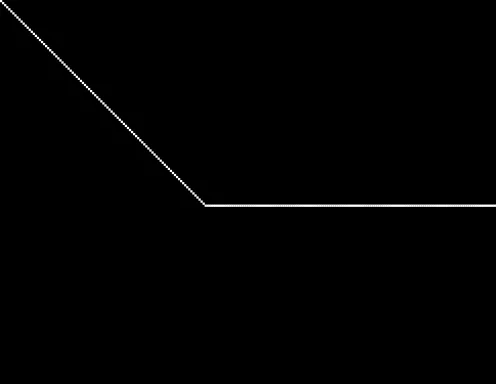
What could you do to make Y be smaller, when X is less than 100?
Can you complete the three If commands so that they work correctly?
My_Age=15
Your_Age=17

If ... Print "I am younger than you"
If ... Print "I am older than you"
If ... Print "We're the same age"