Extending If
Endif
So far, every time we've used the If..Then commands, they've only been able to control one thing at a time.
If this Then Do that
But what if we want to control more than one thing at a time?
For J=1 To 10
  // Normal Print
  Print J


  // But if J==5
  If J==5 Then
    // Do all of this!

    Print "Oooh, this is line 5"

    SetCol 255,0,0
    Print "Party Time at Number 5!"

    SetCol 0,255,0
    Print "Woohoo!"

    SetCol 0,0,255
    Print "YEAY"

    ResetDraw
  EndIf

Next
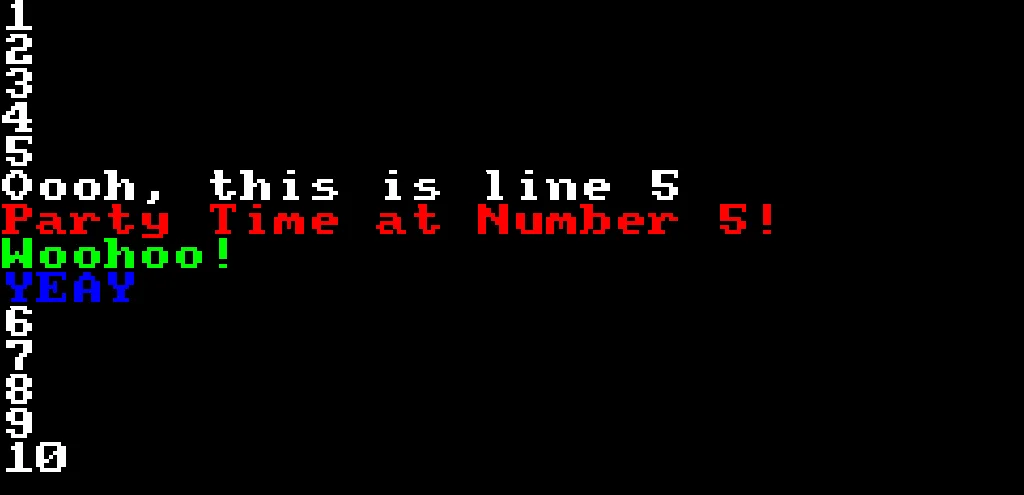
Number 5 has a party!
The multi-line If..EndIf method lets us place multiple commands after an If.
The secret ingredient here is the line EndIf, which tells the computer "This is where all of the If commands End".
Using If..EndIf like this, the computer will either do a lot of things at once, or none of them!
Indenting
You might have noticed that some of the code is further towards the right that other bits of code.
We call this "Indenting"
Cake=1
Repeat
CLS
  If Cake==1
    For J=1 To 10
      If J==5
        Print "Oooh!"
      EndIf
    Next
  EndIf
Flip
Forever
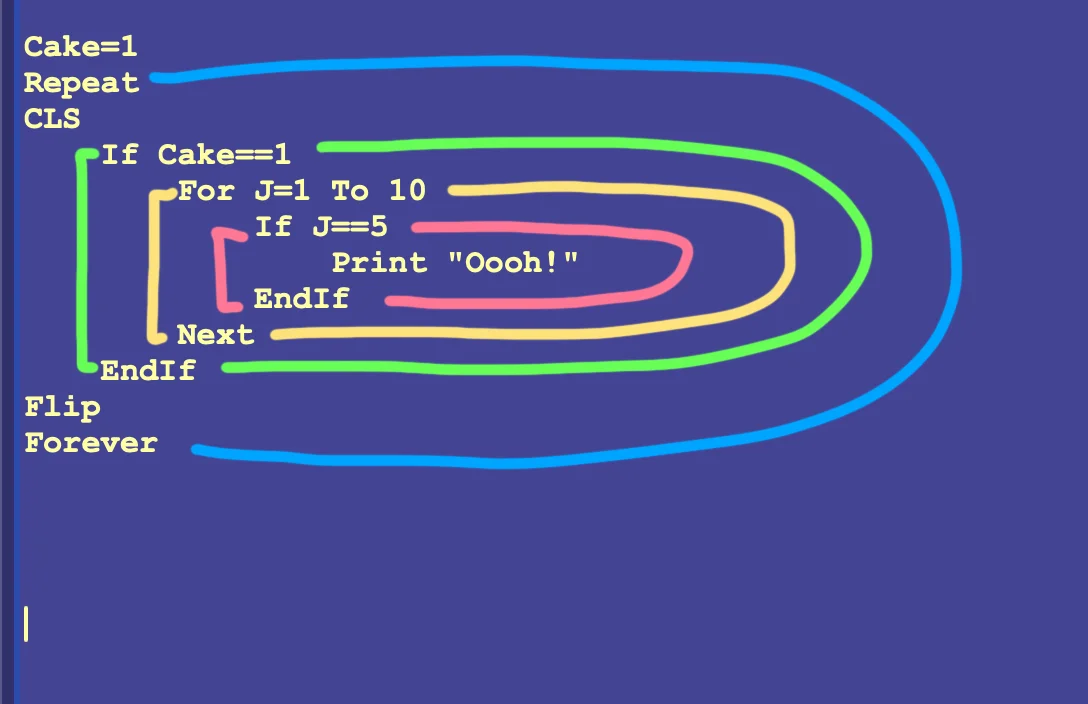
Each indent is a different loop or If..EndIf section.
It's good practice to add spaces to move code further towards the right, when moving inside a loop or an If..Endif section.
That way, if our code doesn't work for some reason, we can clearly see the "ins" and "outs", and it should be easier to work out where any problems might be occurring.
It might also be a good idea to leave line-spacing between important loops, to make it more readable.
This is a "style" choice.
I often leave those connected to the loop instead of indenting.
I like to think of them as "Root" commands within a loop, locked tight to the loop, instead of being inside the loop.
Nested Loops
In the last example, we've put an If..EndIf section inside another If..EndIf section.
This is called "Nesting", and helps to decide whether the computer will even bother with the second If.
If the first If is false, then the second If will be ignored, since it's inside the scope of the first If.
We can do the same sort of thing with For-Next loops.
For J=1 to 5
  For K=1 to 3
    Print J+" - "+K
  Next
Next
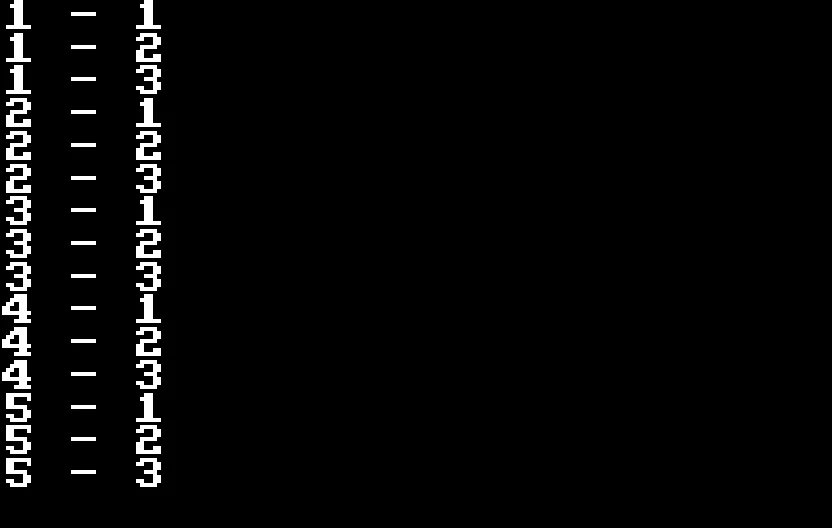
Loops!
The first loop, J, runs from 1 to 5, and inside each of those loops, K runs from 1 to 3.
This ends up giving us Five loops of Three.
Practical Uses
Nesting loops will become second nature as you progress through the world of programming.
A rather simple example would be something like a Times Table display.
For X=1 to 12
  For Y=1 to 12
    Text X*50,Y*32,X*Y,1
  Next
Next
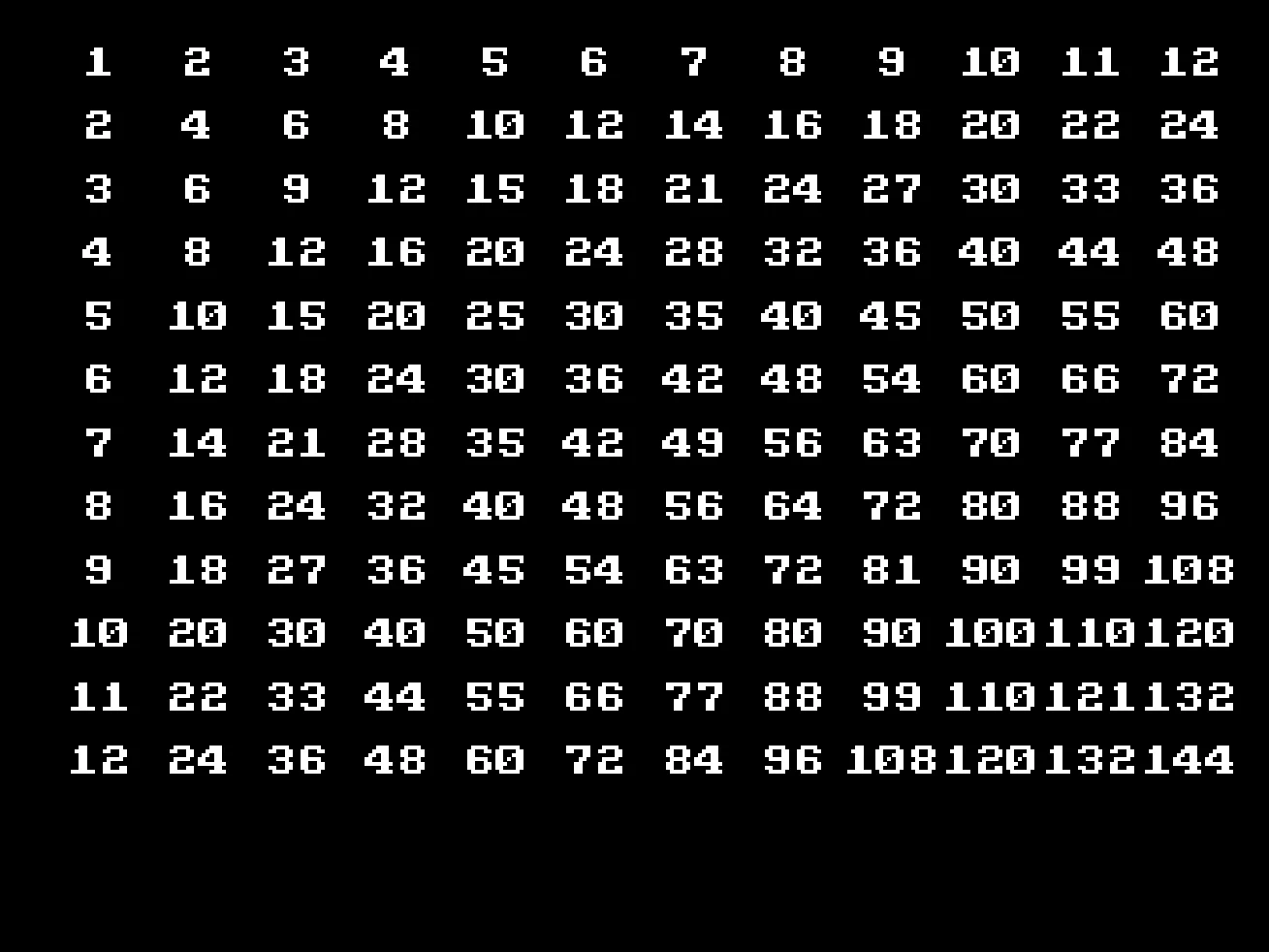
Five simple lines of code to make a whole times table!
Other practical uses for nesting loops..
If we want to draw a grid of tiles, we could use a program like the Times Table is, to draw tiles all over the screen.
If we make a game with bullets and baddies, we might need to loop through all the bullets and test if they hit all the baddies.
Can you make the Times Table program more colourful?
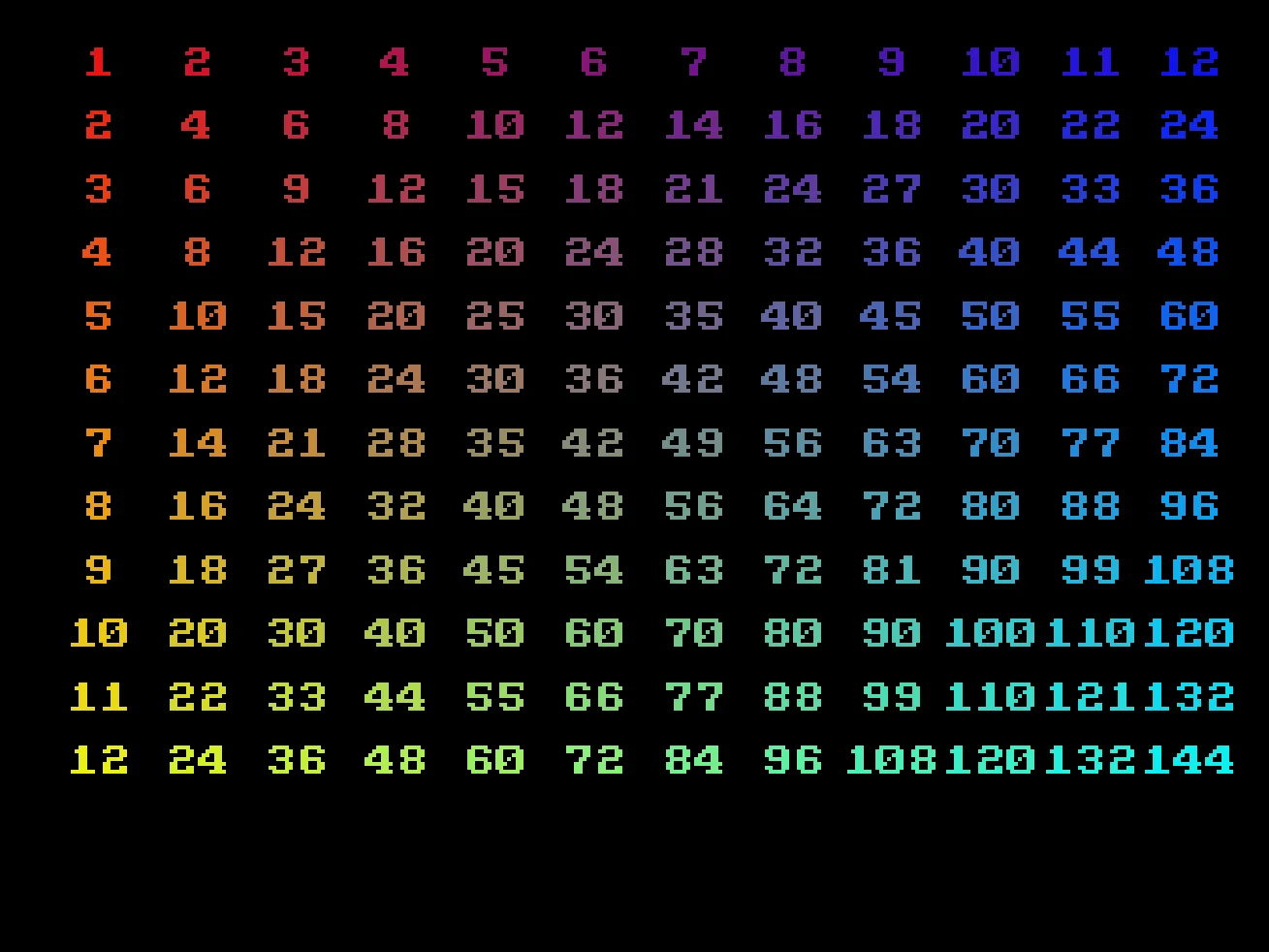
More Colour
It doesn't have to look exactly like this.
Play around and have fun with numbers!