Grid of Stars - Part Two
MouseIn?
Before we start adding interactivity to our game, we're going to need to learn a new command or two.
The MouseIn_Rect() command tells us if the Mouse is In a specific Rect area.
MouseIn_Rect() works with Rectangles, and its companion command MouseIn_Oval works for Ovals.
They each take the same 4 parameters that Rect and Oval take, so we can use them to easily check against the mouse pointer.
Repeat
CLS

  SetCol 255,255,255
  If MouseIn_Rect(100,100,50,100)
    // Mouse is inside the Rect
    SetCol 255,0,0
  EndIf
  Rect(100,100,50,100)

  SetCol 255,255,255
  If MouseIn_Oval(300,300,50,100)
    // Mouse is inside the Oval
    SetCol 255,0,0
  EndIf
  Oval(300,300,50,100)

Flip
Forever
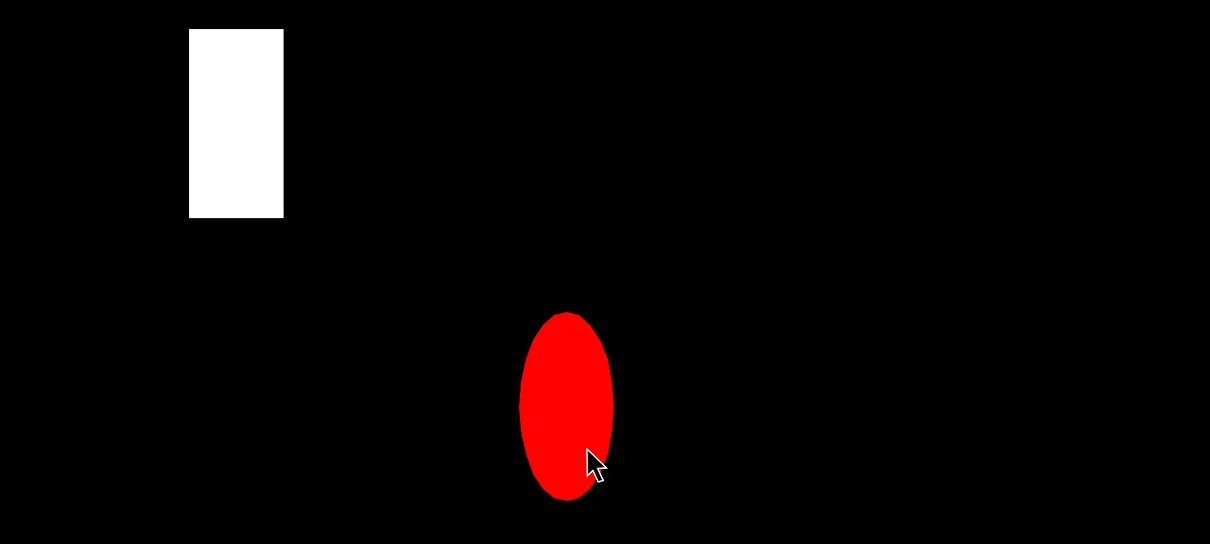
The Mouse is In the Oval!
Game So Far...
OK, let's start from this point.
// Create the Array
  // Gosh, Three dimensions!
Dim MyArray(10,10,2)

// Set up phase

// Slot Names
Reward=1
Open=2

// Player Variables
Turns=5
Score=0

// Place random numbers into the Array
For X=1 To 10
  For Y=1 To 10
    MyArray(X,Y,Reward)=Rand(1,10)
    MyArray(X,Y,Open)=0
  Next
Next

// Main Game Loop
Repeat
CLS

  // Draw a grid of Stars
  For X=1 To 10
    For Y=1 To 10
      DrawX=X*48
      DrawY=Y*48 - 24 // Bump up half a star
      SetRot X*Y
      SetCol X*25,Y*25,255
      Star DrawX,DrawY,24,16
    Next
  Next

Flip
Forever
I've added in some extra colours and some star rotation to the grid.
Now, let's do a quick check for the Mouse Pointer, directly below the Star drawing line. (in between the Star and before the Next)
      // Check if the mouse is in the area.
      If MouseIn_Oval(DrawX,DrawY,24,24)
        Star DrawX,DrawY,24,32
      EndIf // MouseIn
Stars are roughly Oval shaped, so we can use the MouseIn_Oval command to test if it's in the area.
We use 24,24 as the width and height, so we're testing a circular area.
If the mouse is in there, then we'll redraw the star but bigger.
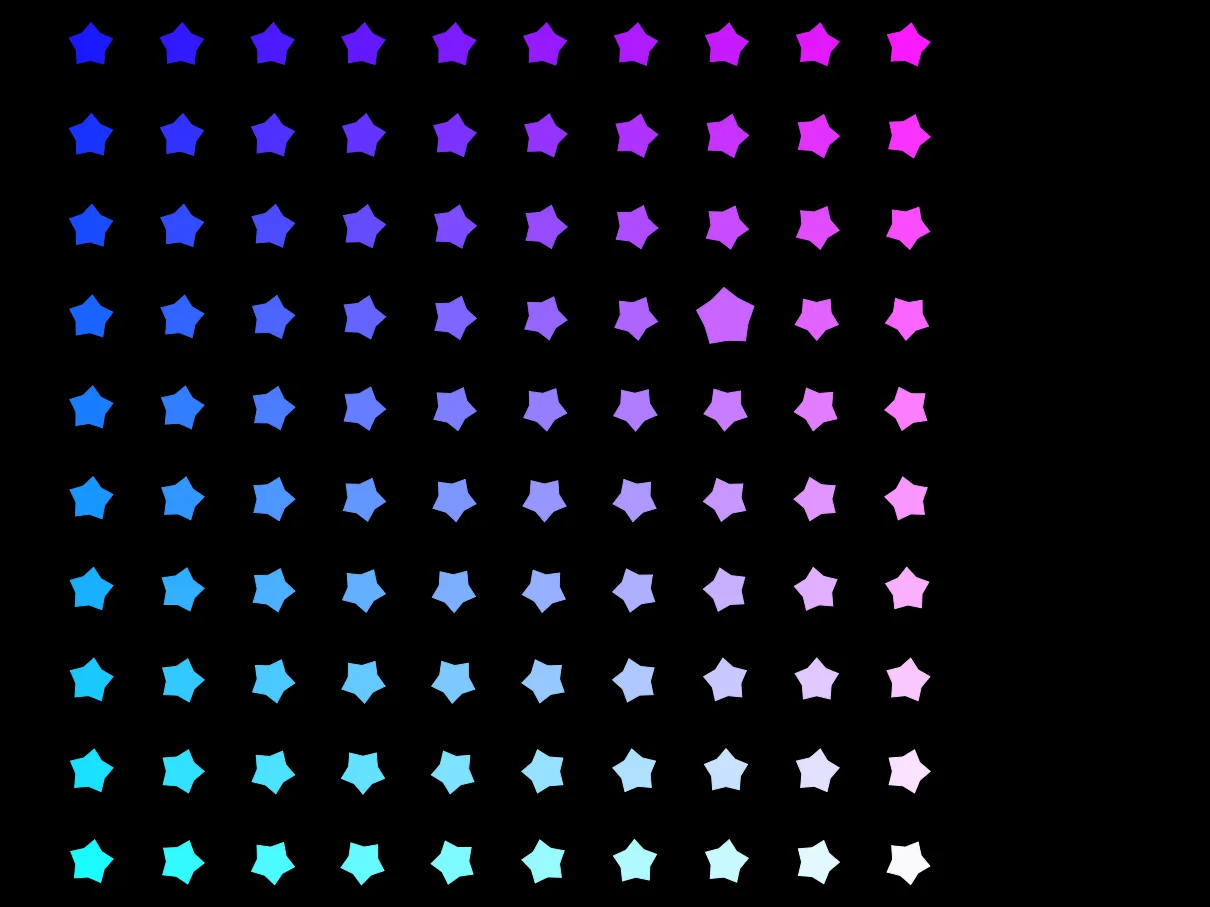
Can you tell which star the mouse is in?
Action Button
OK, here's the plan.
We know if the player's mouse is inside a star, so now we need to test..
And
2. Is the "Open" slot for the star still at 0 so that we don't count the same star twice.
AND
3. The number of Turns is greater than 0
If all three of those are true, we'll
B. Give the player the number of points that we set in "Reward".
C. Subtract 1 from the number of Turns we have left.
Ready?
(This bit goes inside the MouseIn If section)
If MouseDown() And MyArray(X,Y,Open)==0 And Turns>0
// Check if ALL THREE are true

  MyArray(X,Y,Open)=1
  Score=Score+MyArray(X,Y,Reward)
  Turns=Turns-1
EndIf // MouseDown
That wasn't too hard, was it?
Except we can't see anything.
Show the Score!
We've got a big space on the right hand side of the screen. Let's use that space to show the score.
Let's go with 640 (the right hand side of the screen) takeaway 64 pixels. That can be our middle for showing the scores.
Place this code underneath the Main Loop's For loops but before the Flip, since we want to be able to see it!
  // Reset drawing style
  // to undo all the colours
  // and rotations that we've done
  ResetDraw

  // Define an X position
  DrawX=640-64

  // Draw the X's if there's more than 0 turns
    // "X" repeated by how many Turns remain

  If Turns>0 then Text DrawX,100,"X"*Turns,1

  // And a label
  Text DrawX,140,"Turns",1

  // Draw the score
  Text DrawX,240,Score,1
  // And a label
  Text DrawX,280,"Score",1
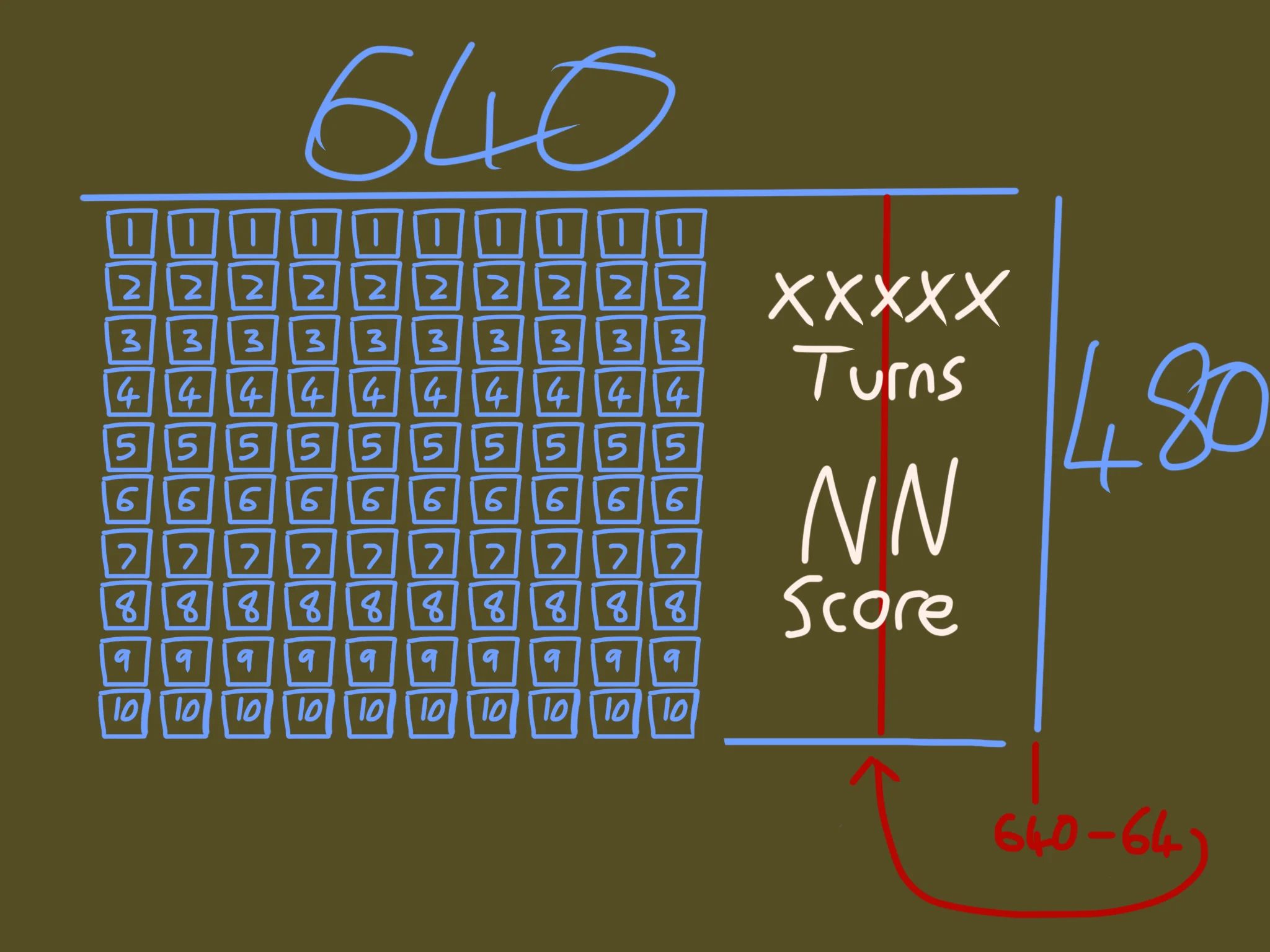
Mmm, maths!
Playable!
You can play the game at this point. But something's missing.
We haven't made the stars stay lit-up once they're opened.
Let's do that now.
What we'll need to do.
1. Draw an EVEN BIGGER star over the top.
2. Text the Reward value over the top of that.
We'll also need to change the colour to make it stand out, and set the text to black so that we can see it over the top of the star.
We'll put this code inside the Star drawing loop, after the EndIf that checked for "MouseIn"
If MyArray(X,Y,Open)==1
  // Change the colour so it stands out
  SetCol 255,Y*25,X*25
  // Draw an EVEN BIGGER star!
  Star DrawX,DrawY,48,32

  // Change to black
  SetCol 0,0,0
  // And reset rotation so the text is upright
  SetRot 0
  // Write the Reward inside the star
  Text DrawX,DrawY,MyArray(X,Y,Reward),1
EndIf // Is Open
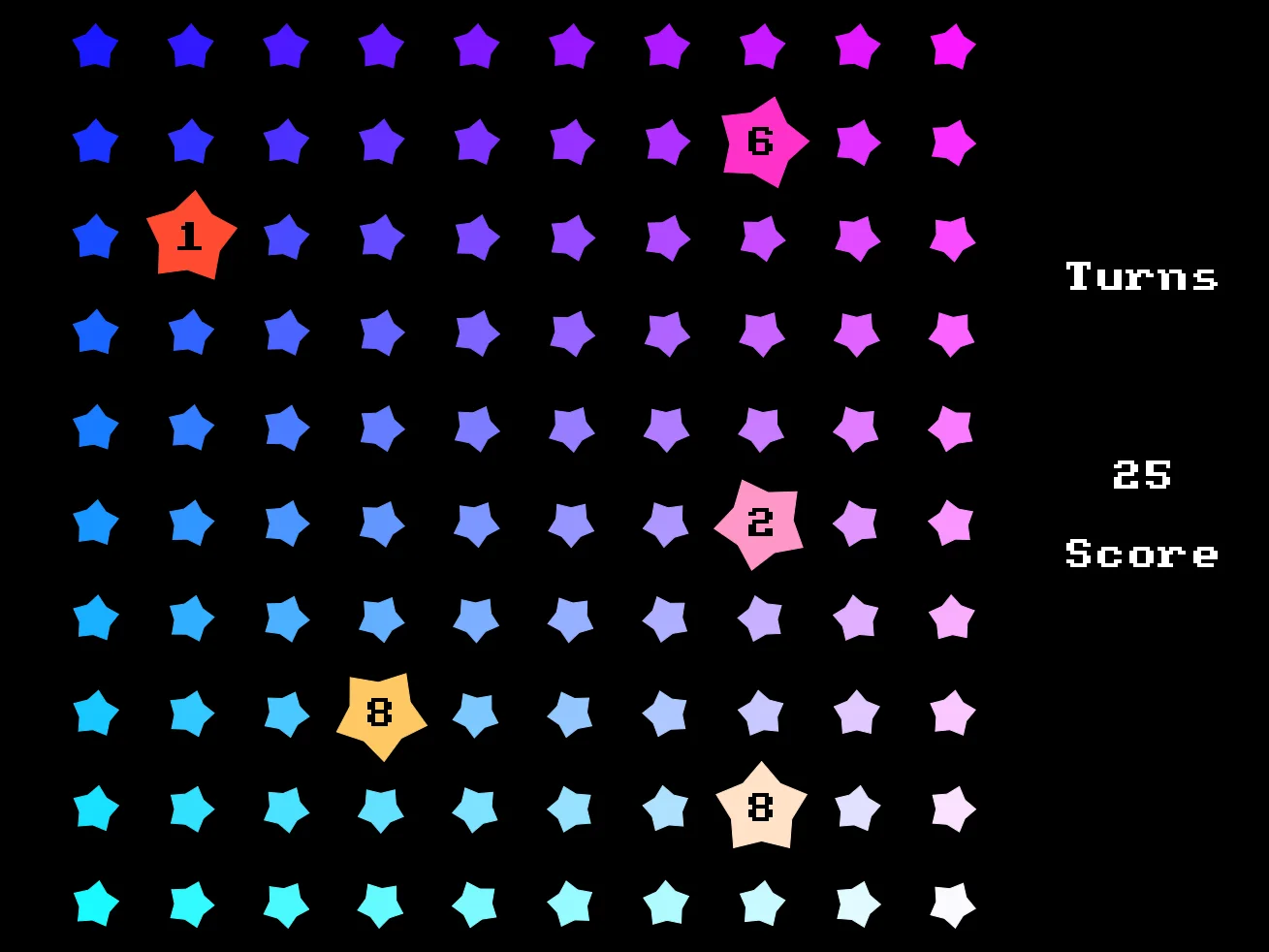
Can you beat my score?
It's a Game!
Congratulations on your first proper game!
We only started this game in the last chapter. If you've understood everything in these two chapters, give yourself a pat on the back!
If there's anything you've struggled with, be sure to head back and read through the last few chapters to help improve your understanding.
In this game we've got.
2. Logic of gameplay flow.
3. Looping, including Nested Loops
4. Understanding If/Then/Endif
5. Mouse interaction
6. Score and "Tries" (or .. lives?)
and a few more things, besides.
If you've managed to understand everything so far, then you're doing really well.
Over the next few chapters we're going to start adding more advanced things.
. Images (How have we already made a game without even using any sprites?)
. Particles (Making our games pop with splashes and more)
. Sounds (Beeps, boops, and twiddly-dingles!)
We'll also be dealing with "String Handling", "Data" and more advanced features.
You're doing great!
Let's make more!
Here's the final code that I have. Is your version like this?
// Grid of Stars
// by Jayenkai
// Created 2025/11/10

// Create the Array
  // Gosh, Three dimensions!
Dim MyArray(10,10,2)

// Set up phase

// Slot Names
Reward=1
Open=2

// Player Variables
Turns=5
Score=0

// Place random numbers into the Array
For X=1 To 10
  For Y=1 To 10
    MyArray(X,Y,Reward)=Rand(1,10)
    MyArray(X,Y,Open)=0
  Next
Next

// Main Game Loop
Repeat
CLS
  // Draw a grid of Stars
  For X=1 To 10
    For Y=1 To 10
      DrawX=X*48
      DrawY=Y*48 - 24 // Bump up half a star
      SetRot X*Y
      SetCol X*25,Y*25,255
      Star DrawX,DrawY,24,16

      // Check if the mouse is in the area.
      If MouseIn_Oval(DrawX,DrawY,24,24)
        Star DrawX,DrawY,24,32
        If MouseDown() And MyArray(X,Y,Open)==0 And Turns>0
          // Check if ALL THREE are true

          MyArray(X,Y,Open)=1
          Score=Score+MyArray(X,Y,Reward)
          Turns=Turns-1
        EndIf // MouseDown
      EndIf // MouseIn_Oval
      If MyArray(X,Y,Open)==1
        // Change the colour so it stands out
        SetCol 255,Y*25,X*25
        // Draw an EVEN BIGGER star!
        Star DrawX,DrawY,48,32

        // Change to black
        SetCol 0,0,0
        // And reset rotation so the text is upright
        SetRot 0
        // Write the Reward inside the star
        Text DrawX,DrawY,MyArray(X,Y,Reward),1
      EndIf // is Open
    Next
  Next

  // Reset drawing style
  // to undo all the colours
  // and rotations that we've done
  ResetDraw

  // Define an X position
  DrawX=640-64

  // Draw the X's if there's more than 0 turns
    // "X" repeated by how many Turns remain

  If Turns>0 then Text DrawX,100,"X"*Turns,1

  // And a label
  Text DrawX,140,"Turns",1

  // Draw the score
  Text DrawX,240,Score,1
  // And a label
  Text DrawX,280,"Score",1
Flip
Forever
There's lots of things you can play with in our finalised game code.
Can you make it so that Opened Stars look different?
Maybe you could make them into a dark fill with a bright outline?
Use Star for filled stars, and DrawStar for outlines.
Can you make it so that the stars all spin around?
Maybe a "Spin" variable that keeps adding 1 each loop, and add that value to the SetRot?
What about the background?
Can you remember how to use the Starfield command?