The Enemies
Let's Number!
In this chapter, we're going to be going in circles.
There's a couple of commands that help us with circles.
We can give the Cos() command an angle (0 to 360) and it'll tell us the X position on a tiny circle.
Similarly, if we give the Sin() command the same angle (0 to 360), then it'll tell us the Y position on the same circle.
Let's make a quick program to test this out.
Repeat
  Angle=Wrap(Frames ,0,360)
  X=320+Cos(Angle)
  Y=240+Sin(Angle)
  Plot X,Y
Flip
Forever
The Sin and Cos commands give us tiny Values between -1 and 1.
We're going to need to increase them if we want to see what they do.
A Bigger Circle
Let's make that a bigger circle by multiplying the numbers up a bit.
Repeat
  CircleSize=160
  Angle=Wrap(Frames ,0,360)
  X=320+Cos(Angle)*CircleSize
  Y=240+Sin(Angle)*CircleSize
  Plot X,Y
Flip
Forever
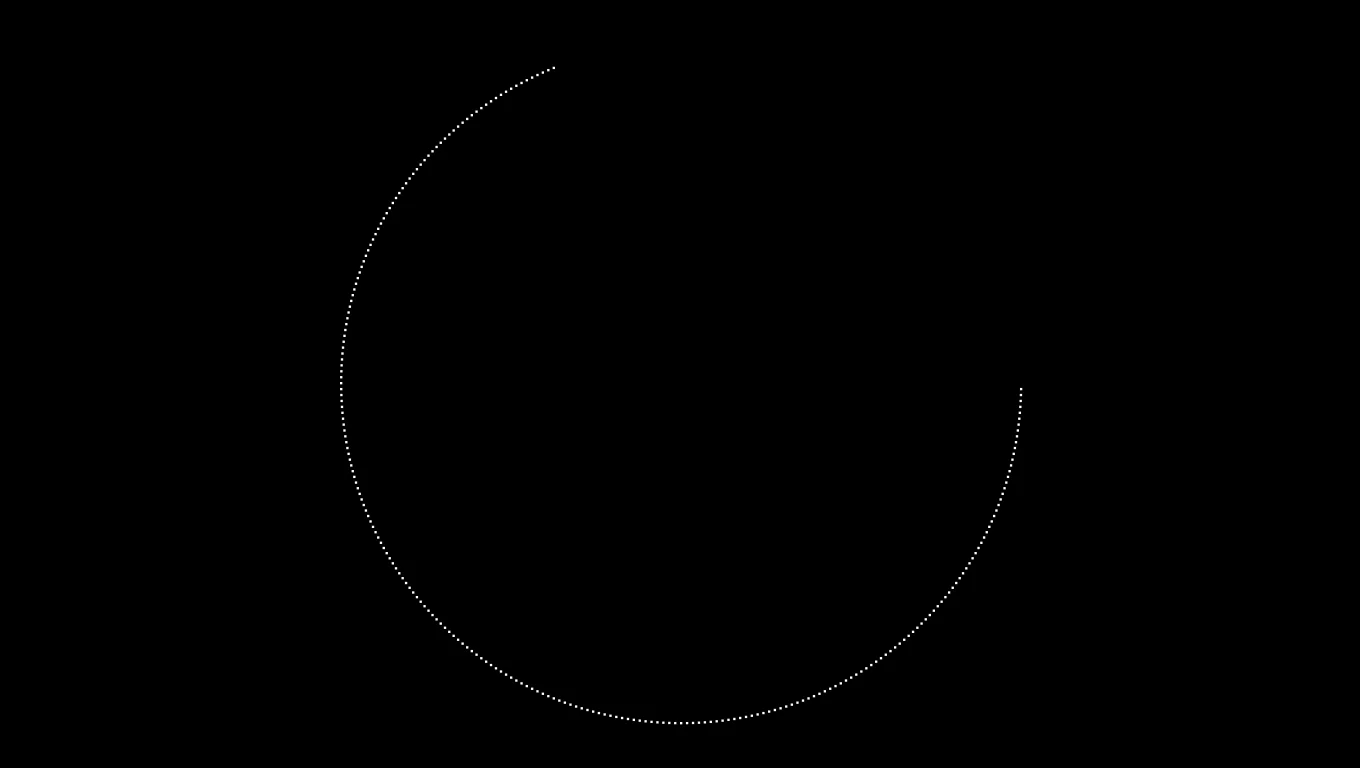
Dots go round!
Our game, so far.
// My Game
// by Mr Green
// Created 2025/12/16

Symbol 0,"2__0_0_0_0_0_0_0_0_0_0_0_0_0_0_0_0_0_0_0P?0_0/P?0!P0,P0_0/P0,P0?P,00P0_0/P00P,0.P,00P0_0/P00P,0.P,00P0_0/P00P,0.P,00P!0!P!00P,0_0?P@0_0_0_0_0_0/P!0.P!0_0_0_0_0_0.P?0PP0P?0_0_0!PP0_0_0/P.0PP0P.0_0_0/PP0_0_0_0,PP0_0@P_P,0PP0P_P,0.P0_0_0@P0.P0_0_0@P0.P0_0_0@P0.P0@P0@P0@P0.PP0/P0@P0/PP0?P0/P0P!0P0/P0!P?0,P0@P0,P?0@P,0,P0@P0,P,0_0?P,0@P,";
Symbol 1,"2__0_0_0_0_0_0_0_0_0_0_0_0_0_0_00P,0_0_0@P_P,0_0?P_P,0?P0_0?P0?P,0@P0_0?P0_0/P0_0?P0_0/P?0!P?0_0_00P0!P0_0_0!P@0_0_0_0_0_0/P!0.P!0_0_0_0_0_0.P?0PP0P?0_0_0!PP0_0_0/P.0PP0P.0_0_0/PP0_0_0_0,PP0_0!P_P?0PP0P_P!0_0_0_0,PP0_0_0_0,PP0_0_0_0,PP0_0P0@P0_0PP0_0P0@P0_0PP0_0P0P!0P0_0PP0_0P0P0.P0P0_0PP0_0P0P0.P0P0_0P,0/P,0P!0P,0/P.0_0_0_0P.0_0_0_0PP";
Symbol 2,"2__0_0_0_0_0_0_0_0_0_0_0_0_0NN00NN0_0_0/NPQNNQPN0_0_0!NPQ.PN0_0_0!NPQ.PN0_0_0!NPQ.PN0_0_0!NPQ.PN0_0_0!NPQ.PN0_0_0!NPQ.PN0_0_0!NPQ.PN0_0_0!NPQ.PN0_0_0!NPQ.PN0_0_0!NPQ.PN0_0_0?NPPQ.PPN0_0_0.NPPQ.PPN0_0_0.NPPQ.PPN0_0_0.NPPQ.PPN0_0_0.NPQ!PN0_0_0.NPQ!PN0_0_0.NPQ!PN0_0_0,NPPQ!PPN0_0_00NPPQ!PPN0_0_00NPPQ!PPN0_0_00NPPQ!PPN0_0,P_P_P_P0,PS_S_S_SP0PS_S_S_S,PPSSR,S,R,S,RRS,R,S,R,SSP0S_S_S_S,0,S_S_S_S";
Symbol 3,"2__P_P_P_P_P_P_P_P_P_P_P_P_P_P_P_P_P_P_P_P_P_P_P_P_P_P_P_P_P_P_P_P_P_P_P_P_P_P_P_P_P_P_P_P_P_P_P_P_P_P_P_P_P_P_P_P_P_P_P_P_P_P_P_P_P_P_P_P_P_P_P_P_P_P_P_P_P_P_P_P_P_P_P_P_P_P_P_P_P_P_P_P_P_P_P_P_P_P_P_P_P_P_P_P_P_P_P_P_P_P_P_P_P_P/";
Symbol 4,"2__0_0_0_0_0_0_0_0_0_0_0_0_0_0_0_0_0_0_0_0_0_0_0_0_0_0_0_0_0_0_0_0_0_0_0_0_0_0_0_0_0_0_0_0_0_0_0_0_z0_0_0_0020,20_0_0_00;0_0_0_0z0;1;0z0_0_0_0;0_0_0_0020,20_0_0_00z";


// Main Loop
GameRun=0
Repeat
  If GameRun==0 then Gosub .StartScreen
  If GameRun==1 then Gosub .InGame
Flip
Forever


// This is our Titlescreen
.StartScreen
CLS
ResetDraw

  ShowInvader=1
  if Wrap(Frames,0,20)<10 then ShowInvader=0
  DrawImg 320,160,ShowInvader

  SetFontSize 32
  Text 320,240,"Titlescreen!",1
  SetFontSize 16
  Text 320,360,"Press Fire to Play",1

  If GamePad(ButtonA)
    Gosub StartGame
    GameRun=1
  Endif
Return


// This prepares our game when the A Button is hit
.StartGame
  Score=0
  PlayerX=320 // Middle of the screen
  PlayerY=440 // Bottom of the screen

  BulletX=0  // Reset player's bullet
  BulletY=0

Return


// This is our ingame loop
.InGame
CLS
ResetDraw
  // Starfield using Symbol 4
  Starfield 1,0,4

  // Player
  DrawImg PlayerX,PlayerY,2
  Speed=4
  If GamePad(ButtonLeft)>0.5 then PlayerX=PlayerX-Speed
  If GamePad(ButtonRight)>0.5 then PlayerX=PlayerX+Speed
  // Using >0.5 allows players to use a thumbstick, too!

  PlayerX=Limit(PlayerX,32,640-32)


  // Player's Bullet
  // Keep the Bullet going upwards
  BulletSpeed=16
  BulletY=Limit(BulletY-BulletSpeed, -100,480)
  // Draw the Bullet
  DrawImg BulletX,BulletY,3

  If BulletY<0 And GamePad(ButtonA)
    BulletX=PlayerX
    BulletY=PlayerY
    PlaySFX("Lazer_2")
  EndIf


  // Quit button (Return)
  If GamePad(ButtonStart) then GameRun=0
    // We can hit the Return key to quit

  SetFontSize 16
  Text 320,16,Score,1
Return
Moving an Invader
OK, let's take that code and move a bad guy around in a circle!
First, we'll reuse the ShowInvader code that we have in our StartScreen routine.
Duplicate the code down near the bottom of our InGame routine.
  // Enemy Section

  // Reuse this to keep the invaders animated
  ShowInvader=1
  if Wrap(Frames,0,20)<10 then ShowInvader=0
And we'll reuse the circle code that we just wrote, though we can tweak it a bit to make it more themed for enemies.
  CircleSize=160
  Angle=Wrap(Frames ,0,360)
  EnemyX=320+Cos(Angle)*CircleSize
  EnemyY=200+Sin(Angle)*CircleSize
  DrawImg EnemyX,EnemyY,ShowInvader
Note that we've moved the Y position of the middle of the circle up a little bit from 240 to 200, so that the enemy doesn't smash straight into the player's face!
You can try out various positions, and CircleSize values, to see what differences they make.
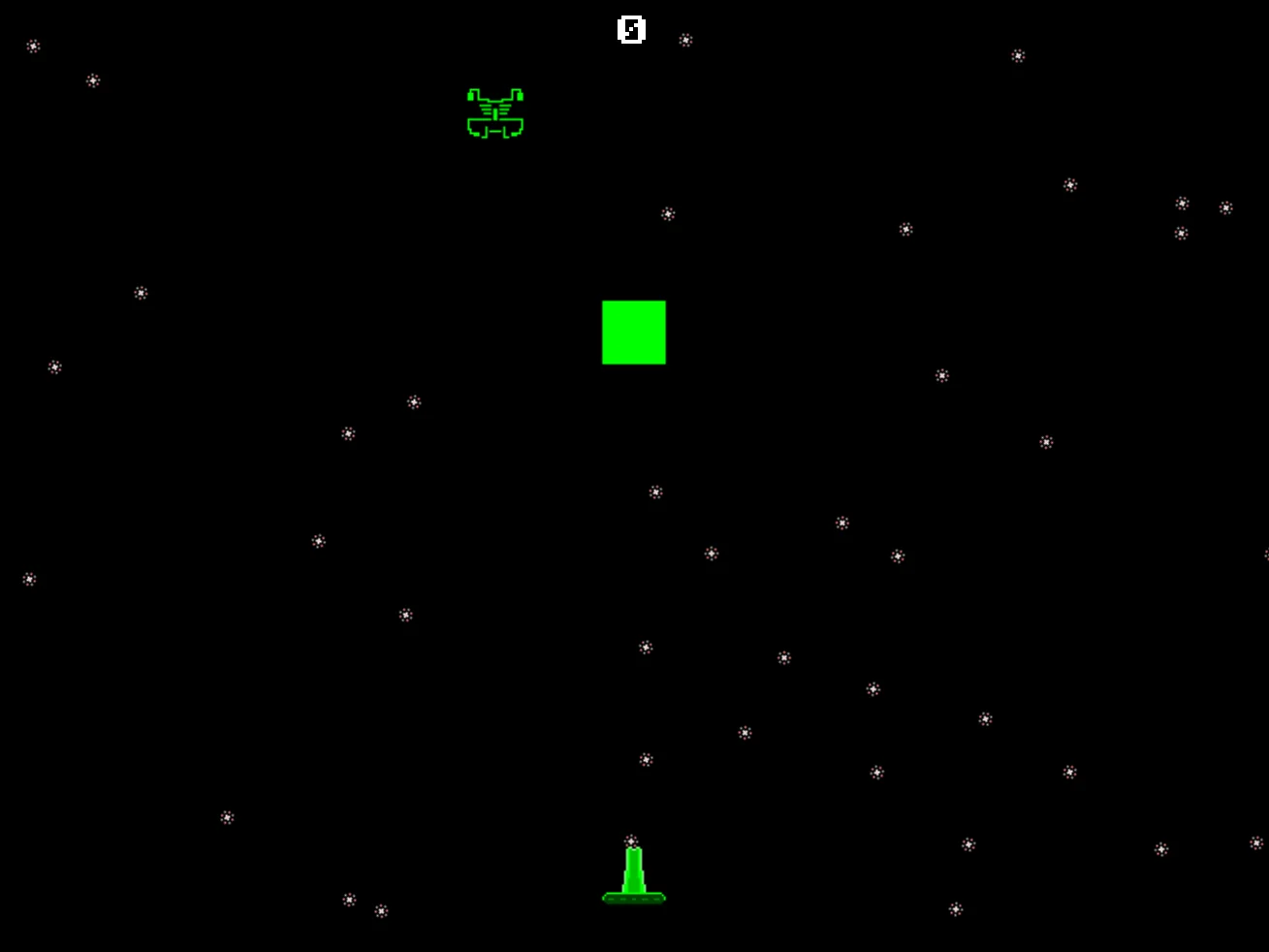
It moves!
Many Enemy!
Wow!
Let's try making more enemies.
We can turn the single enemy into a For-Next loop full of more enemies.
We'll use a "Gap" Variable, and multiply that by the For-Next loop's Variable.
Let's have maybe 20 enemies, and spread them apart by about 15 angle degrees.
  CircleSize=160
  Gap=15
  // A loop for 20 Bad Guys
  For BadGuy=1 to 20
    // Each enemy should be further around the loop.
    PlusAngle=BadGuy*Gap

    Angle=Wrap(Frames + PlusAngle,0,360)
    EnemyX=320+Cos(Angle)*CircleSize
    EnemyY=200+Sin(Angle)*CircleSize
    DrawImg EnemyX,EnemyY,ShowInvader
  Next
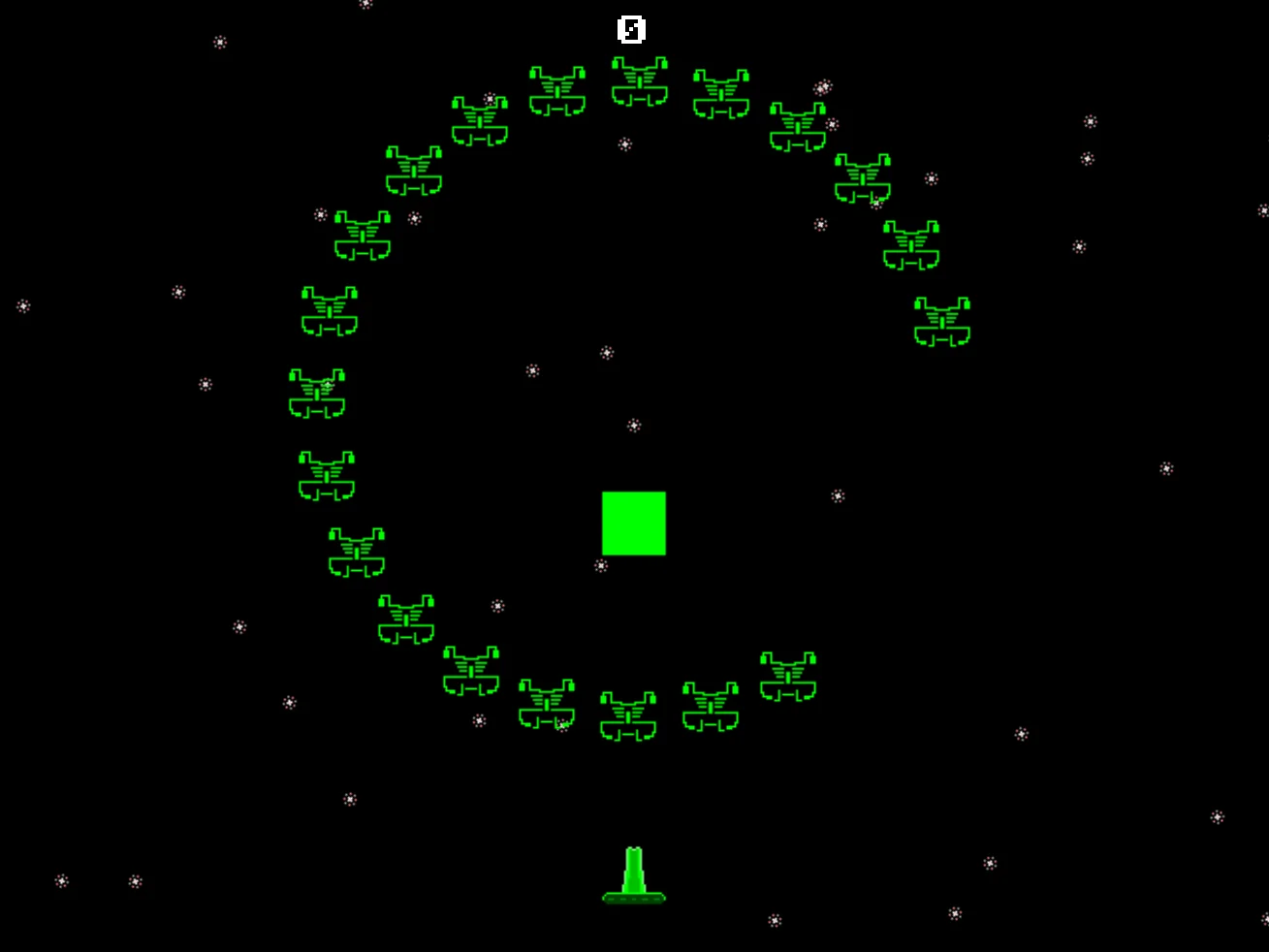
It's a lot of enemies!
Try out lots of different values, and see what looks good for your game.
Our game, so far.
// My Game
// by Mr Green
// Created 2025/12/16

Symbol 0,"2__0_0_0_0_0_0_0_0_0_0_0_0_0_0_0_0_0_0_0P?0_0/P?0!P0,P0_0/P0,P0?P,00P0_0/P00P,0.P,00P0_0/P00P,0.P,00P0_0/P00P,0.P,00P!0!P!00P,0_0?P@0_0_0_0_0_0/P!0.P!0_0_0_0_0_0.P?0PP0P?0_0_0!PP0_0_0/P.0PP0P.0_0_0/PP0_0_0_0,PP0_0@P_P,0PP0P_P,0.P0_0_0@P0.P0_0_0@P0.P0_0_0@P0.P0@P0@P0@P0.PP0/P0@P0/PP0?P0/P0P!0P0/P0!P?0,P0@P0,P?0@P,0,P0@P0,P,0_0?P,0@P,";
Symbol 1,"2__0_0_0_0_0_0_0_0_0_0_0_0_0_0_00P,0_0_0@P_P,0_0?P_P,0?P0_0?P0?P,0@P0_0?P0_0/P0_0?P0_0/P?0!P?0_0_00P0!P0_0_0!P@0_0_0_0_0_0/P!0.P!0_0_0_0_0_0.P?0PP0P?0_0_0!PP0_0_0/P.0PP0P.0_0_0/PP0_0_0_0,PP0_0!P_P?0PP0P_P!0_0_0_0,PP0_0_0_0,PP0_0_0_0,PP0_0P0@P0_0PP0_0P0@P0_0PP0_0P0P!0P0_0PP0_0P0P0.P0P0_0PP0_0P0P0.P0P0_0P,0/P,0P!0P,0/P.0_0_0_0P.0_0_0_0PP";
Symbol 2,"2__0_0_0_0_0_0_0_0_0_0_0_0_0NN00NN0_0_0/NPQNNQPN0_0_0!NPQ.PN0_0_0!NPQ.PN0_0_0!NPQ.PN0_0_0!NPQ.PN0_0_0!NPQ.PN0_0_0!NPQ.PN0_0_0!NPQ.PN0_0_0!NPQ.PN0_0_0!NPQ.PN0_0_0!NPQ.PN0_0_0?NPPQ.PPN0_0_0.NPPQ.PPN0_0_0.NPPQ.PPN0_0_0.NPPQ.PPN0_0_0.NPQ!PN0_0_0.NPQ!PN0_0_0.NPQ!PN0_0_0,NPPQ!PPN0_0_00NPPQ!PPN0_0_00NPPQ!PPN0_0_00NPPQ!PPN0_0,P_P_P_P0,PS_S_S_SP0PS_S_S_S,PPSSR,S,R,S,RRS,R,S,R,SSP0S_S_S_S,0,S_S_S_S";
Symbol 3,"2__P_P_P_P_P_P_P_P_P_P_P_P_P_P_P_P_P_P_P_P_P_P_P_P_P_P_P_P_P_P_P_P_P_P_P_P_P_P_P_P_P_P_P_P_P_P_P_P_P_P_P_P_P_P_P_P_P_P_P_P_P_P_P_P_P_P_P_P_P_P_P_P_P_P_P_P_P_P_P_P_P_P_P_P_P_P_P_P_P_P_P_P_P_P_P_P_P_P_P_P_P_P_P_P_P_P_P_P_P_P_P_P_P_P/";
Symbol 4,"2__0_0_0_0_0_0_0_0_0_0_0_0_0_0_0_0_0_0_0_0_0_0_0_0_0_0_0_0_0_0_0_0_0_0_0_0_0_0_0_0_0_0_0_0_0_0_0_0_z0_0_0_0020,20_0_0_00;0_0_0_0z0;1;0z0_0_0_0;0_0_0_0020,20_0_0_00z";


// Main Loop
GameRun=0
Repeat
  If GameRun==0 then Gosub .StartScreen
  If GameRun==1 then Gosub .InGame
Flip
Forever


// This is our Titlescreen
.StartScreen
CLS
ResetDraw

  ShowInvader=1
  If Wrap(Frames,0,20)<10 Then ShowInvader=0
  DrawImg 320,160,ShowInvader

  SetFontSize 32
  Text 320,240,"Titlescreen!",1
  SetFontSize 16
  Text 320,360,"Press Fire to Play",1

  If GamePad(ButtonA)
    Gosub StartGame
    GameRun=1
  Endif
Return


// This prepares our game when the A Button is hit
.StartGame
  Score=0
  PlayerX=320 // Middle of the screen
  PlayerY=440 // Bottom of the screen

  BulletX=0  // Reset player's bullet
  BulletY=0

Return


// This is our ingame loop
.InGame
CLS
ResetDraw
  // Starfield using Symbol 4
  Starfield 1,0,4

  // Player
  DrawImg PlayerX,PlayerY,2
  Speed=4
  If GamePad(ButtonLeft)>0.5 then PlayerX=PlayerX-Speed
  If GamePad(ButtonRight)>0.5 then PlayerX=PlayerX+Speed
  // Using >0.5 allows players to use a thumbstick, too!

  PlayerX=Limit(PlayerX,32,640-32)


  // Player's Bullet
  // Keep the Bullet going upwards
  BulletSpeed=16
  BulletY=Limit(BulletY-BulletSpeed, -100,480)
  // Draw the Bullet
  DrawImg BulletX,BulletY,3

  If BulletY<0 And GamePad(ButtonA)
    BulletX=PlayerX
    BulletY=PlayerY
    PlaySFX("Lazer_2")
  EndIf


  // Enemy Section

  // Reuse this to keep the invaders animated
  ShowInvader=1
  if Wrap(Frames,0,20)<10 then ShowInvader=0

  CircleSize=160
  Gap=15
  // A loop for 20 Bad Guys
  For BadGuy=1 to 20
    // Each enemy should be further around the loop.
    PlusAngle=BadGuy*Gap
    Angle=Wrap(Frames + PlusAngle,0,360)
    EnemyX=320+Cos(Angle)*CircleSize
    EnemyY=200+Sin(Angle)*CircleSize
    DrawImg EnemyX,EnemyY,ShowInvader
  Next


  // Quit button (Return)
  If GamePad(ButtonStart) then GameRun=0
    // We can hit the Return key to quit

  SetFontSize 16
  Text 320,16,Score,1
Return
Do you remember back in Chapter 9 when we came up with a line of random circles?
We ended up using those as part of the floor for our Animated Snowman's floor.
Maybe you could do something similar here, so that the player's Tank has a floor to roll along.