GameHandler Explained
The Rules of GameHandler
We've seen, first hand, the true power of the GameHandler command. In this chapter, I'll explain the rules that we need to follow in order for it to work as well as it does.
Back in chapter 16, we set up the initial concept of what GameHandler does.
It expects two main subroutines.
.StartGame is the subroutine that should be called at the start of any game, which resets everything that the game uses.
You should use this subroutine to clear out level setups, reset the player to their start position, empty out bullets and other such things.
As with all subroutines, be sure to return after everything is reset.
.InGame is the game itself. This subroutine should handle everything that happens in a single "flip" frame of your game.
Player movement, collision detection, scrolling, enemies and whatever else happens in your game, should all happen in this subroutine, but only one frame worth of gameplay.
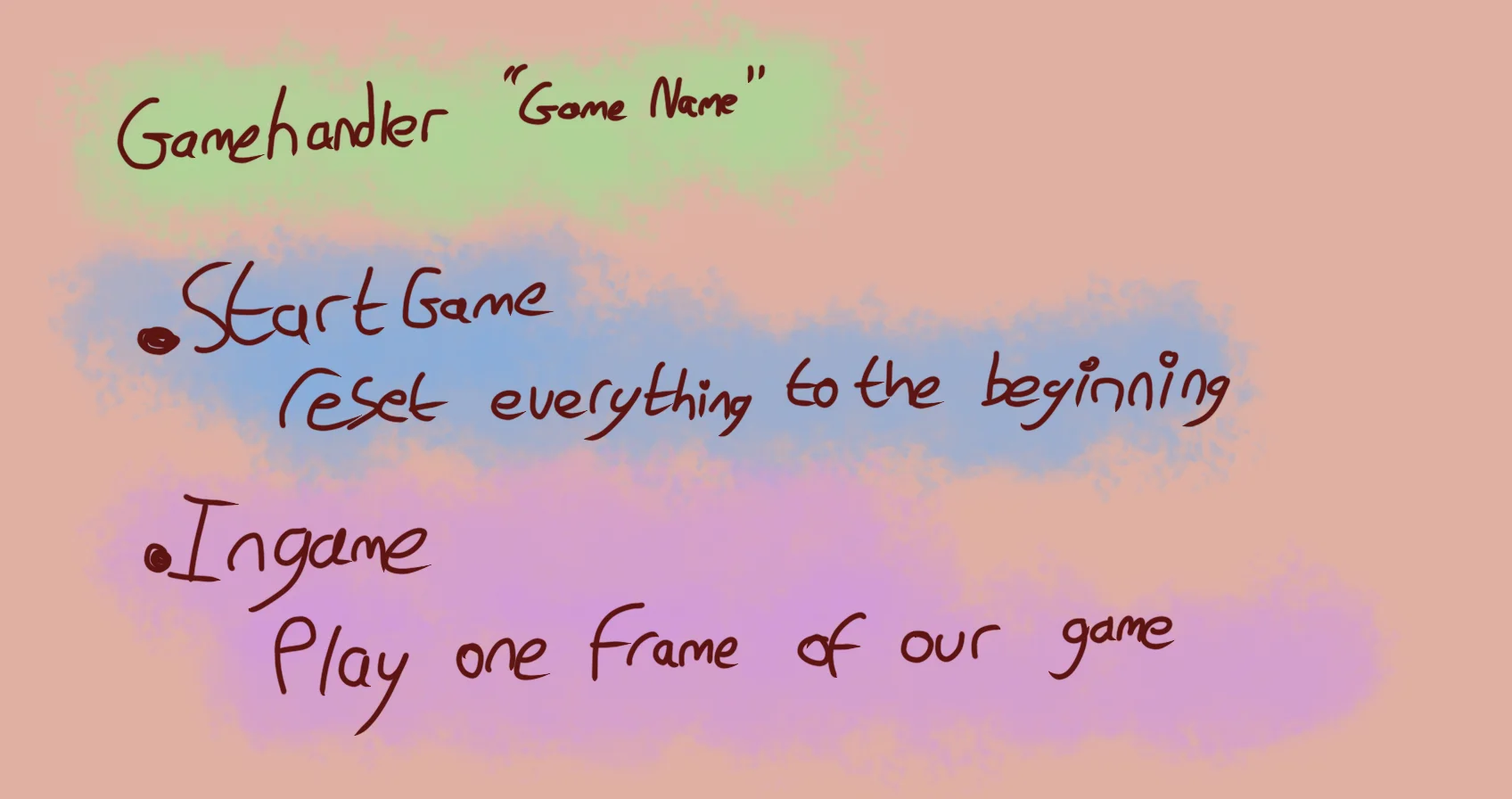
The three keys, GameHandler, .StartGame and .Ingame
Scores
In order for GameHandler's scoreboard (highscores, and latest scores) to function correctly, we need to use the Score variable to keep track of the player's score.
Scores are the only values that GameHandler will sensibly store. They're the end goal of any GameHandler game.
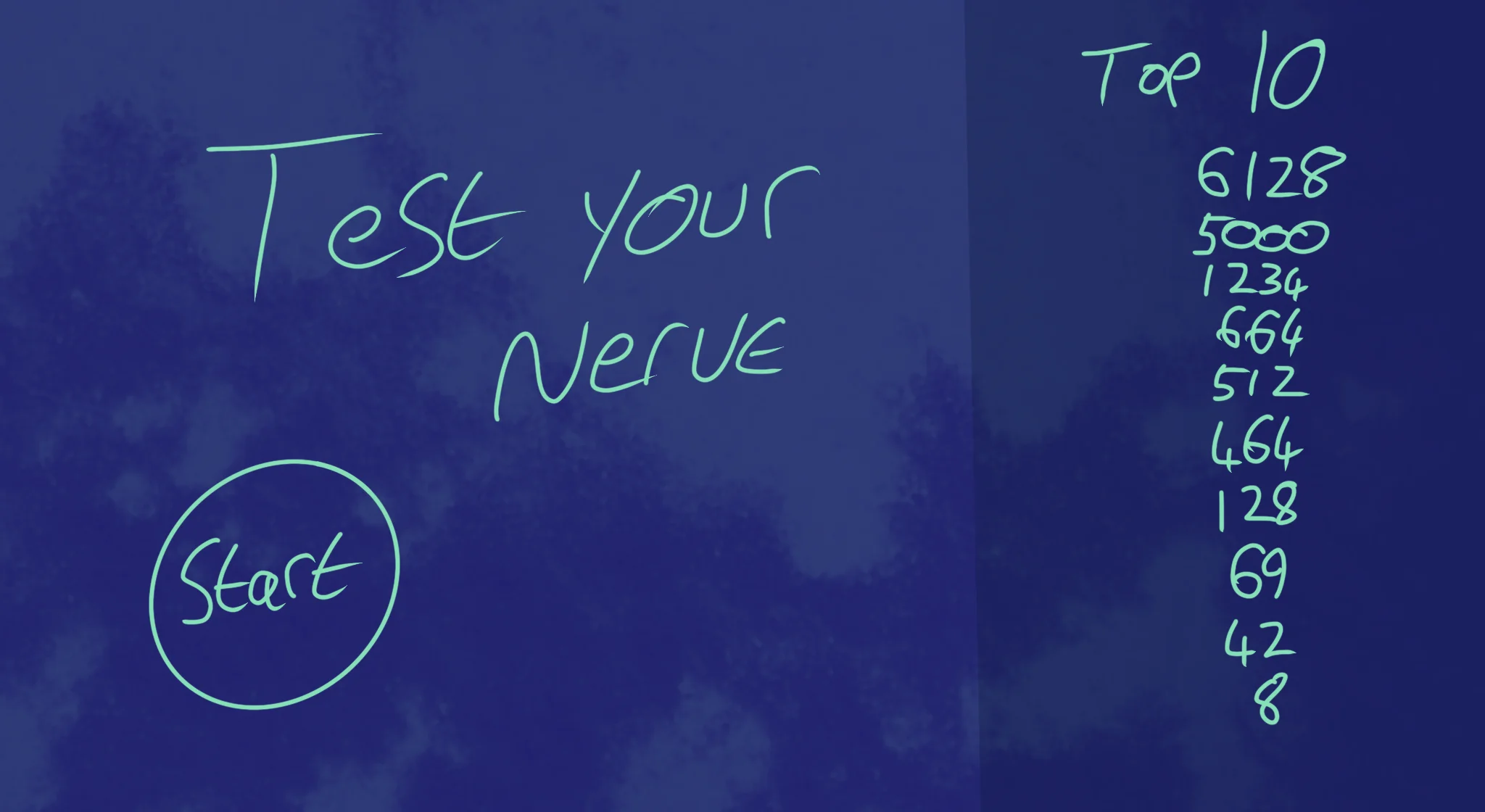
GameHandler games are meant to be highscore-based, and not a lot more will function correctly.
Though this seems obvious, there are a lot of games that won't work sensibly within this constraint.
Games that have individual levels, like puzzle games, tend not to use Scores and instead tend to have Goals, and Stars as their reward.
These types of games are currently unworkable in GameHandler (though they may be supported in a future update.)
As such, if you're using GameHandler, try to make games where the goal is to earn a higher score than the last time.
EndGame
At the end of our game, when the player has lost, you should use the EndGame "Reason" command.
This lets the GameHandler know that our game is over, and that it should display "Reason" onscreen as a Game Over title.
The GameHandler will then take the player's Score, work out its placement on the scoreboard, and will also save the scores for us.
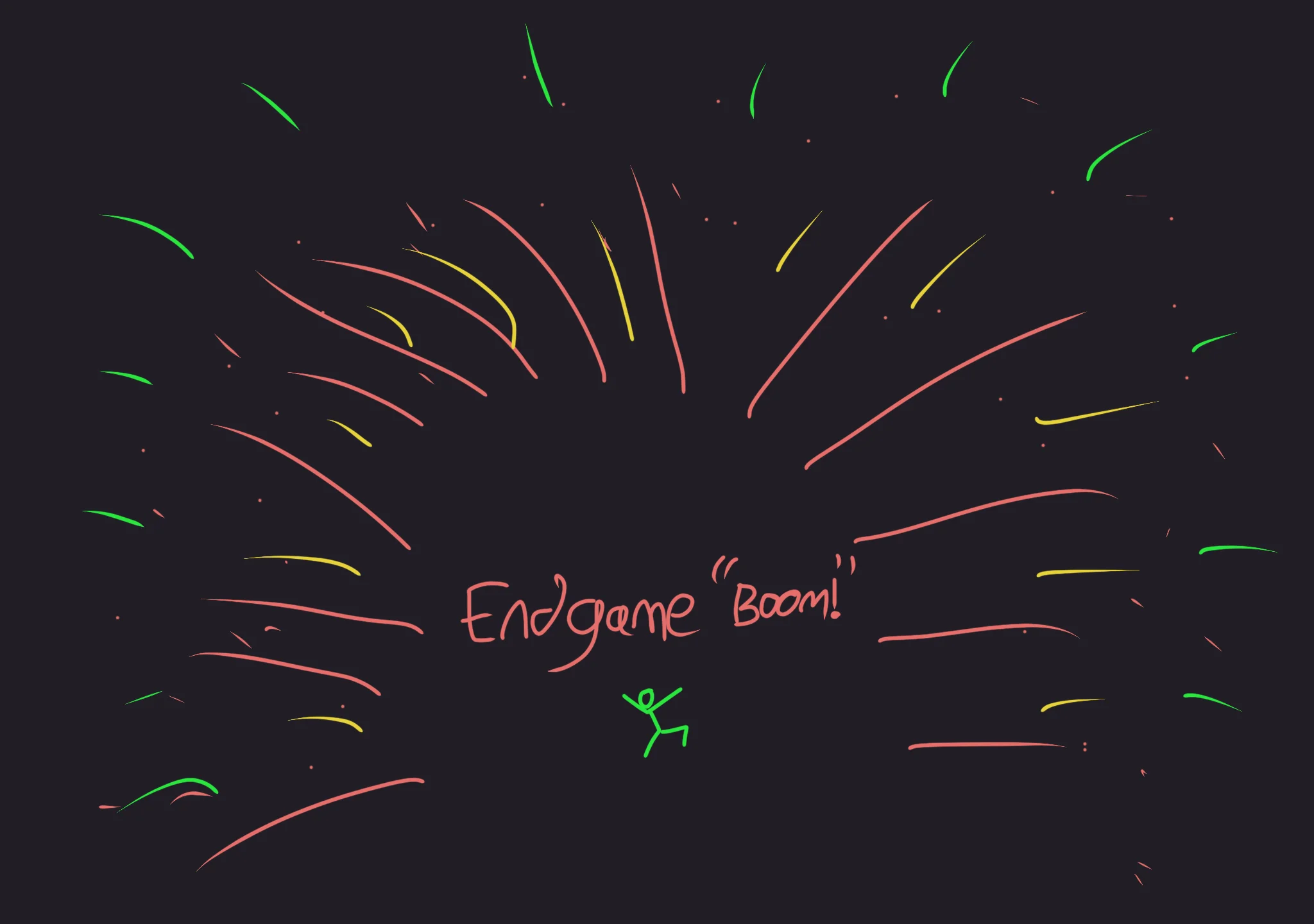
Be sure to End your Game!
GameType
The GameHandler command also accepts a second parameter
If we write something like GameHandler "My Space Game","Easy|Normal|Hard" then the GameHandler will create three separate scoreboards, one for Easy, one Normal and one Hard.
When inside your .StartGame subroutine, you can use the GameType variable to tell which of these the player has chosen.
If the player picks option 1, GameType will be 1, so GameType==1 would be Easy, GameType==2 would be Normal and GameType==3 would be Hard.
We can use this to change our game so that it's more suitable to the option.
  Level=0  // Default "Easy"

  // If they pick "Normal", start at Level 3
  If GameType==2 then Level=3

  // If they pick "Hard", start at Level 6
  if GameType==3 then Level=6
Our expanded game
// My Game
// by Mr Green
// Created 2025/12/16

Symbol 0,"2__0_0_0_0_0_0_0_0_0_0_0_0_0_0_0_0_0_0_0P?0_0/P?0!P0,P0_0/P0,P0?P,00P0_0/P00P,0.P,00P0_0/P00P,0.P,00P0_0/P00P,0.P,00P!0!P!00P,0_0?P@0_0_0_0_0_0/P!0.P!0_0_0_0_0_0.P?0PP0P?0_0_0!PP0_0_0/P.0PP0P.0_0_0/PP0_0_0_0,PP0_0@P_P,0PP0P_P,0.P0_0_0@P0.P0_0_0@P0.P0_0_0@P0.P0@P0@P0@P0.PP0/P0@P0/PP0?P0/P0P!0P0/P0!P?0,P0@P0,P?0@P,0,P0@P0,P,0_0?P,0@P,";
Symbol 1,"2__0_0_0_0_0_0_0_0_0_0_0_0_0_0_00P,0_0_0@P_P,0_0?P_P,0?P0_0?P0?P,0@P0_0?P0_0/P0_0?P0_0/P?0!P?0_0_00P0!P0_0_0!P@0_0_0_0_0_0/P!0.P!0_0_0_0_0_0.P?0PP0P?0_0_0!PP0_0_0/P.0PP0P.0_0_0/PP0_0_0_0,PP0_0!P_P?0PP0P_P!0_0_0_0,PP0_0_0_0,PP0_0_0_0,PP0_0P0@P0_0PP0_0P0@P0_0PP0_0P0P!0P0_0PP0_0P0P0.P0P0_0PP0_0P0P0.P0P0_0P,0/P,0P!0P,0/P.0_0_0_0P.0_0_0_0PP";
Symbol 2,"2__0_0_0_0_0_0_0_0_0_0_0_0_0NN00NN0_0_0/NPQNNQPN0_0_0!NPQ.PN0_0_0!NPQ.PN0_0_0!NPQ.PN0_0_0!NPQ.PN0_0_0!NPQ.PN0_0_0!NPQ.PN0_0_0!NPQ.PN0_0_0!NPQ.PN0_0_0!NPQ.PN0_0_0!NPQ.PN0_0_0?NPPQ.PPN0_0_0.NPPQ.PPN0_0_0.NPPQ.PPN0_0_0.NPPQ.PPN0_0_0.NPQ!PN0_0_0.NPQ!PN0_0_0.NPQ!PN0_0_0,NPPQ!PPN0_0_00NPPQ!PPN0_0_00NPPQ!PPN0_0_00NPPQ!PPN0_0,P_P_P_P0,PS_S_S_SP0PS_S_S_S,PPSSR,S,R,S,RRS,R,S,R,SSP0S_S_S_S,0,S_S_S_S";
Symbol 3,"2__P_P_P_P_P_P_P_P_P_P_P_P_P_P_P_P_P_P_P_P_P_P_P_P_P_P_P_P_P_P_P_P_P_P_P_P_P_P_P_P_P_P_P_P_P_P_P_P_P_P_P_P_P_P_P_P_P_P_P_P_P_P_P_P_P_P_P_P_P_P_P_P_P_P_P_P_P_P_P_P_P_P_P_P_P_P_P_P_P_P_P_P_P_P_P_P_P_P_P_P_P_P_P_P_P_P_P_P_P_P_P_P_P_P/";
Symbol 4,"2__0_0_0_0_0_0_0_0_0_0_0_0_0_0_0_0_0_0_0_0_0_0_0_0_0_0_0_0_0_0_0_0_0_0_0_0_0_0_0_0_0_0_0_0_0_0_0_0_z0_0_0_0020,20_0_0_00;0_0_0_0z0;1;0z0_0_0_0;0_0_0_0020,20_0_0_00z";
Symbol 5,"2__0_0_0_0_0_0_0_0_0_0_0_0_0_0_0_0_0_0_0_0_0_0_0_0_0_0_0_0_0_0_0_0_0_0_0_0_0_0_0_0_0_0_0_0_0_0_0?Q_Q_Q_0?Q_Q_Q_";

AntiAlias Off // Turn off AntiAlias, for Crispy Invaders


// Arrays
Dim EnemyAlive(20)
Dim EnemyBullet(50,2)

// Particle Setup

// Clear out settings
ResetParticle

// Setting for Particle type
SetParticleImage 5
SetParticleDirection 0,360
SetParticleSpeed 0.1,0.3

// Save particle style to Variable
StoreParticle ExplodingPiece

// And don't forget to reset, afterwards
ResetParticle


GameHandler "My Space Game","Easy|Normal|Hard"
// GameHandler takes over from the MainLoop we coded earlier.

// Main Loop
GameRun=0
Repeat
  If GameRun==0 then Gosub .StartScreen
  If GameRun==1 then Gosub .InGame
Flip
Forever


// This is our Titlescreen
.StartScreen
CLS
ResetDraw

  ShowInvader=1
  If Wrap(Frames,0,20)<10 Then ShowInvader=0
  DrawImg 320,160,ShowInvader

  SetFontSize 32
  Text 320,240,"Titlescreen!",1
  SetFontSize 16
  Text 320,360,"Press Fire to Play",1

  If GamePad(ButtonA)
    Gosub StartGame
    GameRun=1
  Endif
Return


// This resets the current level
.NextLevel
  Level=Level+1
  DropDown=480
  For BadGuy=1 to 20
    EnemyAlive(BadGuy)=1
  Next

  // New variables to multiply the EnemyX and Y Angles
  WaveX=Rand(1,3)
  WaveY=Rand(1,3)
  Gap=Rand(3,15)

Return


// This prepares our game when the A Button is hit
.StartGame
  Score=0
  Dead=0

  Level=0  // Default "Easy"

  // If they pick "Normal", start at Level 3
  If GameType==2 then Level=3

  // If they pick "Hard", start at Level 6
  if GameType==3 then Level=6

  PlayerX=320 // Middle of the screen
  PlayerY=440 // Bottom of the screen

  BulletX=0  // Reset player's bullet
  BulletY=0


  XPosition=1
  YPosition=2

  For b=0 to 50
    EnemyBullet(b,1)=0
    EnemyBullet(b,2)=1000
  Next

  EnemyBulletTo=0  // We increase this when an enemy fires a bullet.
  EnemyBulletDelay=0 // We'll have a delay between every bullet drop.

  Gosub NextLevel
Return


// This is our ingame loop
.InGame
CLS
ResetDraw

  // Starfield using Symbol 4
  Starfield 1,0,4

  // Player
  If Dead==0
    PlayerCollide=DrawImg(PlayerX,PlayerY,2)
    Speed=4
    If GamePad(ButtonLeft)>0.5 then PlayerX=PlayerX-Speed
    If GamePad(ButtonRight)>0.5 then PlayerX=PlayerX+Speed
    // Using >0.5 allows players to use a thumbstick, too!

    PlayerX=Limit(PlayerX,32,640-32)


    // Player's Bullet
    // Keep the Bullet going upwards
    BulletSpeed=16
    BulletY=Limit(BulletY-BulletSpeed, -100,480)
  EndIf

  // Draw the Bullet
  SetScale 0.2,0.5

  BulletCollide=DrawImg(BulletX,BulletY,3)

  // Handle Enemy Bullets
  For b=1 to 50
    If EnemyBullet(b, YPosition)<480
      EnemyBullet(b, YPosition)=EnemyBullet(b, YPosition)+6

      ThisCollide=DrawImg(EnemyBullet(b, XPosition),EnemyBullet(b, YPosition),3)
      If Collide(ThisCollide,PlayerCollide) and Dead==0 then Dead=1
    EndIf
  Next

  // And reset things afterwards
  ResetDraw

  If BulletY<0 And GamePad(ButtonA) and Dead==0
    BulletX=PlayerX
    BulletY=PlayerY
    PlaySFX("Lazer_2")
  EndIf


  // Enemy Section

  // Reuse this to keep the invaders animated
  ShowInvader=1
  if Wrap(Frames,0,20)<10 then ShowInvader=0

  CircleSize=160
  // New Variable for Circle Position
  CircleX=320+Sin(Frames)*160
  CircleY=200-DropDown
  DropDown=Limit( DropDown-5 ,0,480)
    // Why not try changing this value, too.
      // The higher the number the faster the drop.
      // Make it slower to have the invaders creep into view!

  // Bullet Delay workings
  EnemyBulletDelay=Limit(EnemyBulletDelay-Level, 0,200)


  BaddyCount=0
  // A loop for 20 Bad Guys
  For BadGuy=1 to 20
    // If Alive
    If EnemyAlive(BadGuy)==1

      BaddyCount=BaddyCount+1

      // Each enemy should be further around the loop.
      PlusAngle=BadGuy*Gap
      Angle=Wrap(Frames + PlusAngle,0,360)
      EnemyX=CircleX+Cos(Angle*WaveX)*CircleSize
      EnemyY=CircleY+Sin(Angle*WaveY)*CircleSize
      EnemyColour=Wrap(BadGuy,0,7)

      // New collision code
      EnemyCollide=DrawImg(EnemyX,EnemyY,ShowInvader,EnemyColour)
      If Collide(BulletCollide,EnemyCollide) And BulletY>0
        // If the bullet hits the Enemy

        // Turn off the Enemy
        EnemyAlive(BadGuy)=0
        // Make a Bang sound
        PlaySFX("Explode_Low_2")
        // Gimme 5 points!
        Gimme 5,EnemyX,EnemyY
        SpawnParticles EnemyX,EnemyY,ExplodingPiece,10

        // Move the Bullet off the screen
        BulletY=-100


      EndIf // Collision

      // Dropping Bullets
      If Rand(0,10)==1 and EnemyY<240 and EnemyBulletDelay==0
        EnemyBulletTo=Wrap(EnemyBulletTo+1,1,50)
        // Wrap the value between 1 and 50

        // Then position the Bullet
        EnemyBullet(EnemyBulletTo, XPosition)=EnemyX
        EnemyBullet(EnemyBulletTo, YPosition)=EnemyY

        // Reset the Delay
        EnemyBulletDelay=100

        // And go "peow!"
        PlaySFX("Lazer_1")

      EndIf

    EndIf // Alive

  Next // Each BadGuy

  If BaddyCount<1 then Gosub NextLevel


  // Quit button (Return)
  If GamePad(ButtonStart) then GameRun=0
    // We can hit the Return key to quit

  If Dead>0
    If Dead==1
      PlaySFX("Explode_High_4")

      SpawnParticles PlayerX,PlayerY,ExplodingPiece,100
    EndIf
    Dead=Dead+1

    EndGame "Too Bad"
      // We'll talk about this in Chapter 25!

    If Dead>120 Then GameRun=0
  EndIf

  SetFontSize 16
  Text 320,16,Score,1
Return
Different Endings
Maybe you could change the message that shows up at the end of a game.
Try replacing the EndGame message with something more unique, like "Mission Failed"
Can you add more Level options?
What different sorts of levels can you come up with for our menu screen?
How about having different options for different wave styles?
Remember, you can check which option the player chose using the GameType variable.
Bonus!
Since the GameHandler's Scoreboard rewards higher scores, what methods can you think of to give the player more points?
Perhaps they could earn a bonus at the end of each level?
Gimme 5*Level,EnemyX,EnemyY ?