Number Tools
Long Arms
If we look at our Snowman from the previous chapter, we can see that his arms frequently stretch to silly lengths.
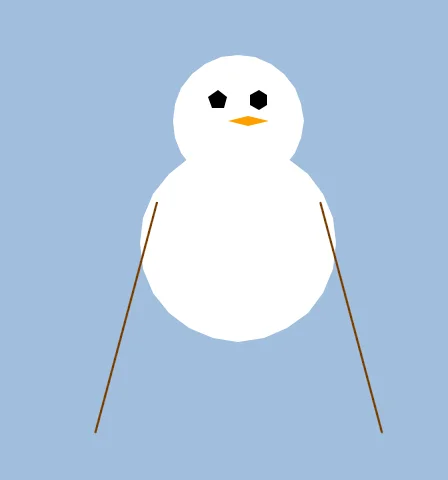
Big droopy arms!
This is because the ArmHigh variable is free to go wherever it wants.
We haven't set limits for how high and low the ArmHigh variable can reach.
Limits
If we want to Limit how low and high a number can go, we can use the Limit command.
  ArmHigh=Limit(ArmHigh,220,250)
  // Nice numbers for the arm height.
This command is a Tool command.
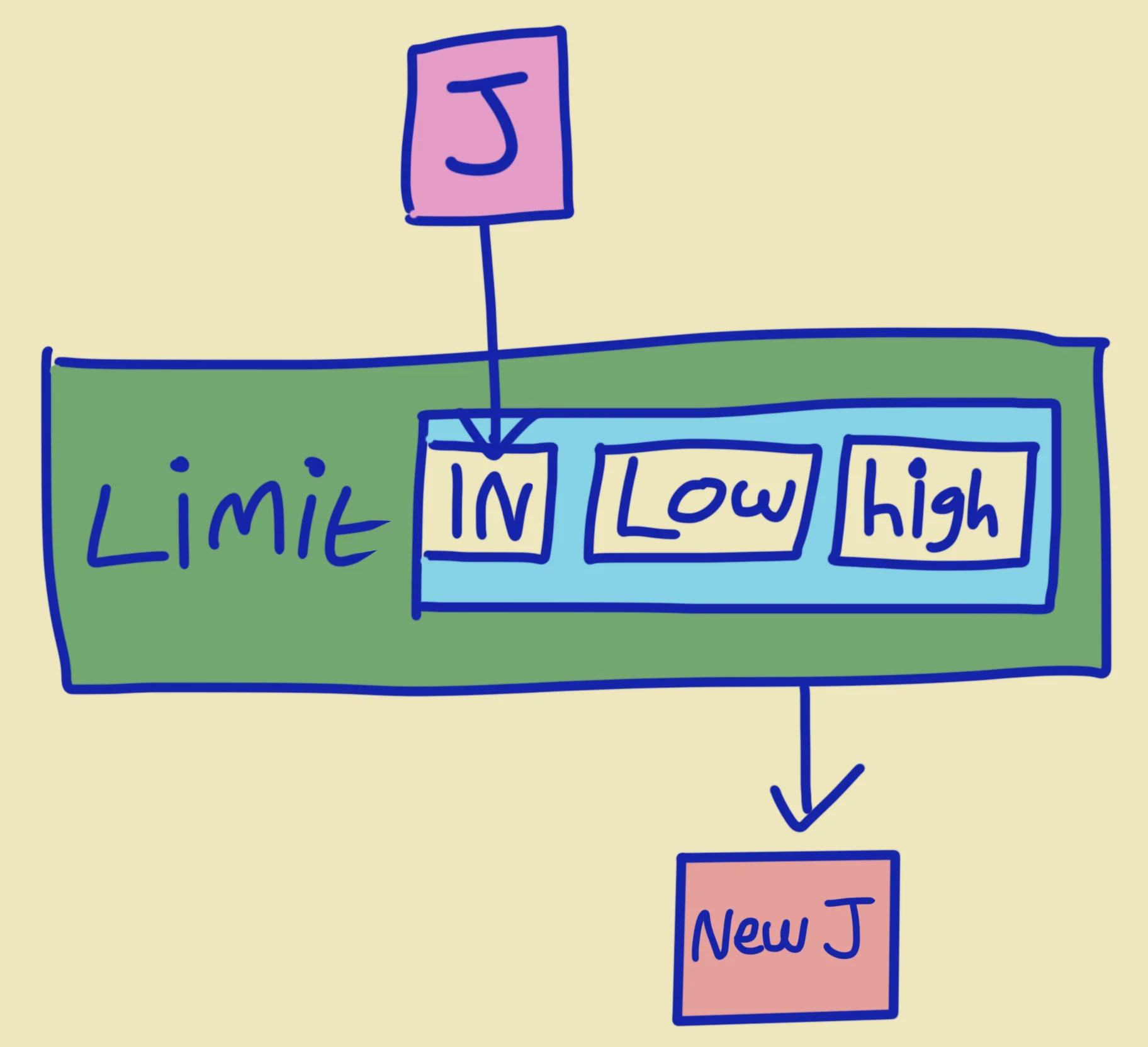
It's like a little mini number machine!
We give it the start Value, then the Lowest Value and the Highest Value that we want it to be limited to.
It then Returns a new Value which is inside those limits, and we place that new Value back inside the Variable.
It does exactly what it says on the tin.
Wrapping
Sometimes, rather than stopping a number at either limit, we might want to "wrap" the number around.
Imagine we had a wall on the left and another wall on the right. Limit would stop the number from going too far left or too far right.
Wrap would teleport the number to the other side, if it gets too far.
You can see this in action in the following program.
LeftWall=260
RightWall=460
// Why not try moving the walls to see what happens.

Repeat
CLS 0,80,0

  X=MouseX()

  // Use Limit to stop the number at the walls
  Limited=Limit(X,LeftWall,RightWall)

  // Use Wrap to keep wrapping the number around.
  Wrapped=Wrap(X,LeftWall,RightWall)

  Print
  SetCol 100,255,100

  // Print the positions
  Print "MouseX   : "+X
  Print "Limited  : "+Limited
  Print "Wrapped  : "+Wrapped

  SetCol 128,180,255

  // Show the positions
  Oval X,24,5,5
  Oval Limited,40,5,5
  Oval Wrapped,56,5,5

  // Walls
  Line LeftWall,0,LeftWall,480
  Line RightWall,0,RightWall,480
Flip
Forever

Comparing Limit to Wrap
Maths Tools
There's a whole host of Number Tools that perform maths on the values we give them.
Abs and Neg
Sometimes we need numbers to be plus or minus numbers.
The Abs(Value) command will Return an Absolute (plus) version of that number.
Similarly, the Neg(Value) will Return the Negative (minus) version of that number.
Value=5
Print "Value : "+Value
Print "Abs   : "+Abs(Value)
Print "Neg   : "+Neg(Value)

Print

Value=-3
Print "Value : "+Value
Print "Abs   : "+Abs(Value)
Print "Neg   : "+Neg(Value)
Round, Floor and Ceil
If you find that you're working with decimal place numbers, you might like to round them up or down.
The Round command uses 0.5 as the mid-point, and either rounds down if below, or up if above.
The Floor command will always round numbers down (like falling down to the floor), and the Ceil command always rounds numbers up (like floating up to the ceiling)
Value=3.3
Print "Value : "+Value
Print "Floor : "+Floor(Value)
Print "Round : "+Round(Value)
Print "Ceil  : "+Ceil(Value)

Print

Value=5.5
Print "Value : "+Value
Print "Floor : "+Floor(Value)
Print "Round : "+Round(Value)
Print "Ceil  : "+Ceil(Value)

Print

Value=7.7
Print "Value : "+Value
Print "Floor : "+Floor(Value)
Print "Round : "+Round(Value)
Print "Ceil  : "+Ceil(Value)
Try changing the values to see how everything works.
MiddleX=320
MiddleY=240

SetCol 48,64,96
Line 0,MiddleY,640,MiddleY
Line MiddleX,0,MiddleX,480

SetCol 255,255,255
For X=-100 to 100
  Plot MiddleX+X,MiddleY+X
Next
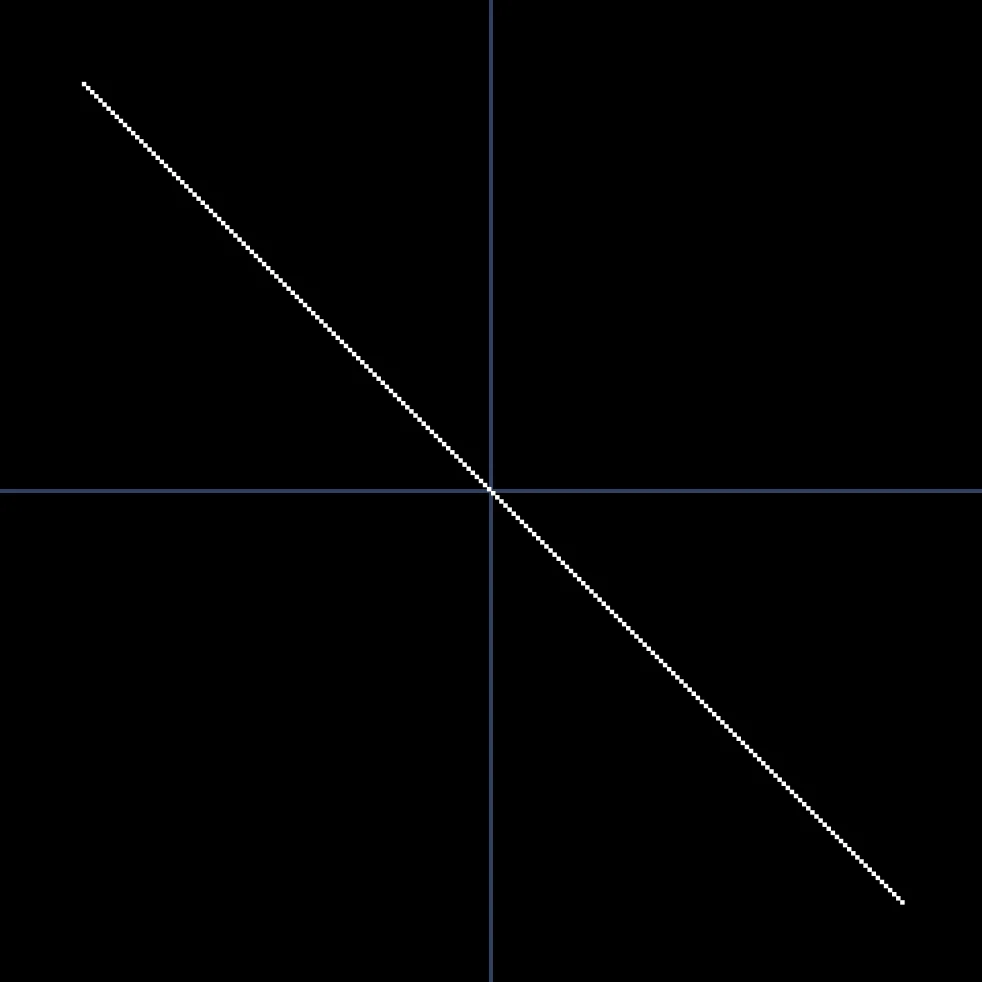
A simple script that draws the above picture.
The line goes from -100 to 100, added to the middle of the screen.
MiddleX=320
MiddleY=240

SetCol 48,64,96
Line 0,MiddleY,640,MiddleY
Line MiddleX,0,MiddleX,480

SetCol 255,255,255
For X=-100 to 100
  Plot MiddleX+Abs(X),MiddleY+X
Next
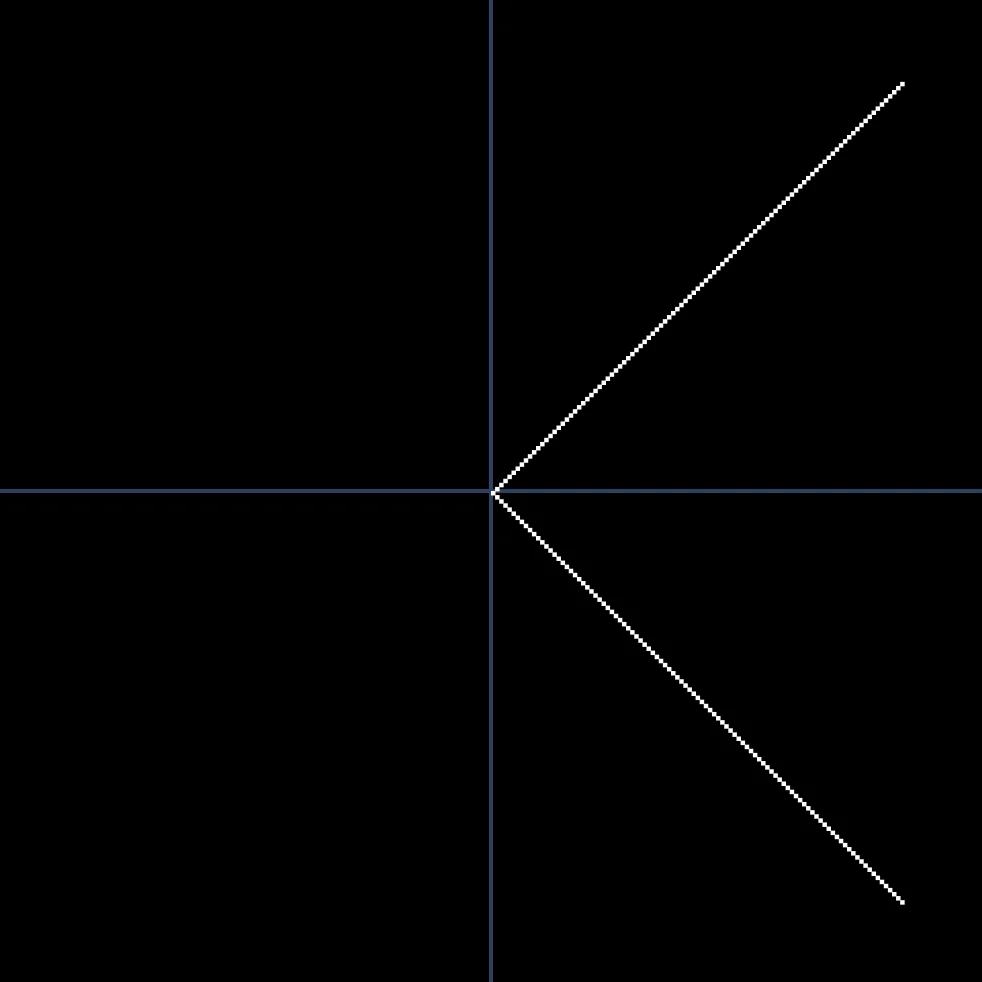
A different line!
If we add an Abs(X), then it still draws the Y co-ordinate from -100 to 100, but the X pixels are all made positive (Absolute).
Using only the Abs and Neg commands, do you think you could get the program to draw these different images?
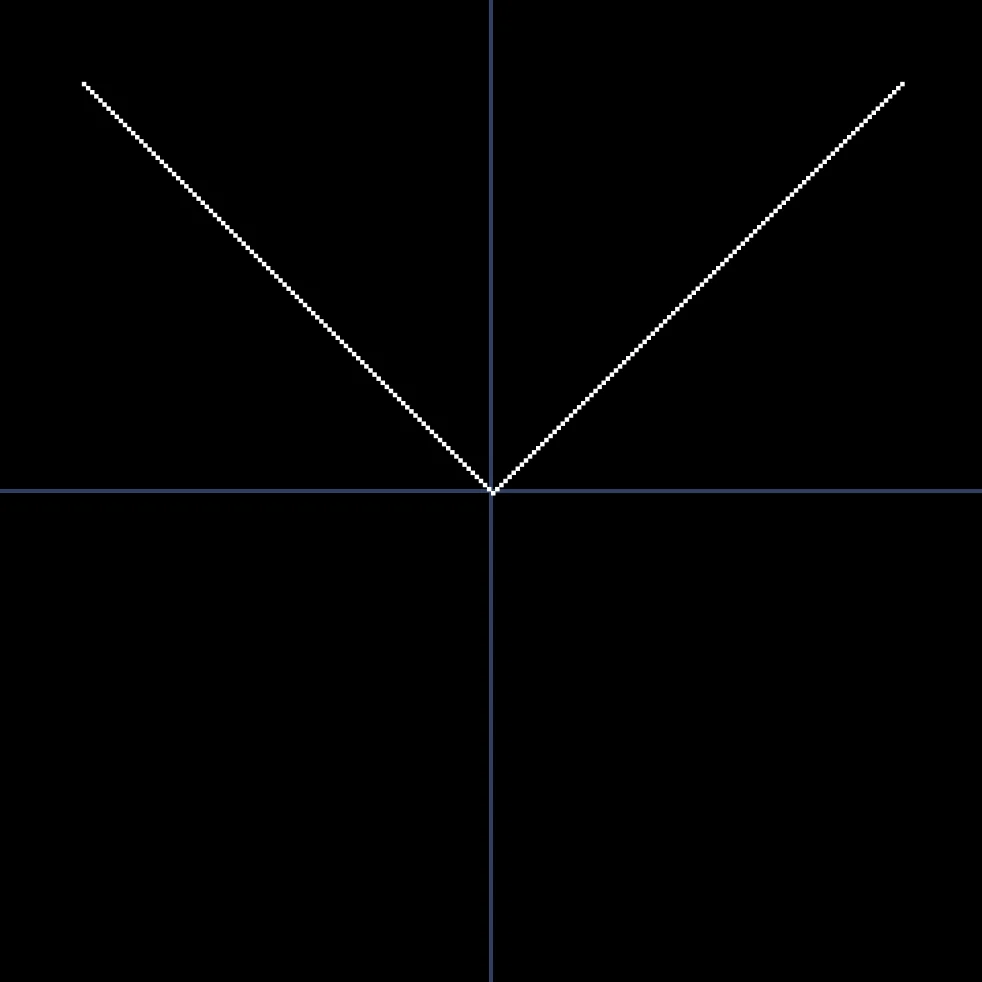
All Y values are negative
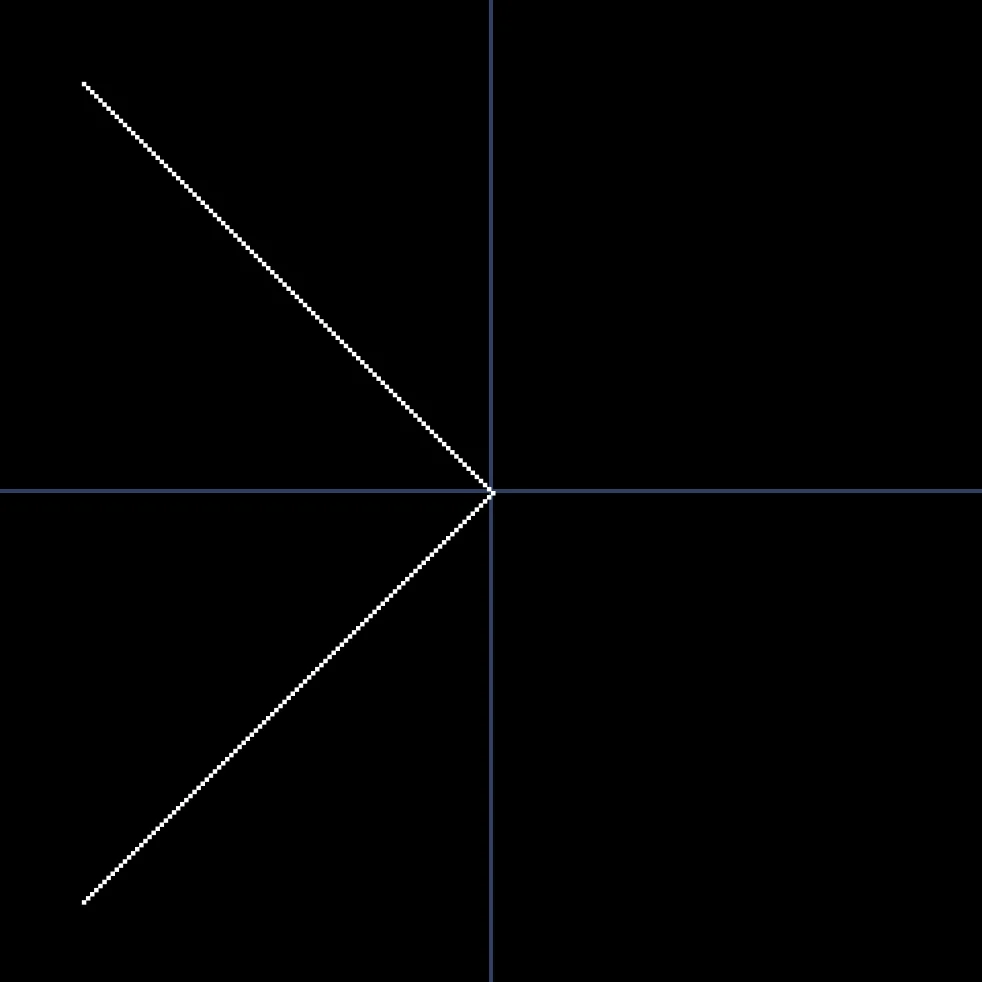
All X values are negative
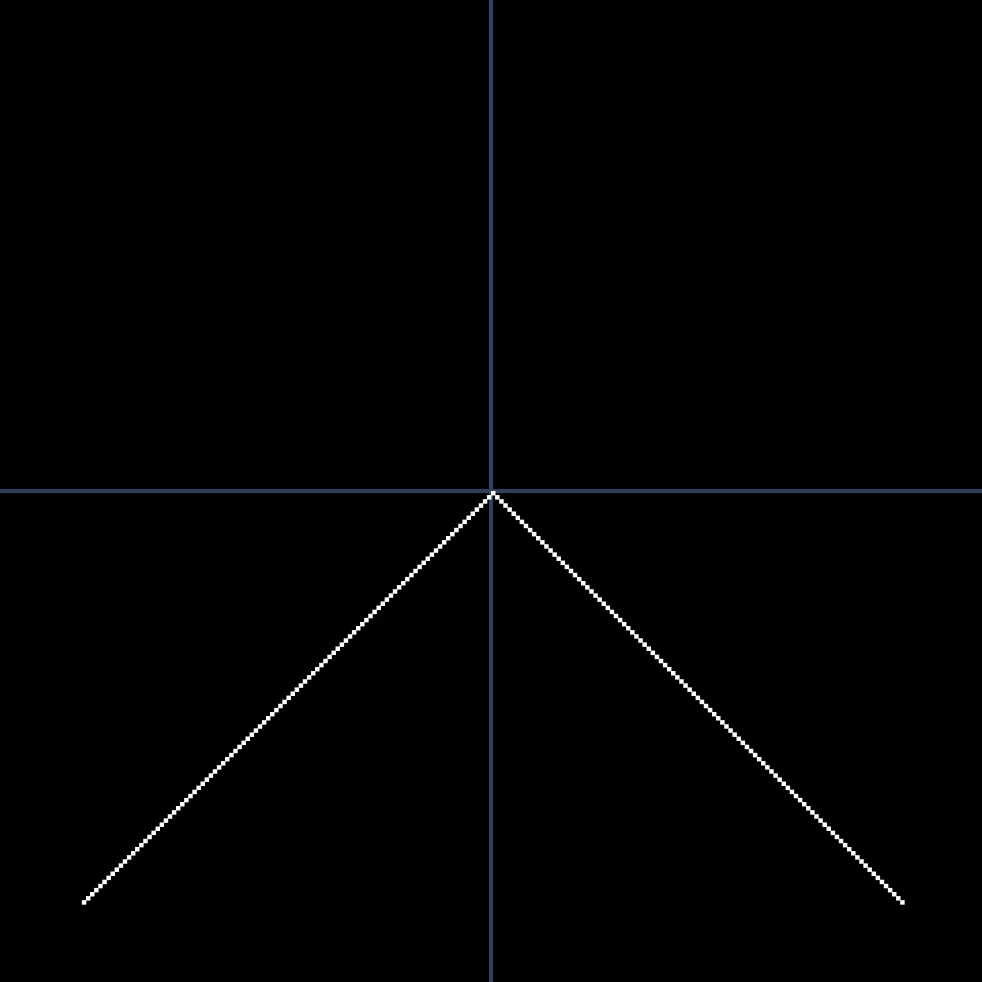
All Y values are positive