Additional Movement
Our game, so far.
// My Game
// by Mr Green
// Created 2025/12/16

Symbol 0,"2__0_0_0_0_0_0_0_0_0_0_0_0_0_0_0_0_0_0_0P?0_0/P?0!P0,P0_0/P0,P0?P,00P0_0/P00P,0.P,00P0_0/P00P,0.P,00P0_0/P00P,0.P,00P!0!P!00P,0_0?P@0_0_0_0_0_0/P!0.P!0_0_0_0_0_0.P?0PP0P?0_0_0!PP0_0_0/P.0PP0P.0_0_0/PP0_0_0_0,PP0_0@P_P,0PP0P_P,0.P0_0_0@P0.P0_0_0@P0.P0_0_0@P0.P0@P0@P0@P0.PP0/P0@P0/PP0?P0/P0P!0P0/P0!P?0,P0@P0,P?0@P,0,P0@P0,P,0_0?P,0@P,";
Symbol 1,"2__0_0_0_0_0_0_0_0_0_0_0_0_0_0_00P,0_0_0@P_P,0_0?P_P,0?P0_0?P0?P,0@P0_0?P0_0/P0_0?P0_0/P?0!P?0_0_00P0!P0_0_0!P@0_0_0_0_0_0/P!0.P!0_0_0_0_0_0.P?0PP0P?0_0_0!PP0_0_0/P.0PP0P.0_0_0/PP0_0_0_0,PP0_0!P_P?0PP0P_P!0_0_0_0,PP0_0_0_0,PP0_0_0_0,PP0_0P0@P0_0PP0_0P0@P0_0PP0_0P0P!0P0_0PP0_0P0P0.P0P0_0PP0_0P0P0.P0P0_0P,0/P,0P!0P,0/P.0_0_0_0P.0_0_0_0PP";
Symbol 2,"2__0_0_0_0_0_0_0_0_0_0_0_0_0NN00NN0_0_0/NPQNNQPN0_0_0!NPQ.PN0_0_0!NPQ.PN0_0_0!NPQ.PN0_0_0!NPQ.PN0_0_0!NPQ.PN0_0_0!NPQ.PN0_0_0!NPQ.PN0_0_0!NPQ.PN0_0_0!NPQ.PN0_0_0!NPQ.PN0_0_0?NPPQ.PPN0_0_0.NPPQ.PPN0_0_0.NPPQ.PPN0_0_0.NPPQ.PPN0_0_0.NPQ!PN0_0_0.NPQ!PN0_0_0.NPQ!PN0_0_0,NPPQ!PPN0_0_00NPPQ!PPN0_0_00NPPQ!PPN0_0_00NPPQ!PPN0_0,P_P_P_P0,PS_S_S_SP0PS_S_S_S,PPSSR,S,R,S,RRS,R,S,R,SSP0S_S_S_S,0,S_S_S_S";
Symbol 3,"2__P_P_P_P_P_P_P_P_P_P_P_P_P_P_P_P_P_P_P_P_P_P_P_P_P_P_P_P_P_P_P_P_P_P_P_P_P_P_P_P_P_P_P_P_P_P_P_P_P_P_P_P_P_P_P_P_P_P_P_P_P_P_P_P_P_P_P_P_P_P_P_P_P_P_P_P_P_P_P_P_P_P_P_P_P_P_P_P_P_P_P_P_P_P_P_P_P_P_P_P_P_P_P_P_P_P_P_P_P_P_P_P_P_P/";
Symbol 4,"2__0_0_0_0_0_0_0_0_0_0_0_0_0_0_0_0_0_0_0_0_0_0_0_0_0_0_0_0_0_0_0_0_0_0_0_0_0_0_0_0_0_0_0_0_0_0_0_0_z0_0_0_0020,20_0_0_00;0_0_0_0z0;1;0z0_0_0_0;0_0_0_0020,20_0_0_00z";

// Arrays
Dim EnemyAlive(20)

// Main Loop
GameRun=0
Repeat
  If GameRun==0 then Gosub .StartScreen
  If GameRun==1 then Gosub .InGame
Flip
Forever


// This is our Titlescreen
.StartScreen
CLS
ResetDraw

  ShowInvader=1
  If Wrap(Frames,0,20)<10 Then ShowInvader=0
  DrawImg 320,160,ShowInvader

  SetFontSize 32
  Text 320,240,"Titlescreen!",1
  SetFontSize 16
  Text 320,360,"Press Fire to Play",1

  If GamePad(ButtonA)
    Gosub StartGame
    GameRun=1
  Endif
Return


// This prepares our game when the A Button is hit
.StartGame
  Score=0
  PlayerX=320 // Middle of the screen
  PlayerY=440 // Bottom of the screen

  BulletX=0  // Reset player's bullet
  BulletY=0

  For BadGuy=1 to 20
    EnemyAlive(BadGuy)=1
  Next

Return


// This is our ingame loop
.InGame
CLS
ResetDraw
  // Starfield using Symbol 4
  Starfield 1,0,4

  // Player
  DrawImg PlayerX,PlayerY,2
  Speed=4
  If GamePad(ButtonLeft)>0.5 then PlayerX=PlayerX-Speed
  If GamePad(ButtonRight)>0.5 then PlayerX=PlayerX+Speed
  // Using >0.5 allows players to use a thumbstick, too!

  PlayerX=Limit(PlayerX,32,640-32)


  // Player's Bullet
  // Keep the Bullet going upwards
  BulletSpeed=16
  BulletY=Limit(BulletY-BulletSpeed, -100,480)
  // Draw the Bullet
  BulletCollide=DrawImg(BulletX,BulletY,3)

  If BulletY<0 And GamePad(ButtonA)
    BulletX=PlayerX
    BulletY=PlayerY
    PlaySFX("Lazer_2")
  EndIf


  // Enemy Section

  // Reuse this to keep the invaders animated
  ShowInvader=1
  if Wrap(Frames,0,20)<10 then ShowInvader=0

  CircleSize=160
  Gap=15

  // A loop for 20 Bad Guys
  For BadGuy=1 to 20

    // If Alive
    If EnemyAlive(BadGuy)==1

      // Each enemy should be further around the loop.
      PlusAngle=BadGuy*Gap
      Angle=Wrap(Frames + PlusAngle,0,360)
      EnemyX=320+Cos(Angle)*CircleSize
      EnemyY=200+Sin(Angle)*CircleSize

      // New collision code
      EnemyCollide=DrawImg(EnemyX,EnemyY,ShowInvader)
      If Collide(BulletCollide,EnemyCollide)
        // If the bullet hits the Enemy

        // Turn off the Enemy
        EnemyAlive(BadGuy)=0
        // Make a Bang sound
        PlaySFX("Explode_Low_2")
        // Gimme 5 points!
        Gimme 5,EnemyX,EnemyY

        // Move the Bullet off the screen
        BulletY=-100
      EndIf // Collision

    EndIf // Alive

  Next // Each BadGuy


  // Quit button (Return)
  If GamePad(ButtonStart) then GameRun=0
    // We can hit the Return key to quit

  SetFontSize 16
  Text 320,16,Score,1
Return
Side to Side
So far, our bad guys tend to stay in the middle of the screen.
This is because we're doing circles from a static 320,200 pixel center point, with a 160 width.
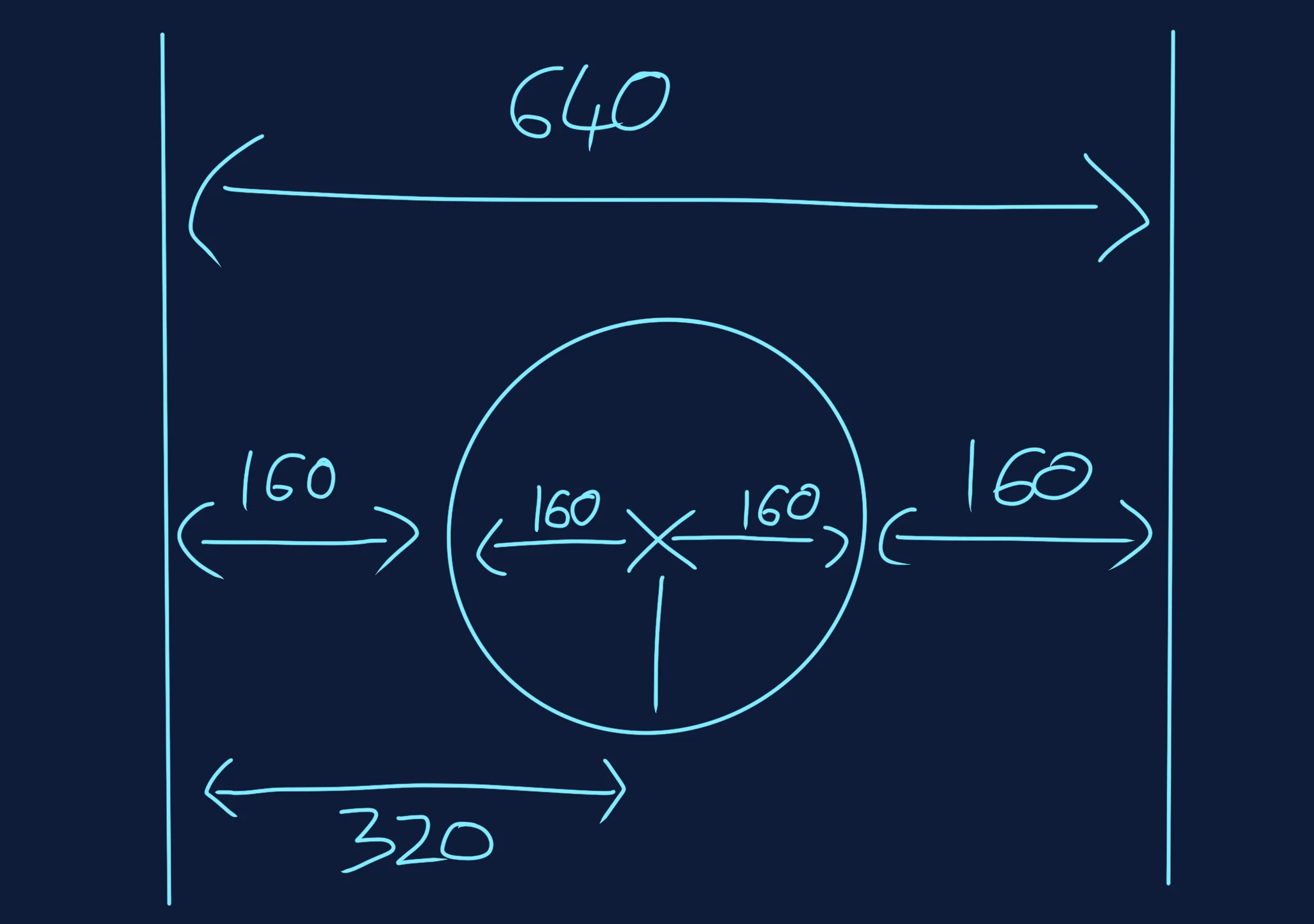
Ooh, maths time!
The screen is 640 across, and our circle is 160+160 across.
This means there's an additional 160 pixels of free space on either side of our circle.
What happens if we try moving the center point?
Let's start by adding a variable for the middle of our Circle.
  CircleSize=160
  // New Variable for Circle Position
  CircleX=320

  Gap=15
Place a new variable just above our "Loop for 20 Bad Guys".
And when we set our EnemyX position inside the loop, we can now change the hard coded number 320 to being this new CircleX variable.
EnemyX=CircleX+Cos(Angle)*CircleSize
Moving the Circle
Now that we have control over the CircleX, we can move it in lots of different ways.
Our game is already using lots of Sin and Cos maths, so why don't we keep using those?
If we take Sin(Frames) which gives us a waving number between -1 and +1, and then multiply it by 160 to use up the space on either side of the screen.
Don't forget to add 320 pixels to the circle's position so that it still drifts side to side from the middle of the screen.
  // New Variable for Circle Position
  CircleX=320+Sin(Frames)*160
Additional Movement!
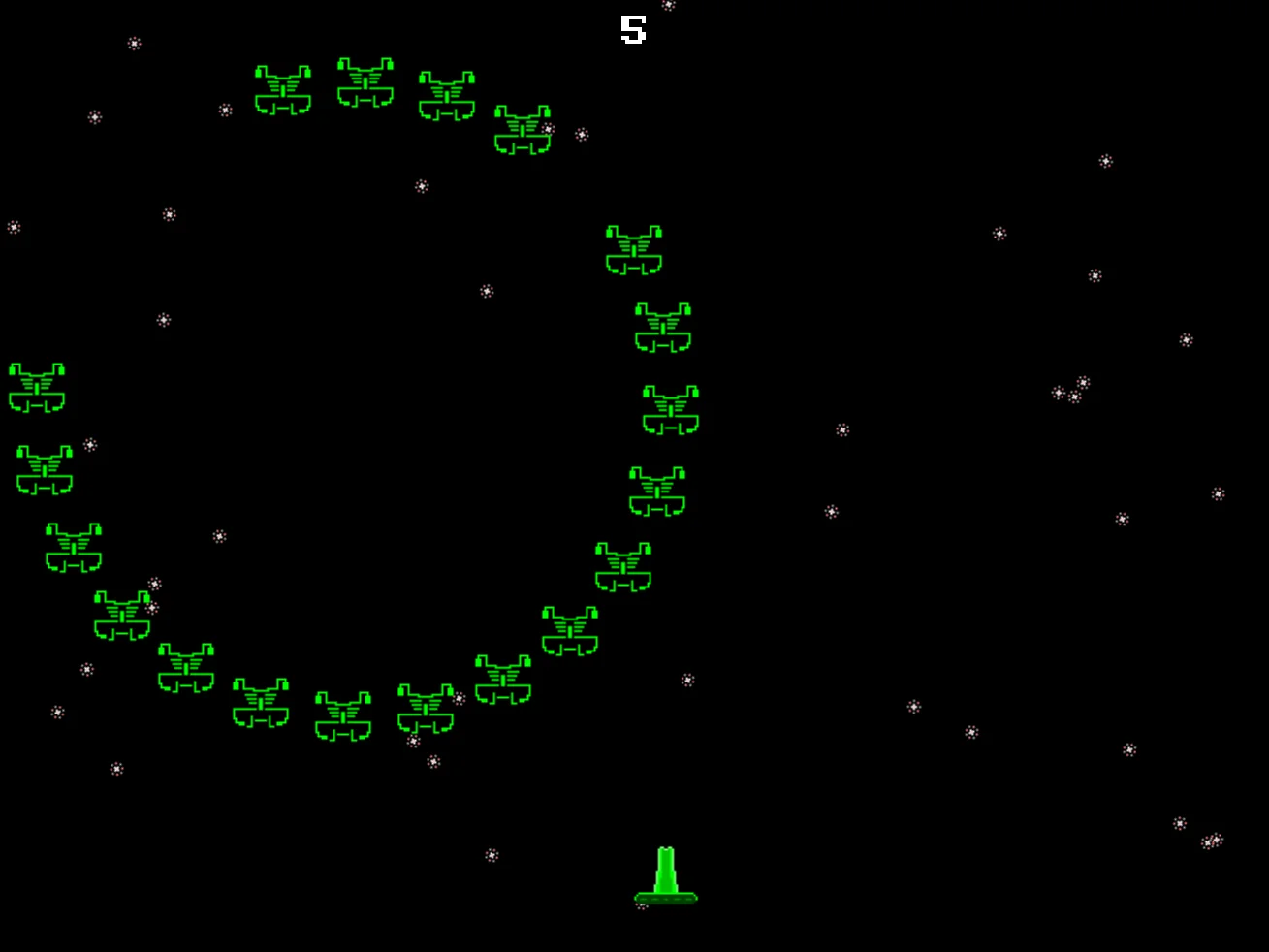
The invaders move around in circles, but also side to side.
From here, you could add lots of tweaks to this movement pattern.
You can change the speed of the movement by multiplying (or dividing?) the Frames value inside the Sin.
You could also try doing the same for the Y position of the circle, too.
You can even try changing the size of the circle, too.
Sizes
Back in Chapter 11, we used the SetScale command to change the size of a Star.
We can use SetScale on DrawImg, too.
Our bullet has been HUGE this whole time, so lets scale it down to be a bit more like an arcade bullet.
If we SetScale to 0.2,0.5, then it draws the sprite at a fifth of the width (0.2 = 1 divided by 5), and half the height (0.5 = 1 divided 2)
  // Draw the Bullet
  SetScale 0.2,0.5

  BulletCollide=DrawImg(BulletX,BulletY,3)

  // And reset things afterwards
  ResetDraw
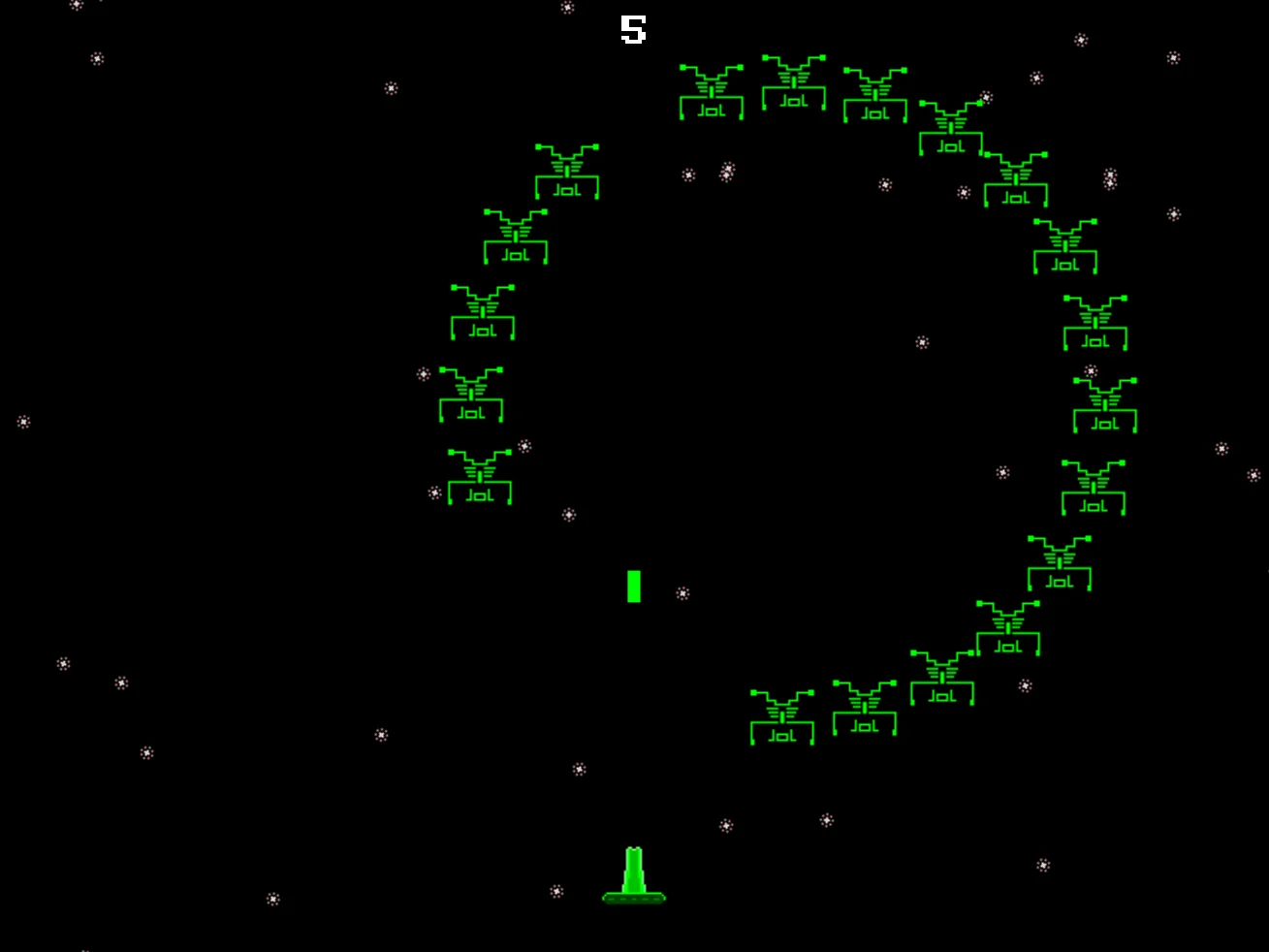
Now the bullet looks more like a bullet, instead of a giant box!
But that's ok.
It makes the game feel more like a classic arcade game.
Changing Colour
Now let's try adding some colour to our Bad Guys.
If you try using SetCol on the DrawImg, you'll find that it doesn't change it.
Without getting too technical, GotoJSE can't "easily" change the colour of sprites in the same way as other drawing commands.
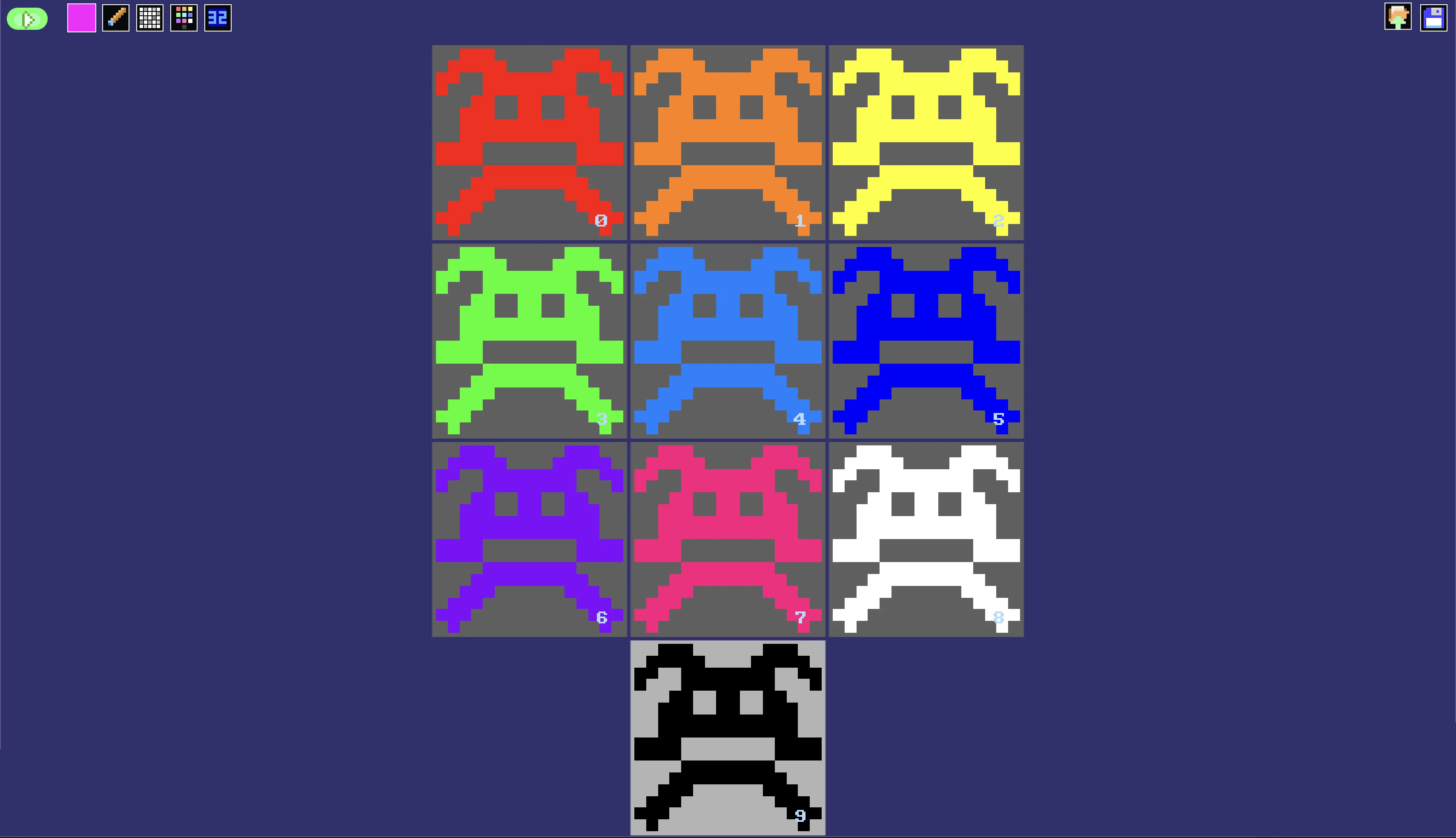
Instead, when the Symbol command is run at the top of a program, GotoJSE will create a set of different coloured editions of every Symbol image.
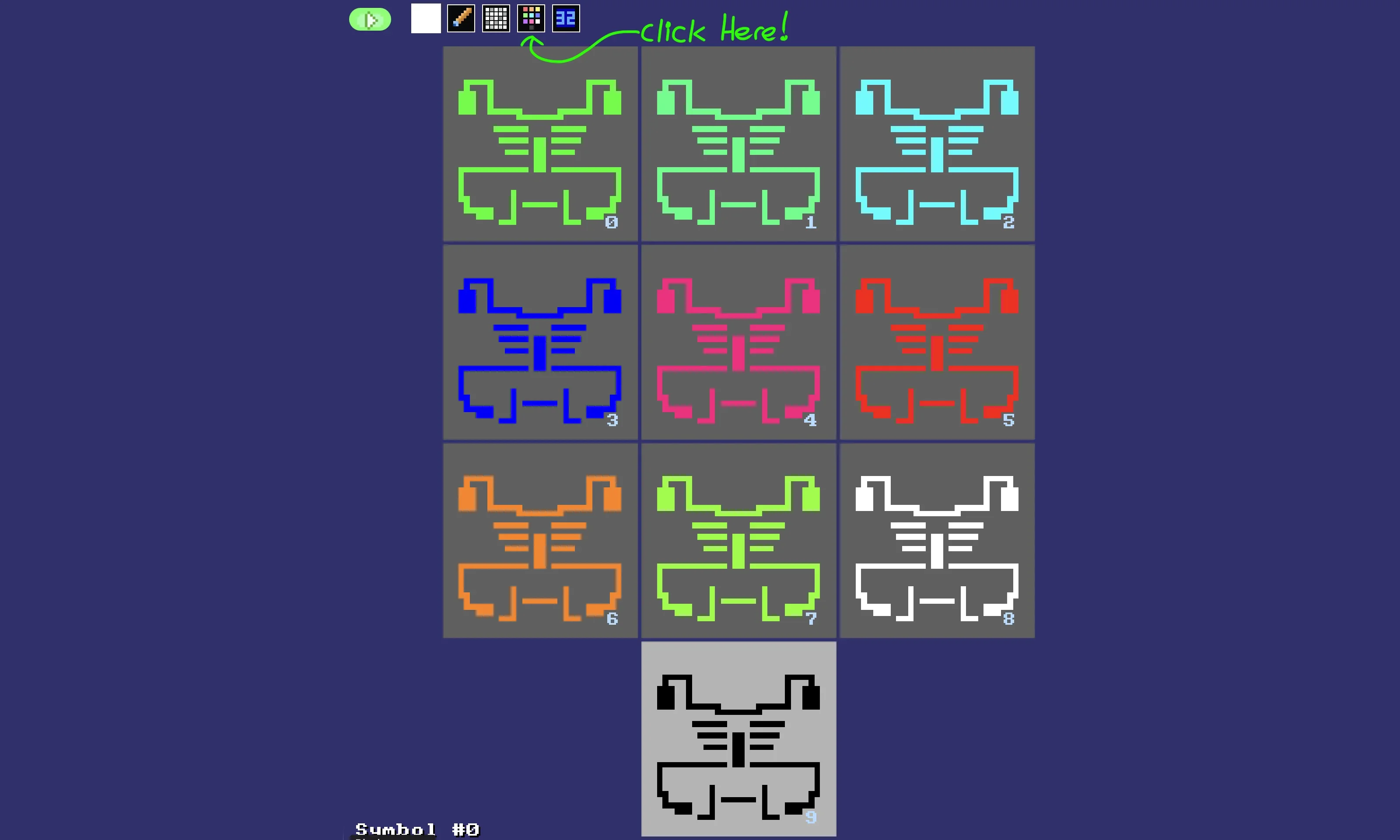
We can see the colours if we click the Colours button in the Image Editor.
To make use of these colours, all we have to do is add the accompanying number (0 to 9) as an extra colour parameter to our DrawImg command.
EnemyCollide=DrawImg(EnemyX,EnemyY,ShowInvader,4)
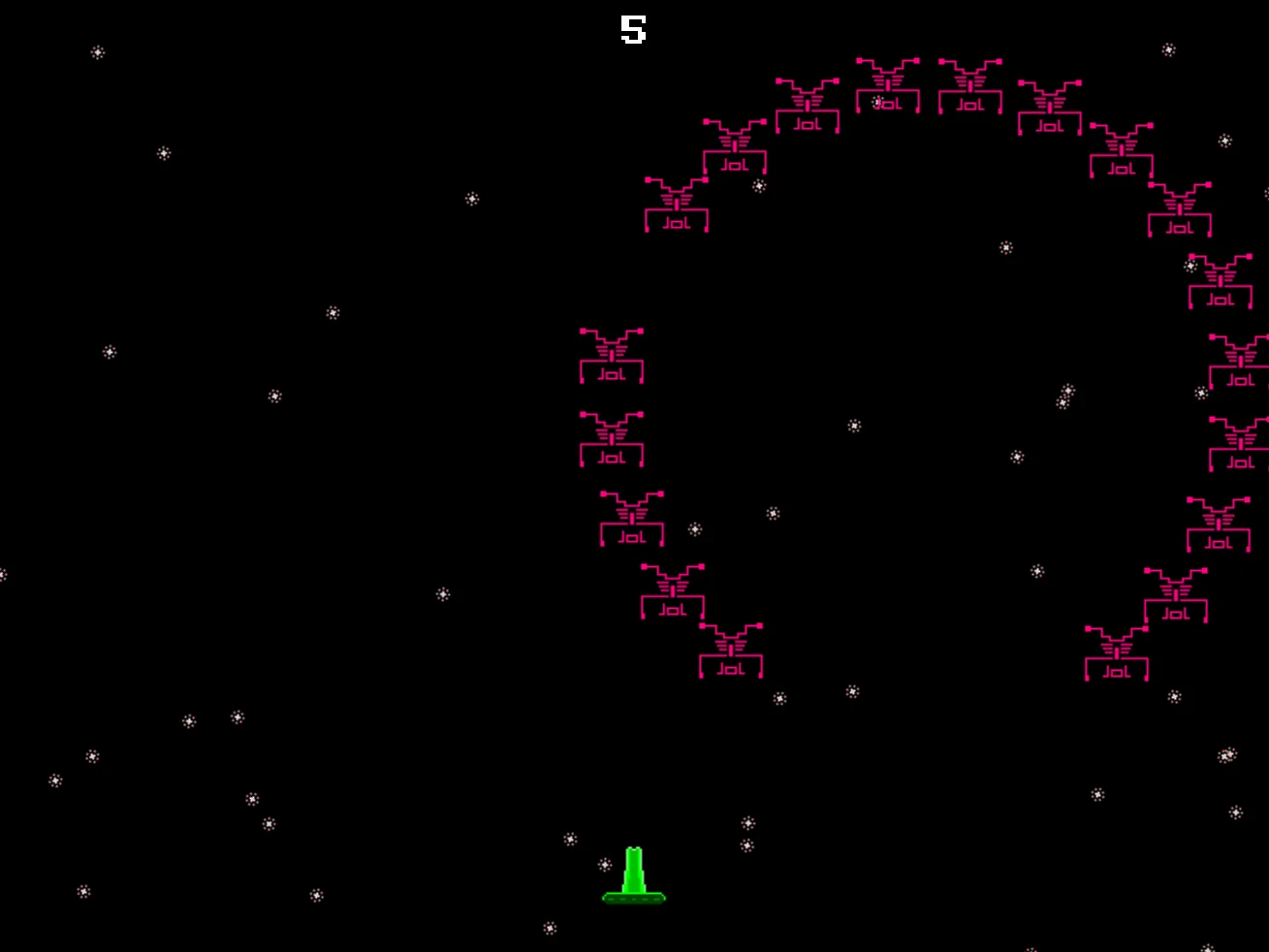
We get Red aliens!
Without this extra parameter, the images are drawn as they look when we draw them in the editor.
More Colour!
Let's create a colour Variable for the bad guys.
We can add this underneath the EnemyX and EnemyY definitions.
EnemyColour=Wrap(BadGuy,0,7)
You can change the wrap values to anything you'd like, but remember that the Symbol Colours only go from 0 to 9!
We'll add that new Variable as the colour for our invader's DrawImg.
EnemyCollide= [ ... ],ShowInvader ,EnemyColour)
Just add the extra colour parameter to the end of the line.
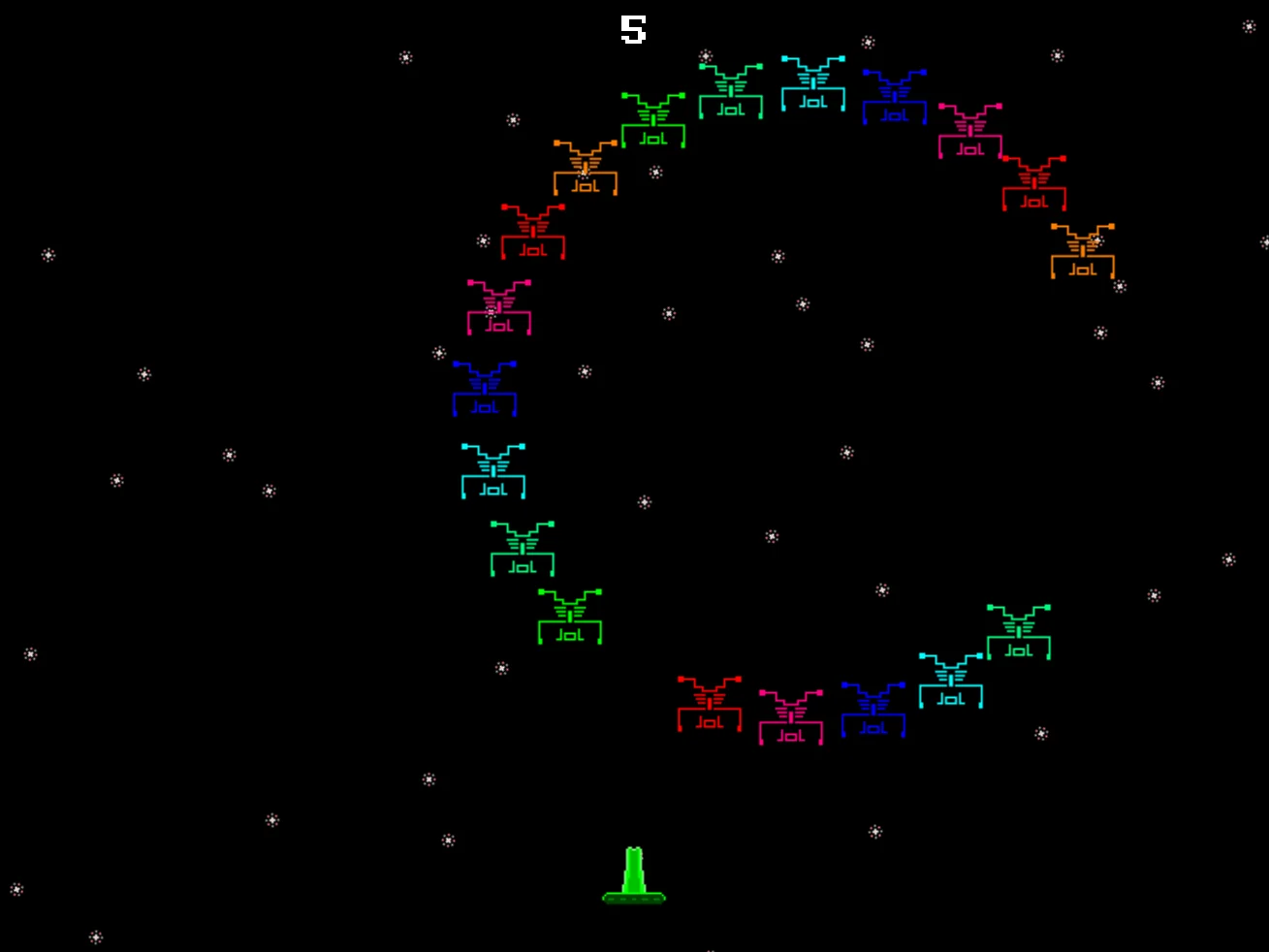
Hurray! Colour!
Why is it blurry?
AntiAlias
If we zoom in to the red alien on the screen it looks roughly like this.
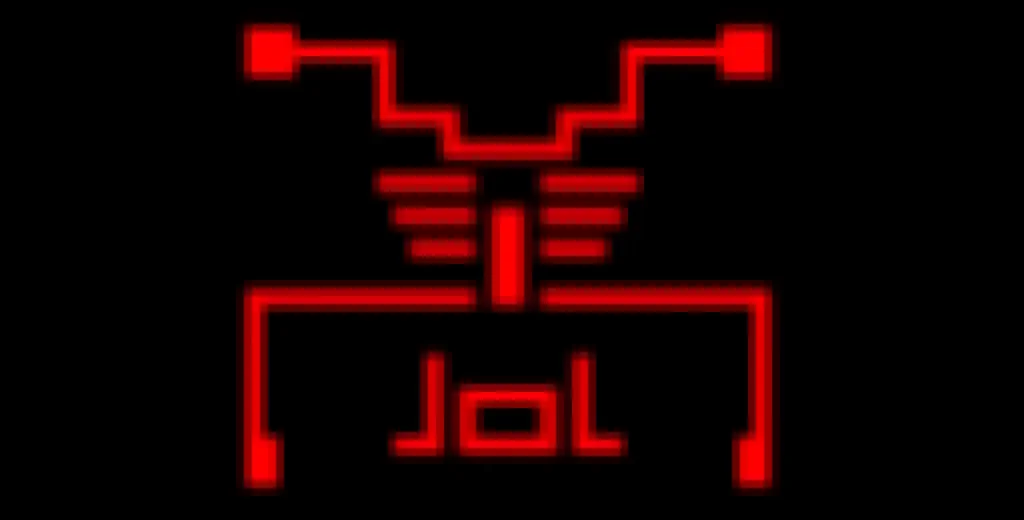
Not pretty pixels!
The browser thinks that a "smoother" image is better, so will normally try to do that with our images. (The "curves" on the limbs of the invader do look kinda neat when smoothed out like that.)
But in our invader game we'd prefer "Crisp" jagged pixels, right?
Let's make their points more pointy.
AntiAlias Off
That's all you need!
Tell GotoJSE to turn off the AntiAlias, and it'll do exactly that.
You can put this more or less anywhere in your program, and it'll stay off unless we specifically turn it back on again.
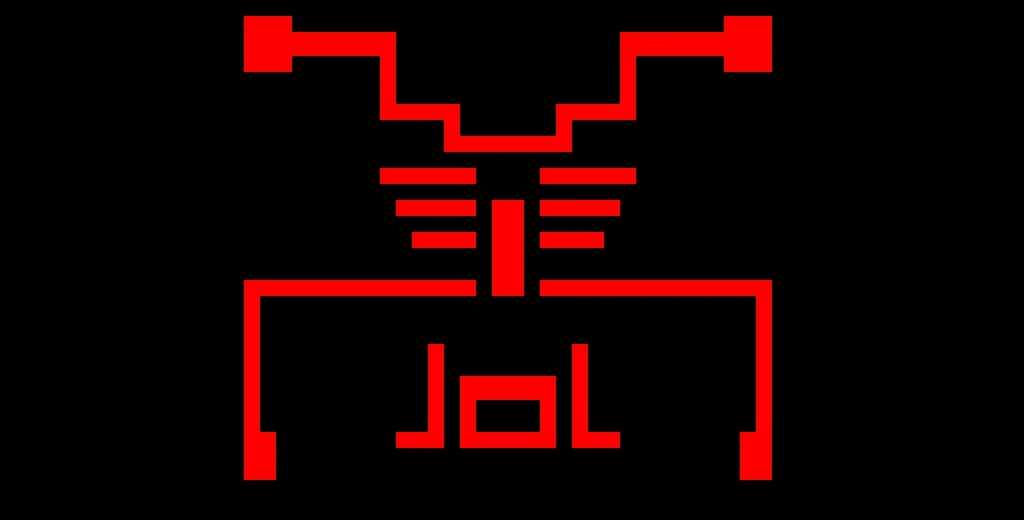
Crisp Invader!
Our game, so far.
// My Game
// by Mr Green
// Created 2025/12/16

Symbol 0,"2__0_0_0_0_0_0_0_0_0_0_0_0_0_0_0_0_0_0_0P?0_0/P?0!P0,P0_0/P0,P0?P,00P0_0/P00P,0.P,00P0_0/P00P,0.P,00P0_0/P00P,0.P,00P!0!P!00P,0_0?P@0_0_0_0_0_0/P!0.P!0_0_0_0_0_0.P?0PP0P?0_0_0!PP0_0_0/P.0PP0P.0_0_0/PP0_0_0_0,PP0_0@P_P,0PP0P_P,0.P0_0_0@P0.P0_0_0@P0.P0_0_0@P0.P0@P0@P0@P0.PP0/P0@P0/PP0?P0/P0P!0P0/P0!P?0,P0@P0,P?0@P,0,P0@P0,P,0_0?P,0@P,";
Symbol 1,"2__0_0_0_0_0_0_0_0_0_0_0_0_0_0_00P,0_0_0@P_P,0_0?P_P,0?P0_0?P0?P,0@P0_0?P0_0/P0_0?P0_0/P?0!P?0_0_00P0!P0_0_0!P@0_0_0_0_0_0/P!0.P!0_0_0_0_0_0.P?0PP0P?0_0_0!PP0_0_0/P.0PP0P.0_0_0/PP0_0_0_0,PP0_0!P_P?0PP0P_P!0_0_0_0,PP0_0_0_0,PP0_0_0_0,PP0_0P0@P0_0PP0_0P0@P0_0PP0_0P0P!0P0_0PP0_0P0P0.P0P0_0PP0_0P0P0.P0P0_0P,0/P,0P!0P,0/P.0_0_0_0P.0_0_0_0PP";
Symbol 2,"2__0_0_0_0_0_0_0_0_0_0_0_0_0NN00NN0_0_0/NPQNNQPN0_0_0!NPQ.PN0_0_0!NPQ.PN0_0_0!NPQ.PN0_0_0!NPQ.PN0_0_0!NPQ.PN0_0_0!NPQ.PN0_0_0!NPQ.PN0_0_0!NPQ.PN0_0_0!NPQ.PN0_0_0!NPQ.PN0_0_0?NPPQ.PPN0_0_0.NPPQ.PPN0_0_0.NPPQ.PPN0_0_0.NPPQ.PPN0_0_0.NPQ!PN0_0_0.NPQ!PN0_0_0.NPQ!PN0_0_0,NPPQ!PPN0_0_00NPPQ!PPN0_0_00NPPQ!PPN0_0_00NPPQ!PPN0_0,P_P_P_P0,PS_S_S_SP0PS_S_S_S,PPSSR,S,R,S,RRS,R,S,R,SSP0S_S_S_S,0,S_S_S_S";
Symbol 3,"2__P_P_P_P_P_P_P_P_P_P_P_P_P_P_P_P_P_P_P_P_P_P_P_P_P_P_P_P_P_P_P_P_P_P_P_P_P_P_P_P_P_P_P_P_P_P_P_P_P_P_P_P_P_P_P_P_P_P_P_P_P_P_P_P_P_P_P_P_P_P_P_P_P_P_P_P_P_P_P_P_P_P_P_P_P_P_P_P_P_P_P_P_P_P_P_P_P_P_P_P_P_P_P_P_P_P_P_P_P_P_P_P_P_P/";
Symbol 4,"2__0_0_0_0_0_0_0_0_0_0_0_0_0_0_0_0_0_0_0_0_0_0_0_0_0_0_0_0_0_0_0_0_0_0_0_0_0_0_0_0_0_0_0_0_0_0_0_0_z0_0_0_0020,20_0_0_00;0_0_0_0z0;1;0z0_0_0_0;0_0_0_0020,20_0_0_00z";

AntiAlias Off // Turn off AntiAlias, for Crispy Invaders


// Arrays
Dim EnemyAlive(20)

// Main Loop
GameRun=0
Repeat
  If GameRun==0 then Gosub .StartScreen
  If GameRun==1 then Gosub .InGame
Flip
Forever


// This is our Titlescreen
.StartScreen
CLS
ResetDraw

  ShowInvader=1
  If Wrap(Frames,0,20)<10 Then ShowInvader=0
  DrawImg 320,160,ShowInvader

  SetFontSize 32
  Text 320,240,"Titlescreen!",1
  SetFontSize 16
  Text 320,360,"Press Fire to Play",1

  If GamePad(ButtonA)
    Gosub StartGame
    GameRun=1
  Endif
Return


// This prepares our game when the A Button is hit
.StartGame
  Score=0
  PlayerX=320 // Middle of the screen
  PlayerY=440 // Bottom of the screen

  BulletX=0  // Reset player's bullet
  BulletY=0

  For BadGuy=1 to 20
    EnemyAlive(BadGuy)=1
  Next

Return


// This is our ingame loop
.InGame
CLS
ResetDraw

  // Starfield using Symbol 4
  Starfield 1,0,4

  // Player
  DrawImg PlayerX,PlayerY,2
  Speed=4
  If GamePad(ButtonLeft)>0.5 then PlayerX=PlayerX-Speed
  If GamePad(ButtonRight)>0.5 then PlayerX=PlayerX+Speed
  // Using >0.5 allows players to use a thumbstick, too!

  PlayerX=Limit(PlayerX,32,640-32)


  // Player's Bullet
  // Keep the Bullet going upwards
  BulletSpeed=16
  BulletY=Limit(BulletY-BulletSpeed, -100,480)

  // Draw the Bullet
  SetScale 0.2,0.5

  BulletCollide=DrawImg(BulletX,BulletY,3)

  // And reset things afterwards
  ResetDraw

  If BulletY<0 And GamePad(ButtonA)
    BulletX=PlayerX
    BulletY=PlayerY
    PlaySFX("Lazer_2")
  EndIf


  // Enemy Section

  // Reuse this to keep the invaders animated
  ShowInvader=1
  if Wrap(Frames,0,20)<10 then ShowInvader=0

  CircleSize=160
  // New Variable for Circle Position
  CircleX=320+Sin(Frames)*160

  Gap=15

  // A loop for 20 Bad Guys
  For BadGuy=1 to 20
    // If Alive
    If EnemyAlive(BadGuy)==1

      // Each enemy should be further around the loop.
      PlusAngle=BadGuy*Gap
      Angle=Wrap(Frames + PlusAngle,0,360)
      EnemyX=CircleX+Cos(Angle)*CircleSize
      EnemyY=200+Sin(Angle)*CircleSize
      EnemyColour=Wrap(BadGuy,0,7)

      // New collision code
      EnemyCollide=DrawImg(EnemyX,EnemyY,ShowInvader,EnemyColour)
      If Collide(BulletCollide,EnemyCollide)
        // If the bullet hits the Enemy

        // Turn off the Enemy
        EnemyAlive(BadGuy)=0
        // Make a Bang sound
        PlaySFX("Explode_Low_2")
        // Gimme 5 points!
        Gimme 5,EnemyX,EnemyY

        // Move the Bullet off the screen
        BulletY=-100
      EndIf // Collision

    EndIf // Alive

  Next // Each BadGuy


  // Quit button (Return)
  If GamePad(ButtonStart) then GameRun=0
    // We can hit the Return key to quit

  SetFontSize 16
  Text 320,16,Score,1
Return
Let's stop and recharge for a while. This has been a rather productive chapter.
Drawing for Colour
Now that you know about how the images (Symbols) are recoloured, why not try drawing some new sprites for your game.
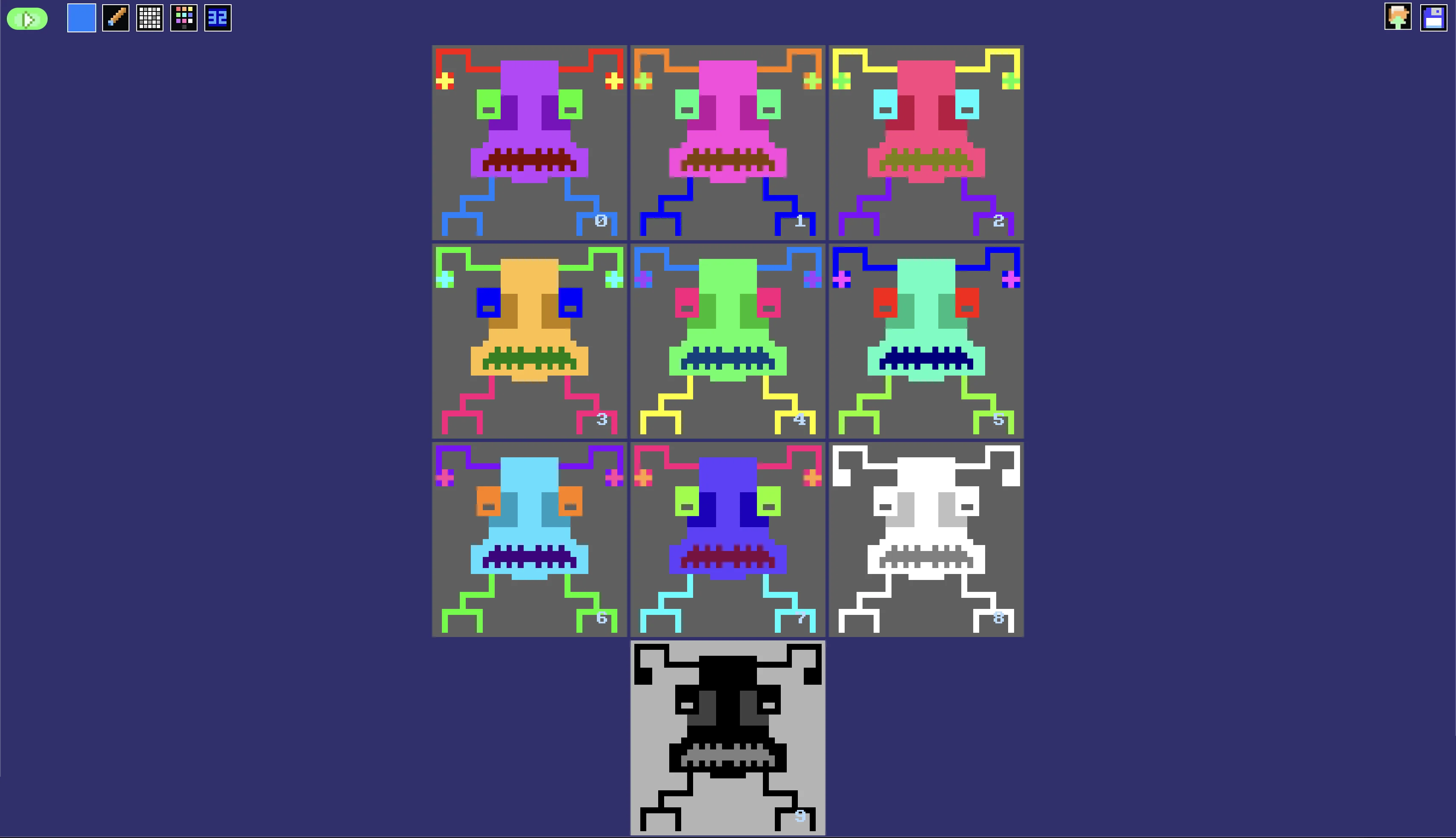
More Colour!
Less Thin
The reason our "spindly" invader didn't look good with AntiAlias On is because we drew it too thin.
Can you draw a chunkier invader that looks better when drawn with AntiAlias On?
If you start by drawing your image with Red pixels, then the different colours end up much more like a full rainbow of colours!
Chunky looks better.