The Player
Our game, so far.
// My Game
// by Mr Green
// Created 2025/12/16

Symbol 0,"2__0_0_0_0_0_0_0_0_0_0_0_0_0_0_0_0_0_0_0P?0_0/P?0!P0,P0_0/P0,P0?P,00P0_0/P00P,0.P,00P0_0/P00P,0.P,00P0_0/P00P,0.P,00P!0!P!00P,0_0?P@0_0_0_0_0_0/P!0.P!0_0_0_0_0_0.P?0PP0P?0_0_0!PP0_0_0/P.0PP0P.0_0_0/PP0_0_0_0,PP0_0@P_P,0PP0P_P,0.P0_0_0@P0.P0_0_0@P0.P0_0_0@P0.P0@P0@P0@P0.PP0/P0@P0/PP0?P0/P0P!0P0/P0!P?0,P0@P0,P?0@P,0,P0@P0,P,0_0?P,0@P,";
Symbol 1,"2__0_0_0_0_0_0_0_0_0_0_0_0_0_0_00P,0_0_0@P_P,0_0?P_P,0?P0_0?P0?P,0@P0_0?P0_0/P0_0?P0_0/P?0!P?0_0_00P0!P0_0_0!P@0_0_0_0_0_0/P!0.P!0_0_0_0_0_0.P?0PP0P?0_0_0!PP0_0_0/P.0PP0P.0_0_0/PP0_0_0_0,PP0_0!P_P?0PP0P_P!0_0_0_0,PP0_0_0_0,PP0_0_0_0,PP0_0P0@P0_0PP0_0P0@P0_0PP0_0P0P!0P0_0PP0_0P0P0.P0P0_0PP0_0P0P0.P0P0_0P,0/P,0P!0P,0/P.0_0_0_0P.0_0_0_0PP";


// Main Loop
GameRun=0
Repeat
  If GameRun==0 then Gosub .StartScreen
  If GameRun==1 then Gosub .InGame
Flip
Forever


// This is our Titlescreen
.StartScreen
CLS
ResetDraw

  ShowInvader=1
  if Wrap(Frames,0,20)<10 then ShowInvader=0
  DrawImg 320,160,ShowInvader

  SetFontSize 32
  Text 320,240,"Titlescreen!",1
  SetFontSize 16
  Text 320,360,"Press Fire to Play",1

  If GamePad(ButtonA)
    Gosub StartGame
    GameRun=1
  Endif

Return


// This prepares our game when the A Button is hit
.StartGame
Score=0

Return


// This is our ingame loop
.InGame
CLS
ResetDraw

  SetFontSize 32
  Text 320,240,"Ingame!",1

  If GamePad(ButtonStart) then GameRun=0
    // We can hit the Return key to quit

  SetFontSize 16
  Text 320,16,Score,1
Return
I'll be adding frequent checkpoints in, so you can check your code against mine.
Let's Play!
A typical Invader-ish player sprite is a tank or other such weapon. Let's draw one of those.
Shuffle over to Symbol 2 in the image editor using either the Image Select or the "]" key, then draw a big old shooty blaster!
Don't forget to save.
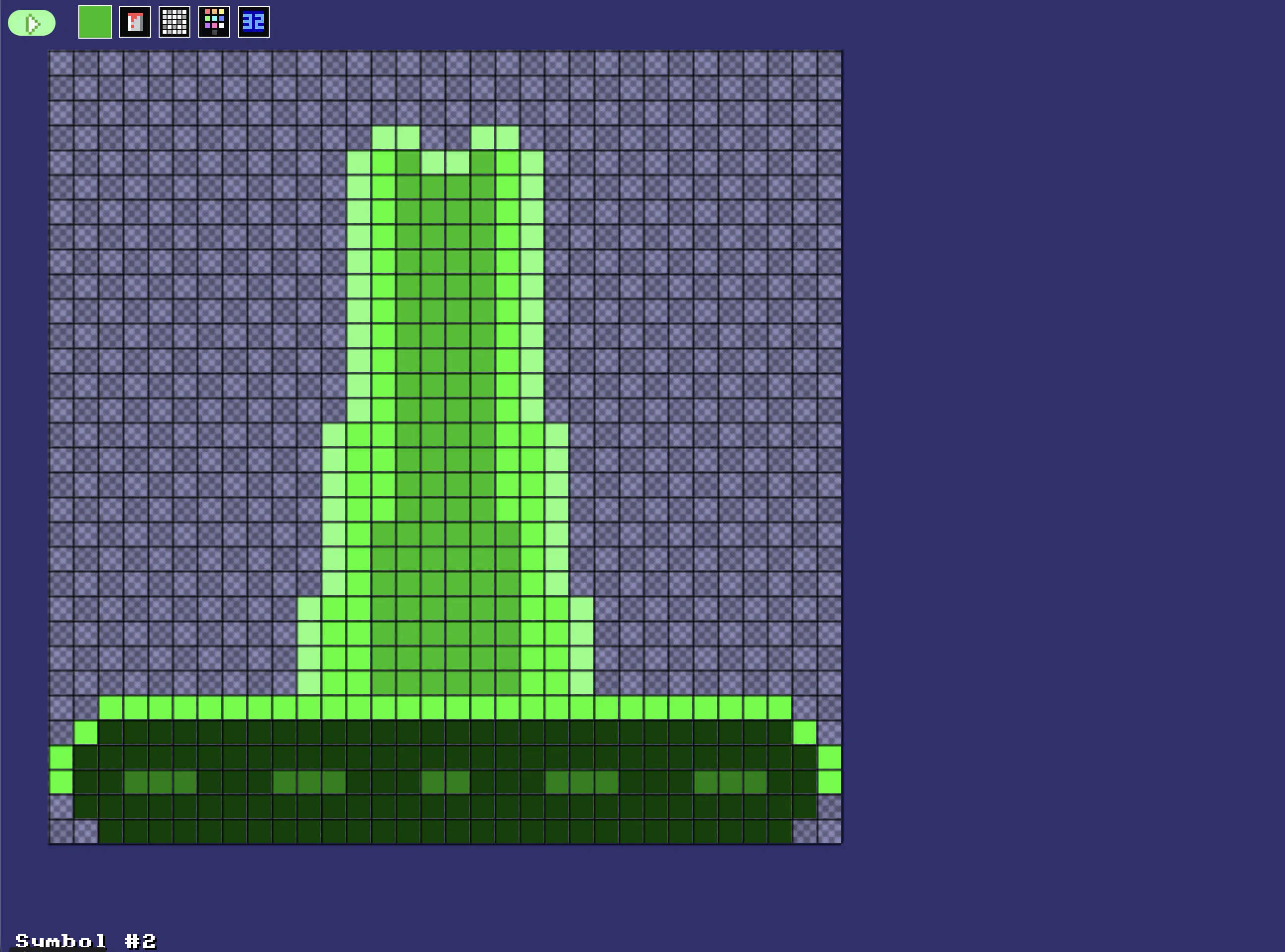
A big shooty tank to blast the invaders.
Let's prepare a couple of variables for our player.
PlayerX should start off in the middle of the screen, and PlayerY should always be on the floor.
// This prepares our game when the A Button is hit
.StartGame
  Score=0
  PlayerX=320 // Middle of the screen
  PlayerY=440 // Bottom of the screen
Return
And we'll draw our player inside the "InGame" subroutine.
DrawImg PlayerX,PlayerY,2
Movement
Let's add some movement into the game. We'll stay inside the InGame section, for this.
This should be easy enough, right?
Add or subtract a Speed to the PlayerX
Moving Tank!
Let's set a speed, and then either add or subtract it, depending on which button's being pressed.
Speed=4
If GamePad(ButtonLeft)>0.5 then PlayerX=PlayerX-Speed
If GamePad(ButtonRight)>0.5 then PlayerX=PlayerX+Speed
  // Using >0.5 allows players to use a thumbstick, too!
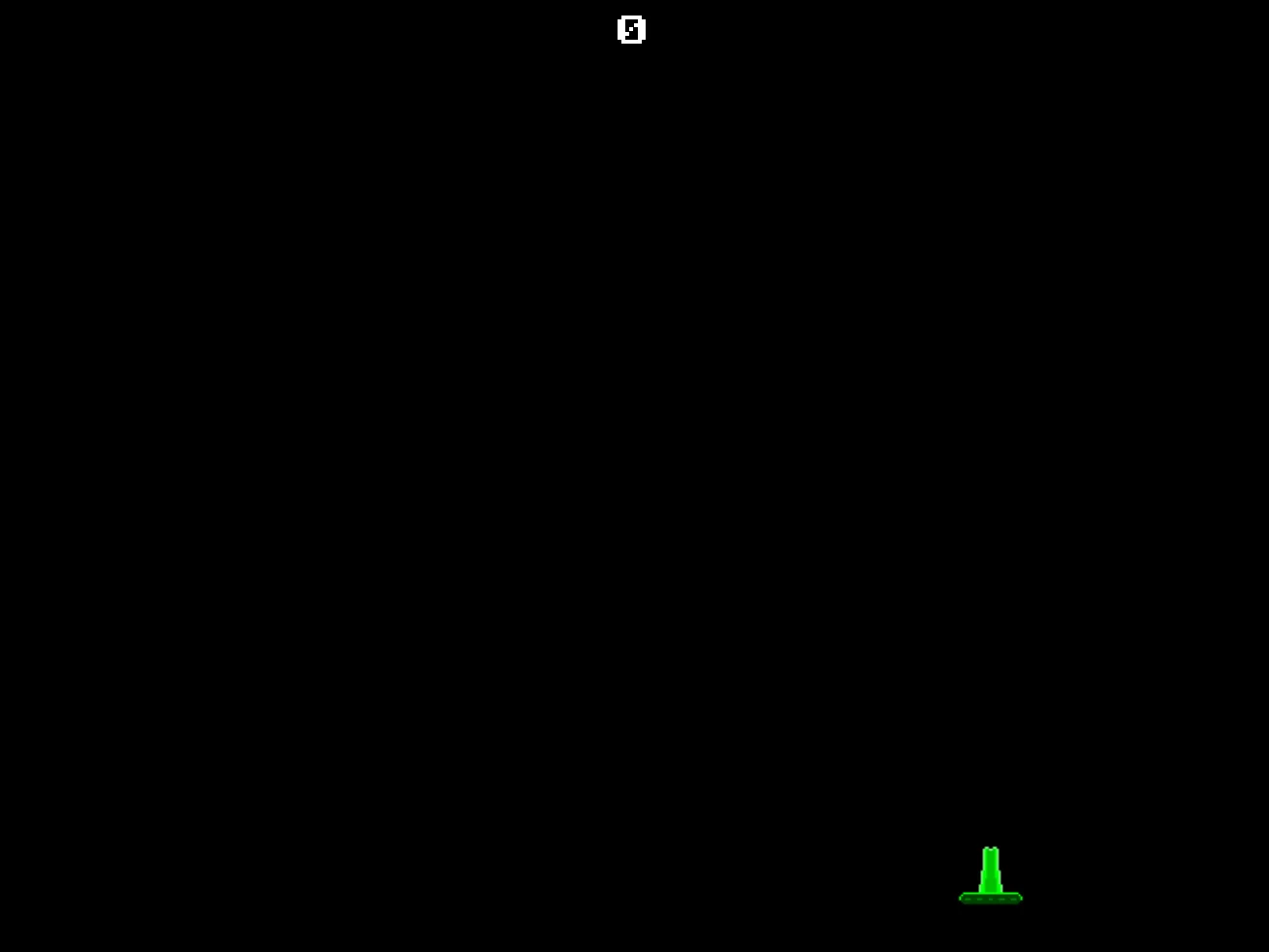
Our player can move!
I've used ">0.5" here so that if a player is using a gamepad with a thumbstick, then the left or right controls will still work nicely.
Otherwise, the player would have to "SLAM" the thumbstick all the way over to the far reaches, just to move a little bit!
However, if you move the tank too far, the player can scroll off the screen. Oops!
Let's add a Limit to the player, stopping them 32 pixels from either side of the screen.
PlayerX=Limit(PlayerX,32,640-32)
This would allow the player to jump from one side of the screen to the other.
I'll let you decide which of those is best for your game.
Our game, so far.
// My Game
// by Mr Green
// Created 2025/12/16

Symbol 0,"2__0_0_0_0_0_0_0_0_0_0_0_0_0_0_0_0_0_0_0P?0_0/P?0!P0,P0_0/P0,P0?P,00P0_0/P00P,0.P,00P0_0/P00P,0.P,00P0_0/P00P,0.P,00P!0!P!00P,0_0?P@0_0_0_0_0_0/P!0.P!0_0_0_0_0_0.P?0PP0P?0_0_0!PP0_0_0/P.0PP0P.0_0_0/PP0_0_0_0,PP0_0@P_P,0PP0P_P,0.P0_0_0@P0.P0_0_0@P0.P0_0_0@P0.P0@P0@P0@P0.PP0/P0@P0/PP0?P0/P0P!0P0/P0!P?0,P0@P0,P?0@P,0,P0@P0,P,0_0?P,0@P,";
Symbol 1,"2__0_0_0_0_0_0_0_0_0_0_0_0_0_0_00P,0_0_0@P_P,0_0?P_P,0?P0_0?P0?P,0@P0_0?P0_0/P0_0?P0_0/P?0!P?0_0_00P0!P0_0_0!P@0_0_0_0_0_0/P!0.P!0_0_0_0_0_0.P?0PP0P?0_0_0!PP0_0_0/P.0PP0P.0_0_0/PP0_0_0_0,PP0_0!P_P?0PP0P_P!0_0_0_0,PP0_0_0_0,PP0_0_0_0,PP0_0P0@P0_0PP0_0P0@P0_0PP0_0P0P!0P0_0PP0_0P0P0.P0P0_0PP0_0P0P0.P0P0_0P,0/P,0P!0P,0/P.0_0_0_0P.0_0_0_0PP";
Symbol 2,"2__0_0_0_0_0_0_0_0_0_0_0_0_0NN00NN0_0_0/NPQNNQPN0_0_0!NPQ.PN0_0_0!NPQ.PN0_0_0!NPQ.PN0_0_0!NPQ.PN0_0_0!NPQ.PN0_0_0!NPQ.PN0_0_0!NPQ.PN0_0_0!NPQ.PN0_0_0!NPQ.PN0_0_0!NPQ.PN0_0_0?NPPQ.PPN0_0_0.NPPQ.PPN0_0_0.NPPQ.PPN0_0_0.NPPQ.PPN0_0_0.NPQ!PN0_0_0.NPQ!PN0_0_0.NPQ!PN0_0_0,NPPQ!PPN0_0_00NPPQ!PPN0_0_00NPPQ!PPN0_0_00NPPQ!PPN0_0,P_P_P_P0,PS_S_S_SP0PS_S_S_S,PPSSR,S,R,S,RRS,R,S,R,SSP0S_S_S_S,0,S_S_S_S";


// Main Loop
GameRun=0
Repeat
  If GameRun==0 then Gosub .StartScreen
  If GameRun==1 then Gosub .InGame
Flip
Forever


// This is our Titlescreen
.StartScreen
CLS
ResetDraw

  ShowInvader=1
  if Wrap(Frames,0,20)<10 then ShowInvader=0
  DrawImg 320,160,ShowInvader

  SetFontSize 32
  Text 320,240,"Titlescreen!",1
  SetFontSize 16
  Text 320,360,"Press Fire to Play",1

  If GamePad(ButtonA)
    Gosub StartGame
    GameRun=1
  Endif
Return


// This prepares our game when the A Button is hit
.StartGame
  Score=0
  PlayerX=320 // Middle of the screen
  PlayerY=440 // Bottom of the screen
Return


// This is our ingame loop
.InGame
CLS
ResetDraw

  DrawImg PlayerX,PlayerY,2
  Speed=4
  If GamePad(ButtonLeft)>0.5 then PlayerX=PlayerX-Speed
  If GamePad(ButtonRight)>0.5 then PlayerX=PlayerX+Speed
  // Using >0.5 allows players to use a thumbstick, too!

  PlayerX=Limit(PlayerX,32,640-32)


  If GamePad(ButtonStart) then GameRun=0
    // We can hit the Return key to quit

  SetFontSize 16
  Text 320,16,Score,1
Return
Shootypops!
If we want to shoot, we're going to need another Symbol to fire!
Head back to the image editor and toggle over to Symbol 3.
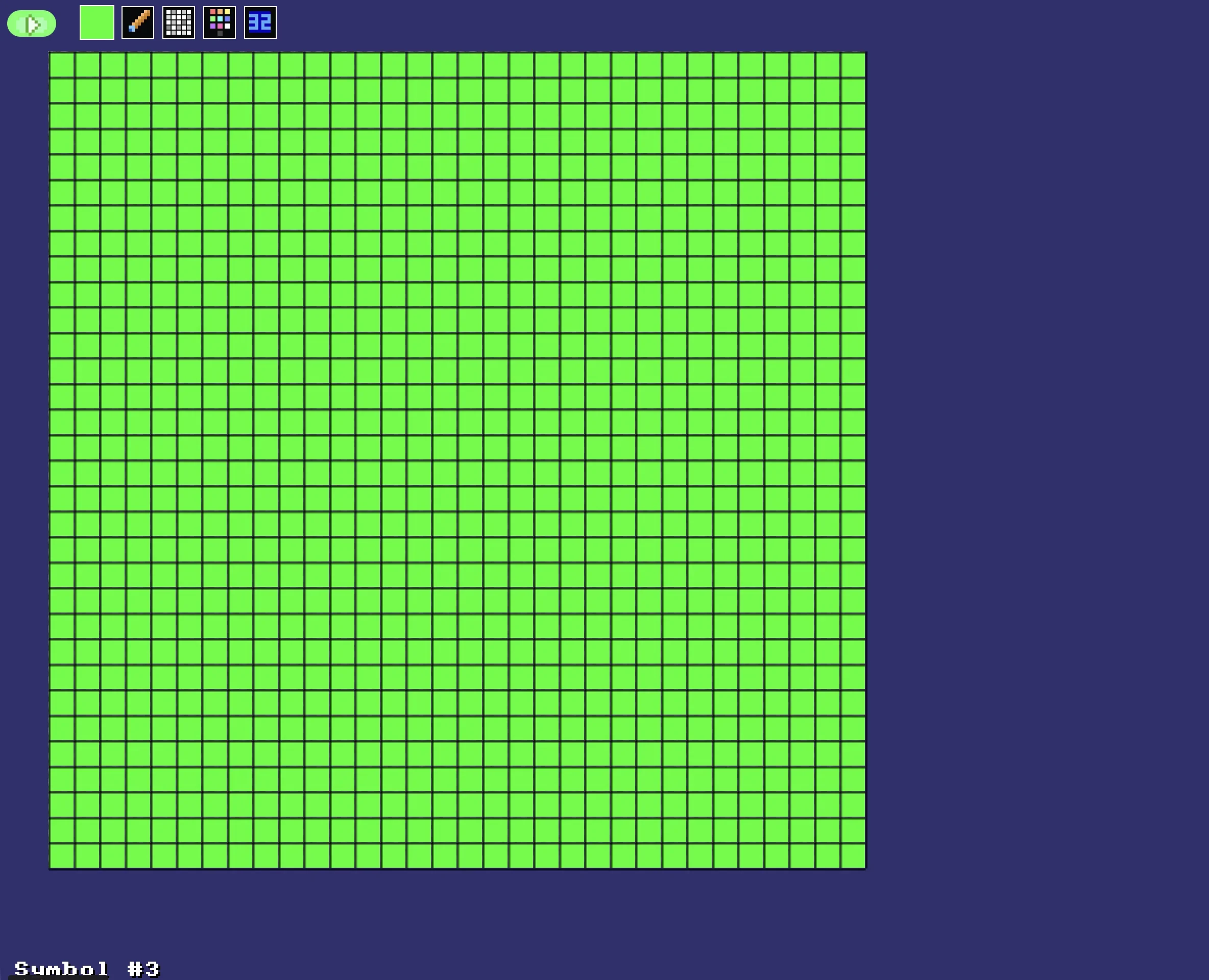
I just filled it all green!
We don't need anything fancy, but if you'd like to draw a special sort of weapon, you can take your time and make a lovely bullet.
Right, let's figure out what we need for bullets.
If the player is holding the ButtonA button, AND the Y position is over the top of the screen, then we'll reposition the bullet so that's where the player is.
Coding the Bullet
Let's start by resetting the bullet, when the game begins, inside the "StartGame" subroutine.
  BulletX=0  // Reset player's bullet
  BulletY=0
Next, inside the "Ingame" subroutine, we need to draw the bullet, as well as keeping it moving.
We'll put a limit on the sprite of -100 to 480 (from far above the screen's top, down to the bottom of the screen)
  // Keep the Bullet going upwards
  BulletSpeed=16
  BulletY=Limit(BulletY-BulletSpeed, -100,480)
  // Draw the Bullet
  DrawImg BulletX,BulletY,3
And a reset to the player's position, if both of these facts are true.
AND
B. ButtonA is held
  If BulletY<0 And GamePad(ButtonA)
    BulletX=PlayerX
    BulletY=PlayerY
  EndIf
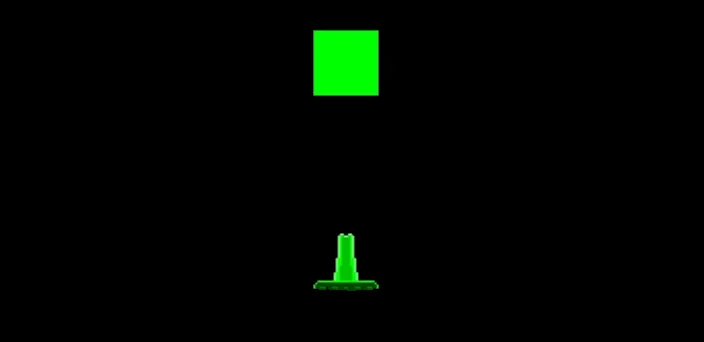
That's a BIG bullet!
Our game, so far.
// My Game
// by Mr Green
// Created 2025/12/16

Symbol 0,"2__0_0_0_0_0_0_0_0_0_0_0_0_0_0_0_0_0_0_0P?0_0/P?0!P0,P0_0/P0,P0?P,00P0_0/P00P,0.P,00P0_0/P00P,0.P,00P0_0/P00P,0.P,00P!0!P!00P,0_0?P@0_0_0_0_0_0/P!0.P!0_0_0_0_0_0.P?0PP0P?0_0_0!PP0_0_0/P.0PP0P.0_0_0/PP0_0_0_0,PP0_0@P_P,0PP0P_P,0.P0_0_0@P0.P0_0_0@P0.P0_0_0@P0.P0@P0@P0@P0.PP0/P0@P0/PP0?P0/P0P!0P0/P0!P?0,P0@P0,P?0@P,0,P0@P0,P,0_0?P,0@P,";
Symbol 1,"2__0_0_0_0_0_0_0_0_0_0_0_0_0_0_00P,0_0_0@P_P,0_0?P_P,0?P0_0?P0?P,0@P0_0?P0_0/P0_0?P0_0/P?0!P?0_0_00P0!P0_0_0!P@0_0_0_0_0_0/P!0.P!0_0_0_0_0_0.P?0PP0P?0_0_0!PP0_0_0/P.0PP0P.0_0_0/PP0_0_0_0,PP0_0!P_P?0PP0P_P!0_0_0_0,PP0_0_0_0,PP0_0_0_0,PP0_0P0@P0_0PP0_0P0@P0_0PP0_0P0P!0P0_0PP0_0P0P0.P0P0_0PP0_0P0P0.P0P0_0P,0/P,0P!0P,0/P.0_0_0_0P.0_0_0_0PP";
Symbol 2,"2__0_0_0_0_0_0_0_0_0_0_0_0_0NN00NN0_0_0/NPQNNQPN0_0_0!NPQ.PN0_0_0!NPQ.PN0_0_0!NPQ.PN0_0_0!NPQ.PN0_0_0!NPQ.PN0_0_0!NPQ.PN0_0_0!NPQ.PN0_0_0!NPQ.PN0_0_0!NPQ.PN0_0_0!NPQ.PN0_0_0?NPPQ.PPN0_0_0.NPPQ.PPN0_0_0.NPPQ.PPN0_0_0.NPPQ.PPN0_0_0.NPQ!PN0_0_0.NPQ!PN0_0_0.NPQ!PN0_0_0,NPPQ!PPN0_0_00NPPQ!PPN0_0_00NPPQ!PPN0_0_00NPPQ!PPN0_0,P_P_P_P0,PS_S_S_SP0PS_S_S_S,PPSSR,S,R,S,RRS,R,S,R,SSP0S_S_S_S,0,S_S_S_S";
Symbol 3,"2__P_P_P_P_P_P_P_P_P_P_P_P_P_P_P_P_P_P_P_P_P_P_P_P_P_P_P_P_P_P_P_P_P_P_P_P_P_P_P_P_P_P_P_P_P_P_P_P_P_P_P_P_P_P_P_P_P_P_P_P_P_P_P_P_P_P_P_P_P_P_P_P_P_P_P_P_P_P_P_P_P_P_P_P_P_P_P_P_P_P_P_P_P_P_P_P_P_P_P_P_P_P_P_P_P_P_P_P_P_P_P_P_P_P/";


// Main Loop
GameRun=0
Repeat
  If GameRun==0 then Gosub .StartScreen
  If GameRun==1 then Gosub .InGame
Flip
Forever


// This is our Titlescreen
.StartScreen
CLS
ResetDraw

  ShowInvader=1
  if Wrap(Frames,0,20)<10 then ShowInvader=0
  DrawImg 320,160,ShowInvader

  SetFontSize 32
  Text 320,240,"Titlescreen!",1
  SetFontSize 16
  Text 320,360,"Press Fire to Play",1

  If GamePad(ButtonA)
    Gosub StartGame
    GameRun=1
  Endif
Return


// This prepares our game when the A Button is hit
.StartGame
  Score=0
  PlayerX=320 // Middle of the screen
  PlayerY=440 // Bottom of the screen

  BulletX=0  // Reset player's bullet
  BulletY=0

Return


// This is our ingame loop
.InGame
CLS
ResetDraw

  // Player
  DrawImg PlayerX,PlayerY,2
  Speed=4
  If GamePad(ButtonLeft)>0.5 then PlayerX=PlayerX-Speed
  If GamePad(ButtonRight)>0.5 then PlayerX=PlayerX+Speed
  // Using >0.5 allows players to use a thumbstick, too!

  PlayerX=Limit(PlayerX,32,640-32)


  // Player's Bullet
  // Keep the Bullet going upwards
  BulletSpeed=16
  BulletY=Limit(BulletY-BulletSpeed, -100,480)
  // Draw the Bullet
  DrawImg BulletX,BulletY,3

  If BulletY<0 And GamePad(ButtonA)
    BulletX=PlayerX
    BulletY=PlayerY
  EndIf


  // Quit button (Return)
  If GamePad(ButtonStart) then GameRun=0
    // We can hit the Return key to quit

  SetFontSize 16
  Text 320,16,Score,1
Return
Peow!
Let's sprinkle in some sound.
First, we'll head up to the top right Tools, and select the "Sound Library"
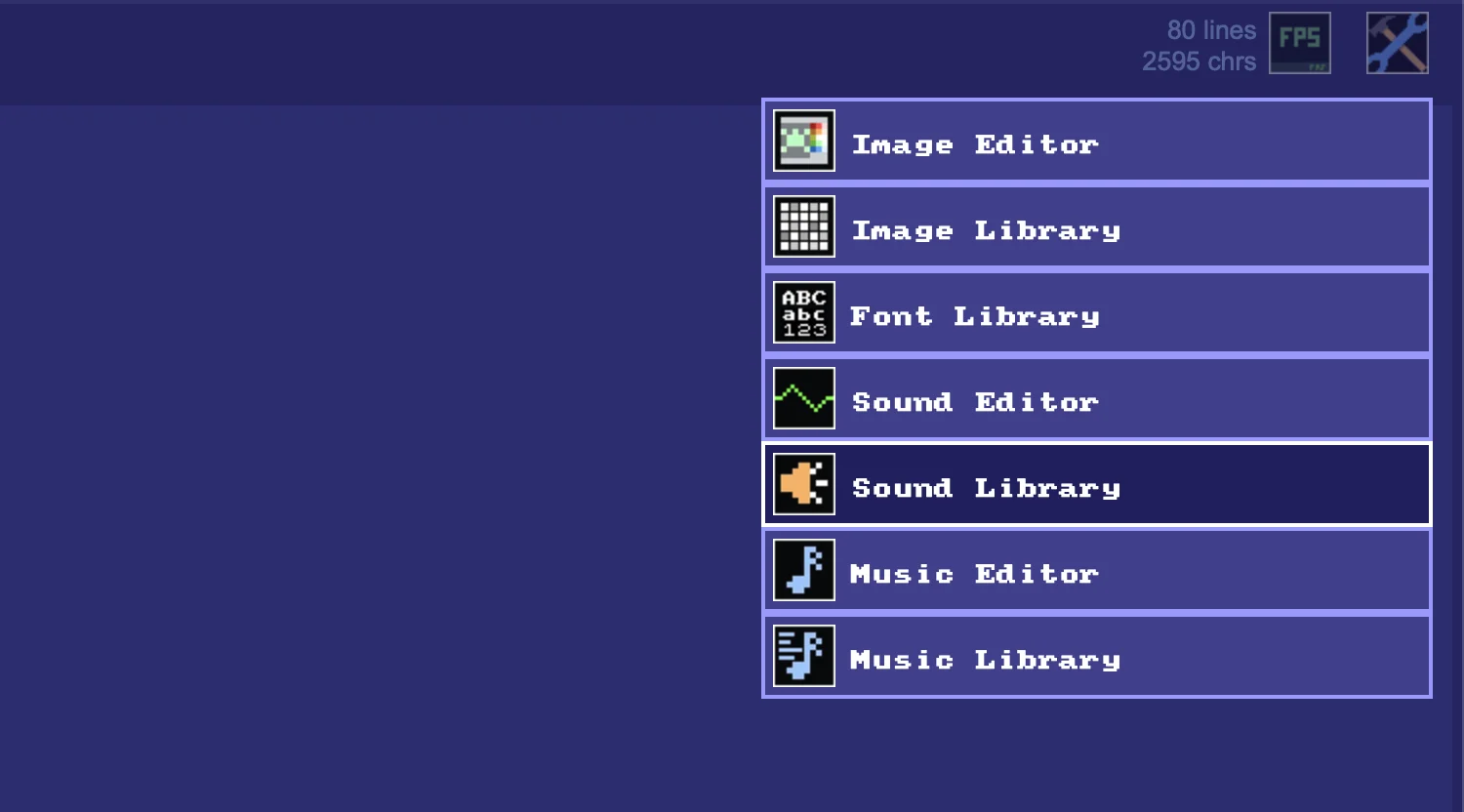
Let's enter the Sound Library!
Inside the library, you can click on any of the buttons to hear the various sounds.
Pick a sound that you'd like your bullets to make, and then click the [<] arrow on the top right of the screen, to return to our program.
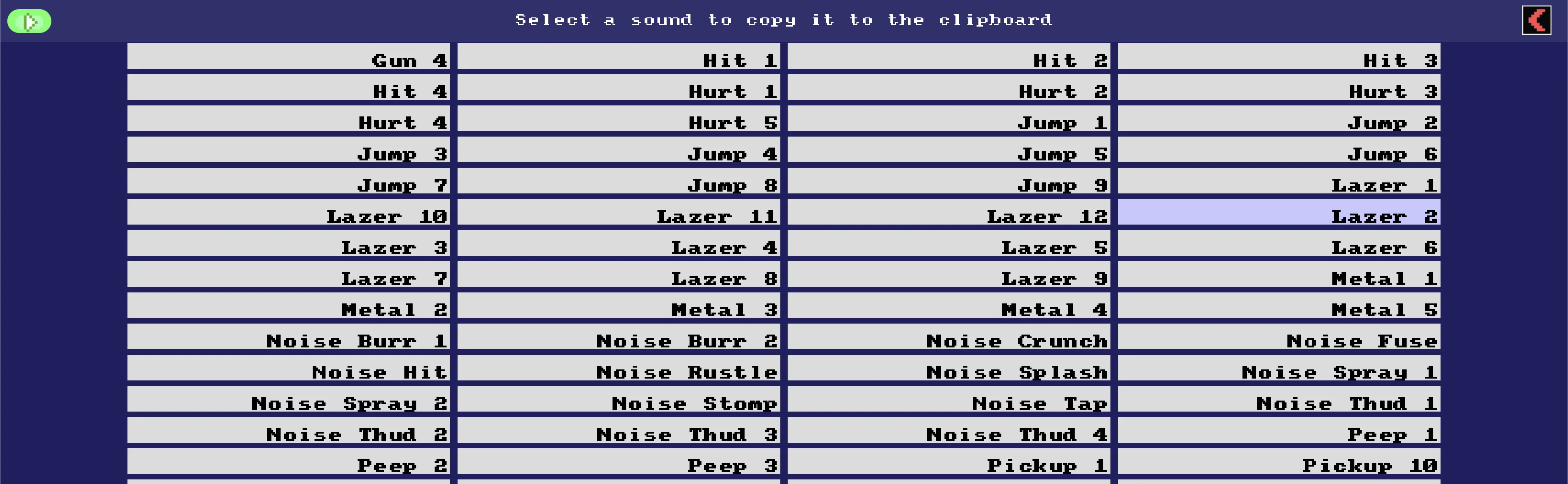
This Library is far from silent!
Now the sound is in your clipboard. Head to the "If BulletY<0" section that we just wrote, and simply Paste the new PlaySFX command into place.
  If BulletY<0 And GamePad(ButtonA)
    BulletX=PlayerX
    BulletY=PlayerY
      // New bit!
    PlaySFX("Lazer_2")
  EndIf
Oooh, a sound command!
Starfield!
Let's throw in our favourite Starfield command! We can pop it at the top of the InGame subroutine, next to the ResetDraw command, so it's the background of our game.
Starfield 1,0
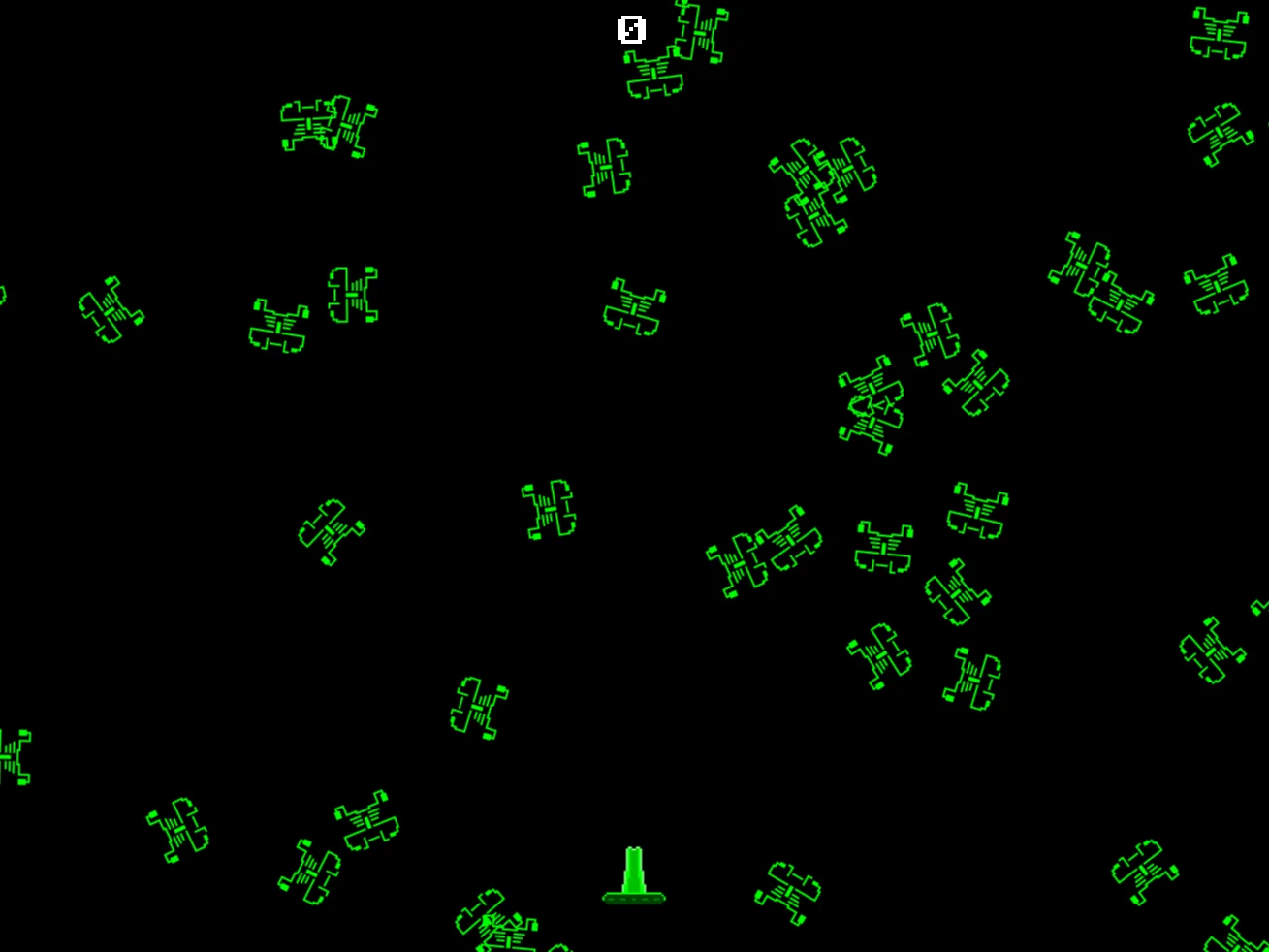
Oh no! What's happened?
The Starfield command uses Symbol 0 unless we tell it otherwise, but we've drawn an alien into Symbol slot 0!
We're going to need to open up the Image Editor, and draw a star as Symbol 4.
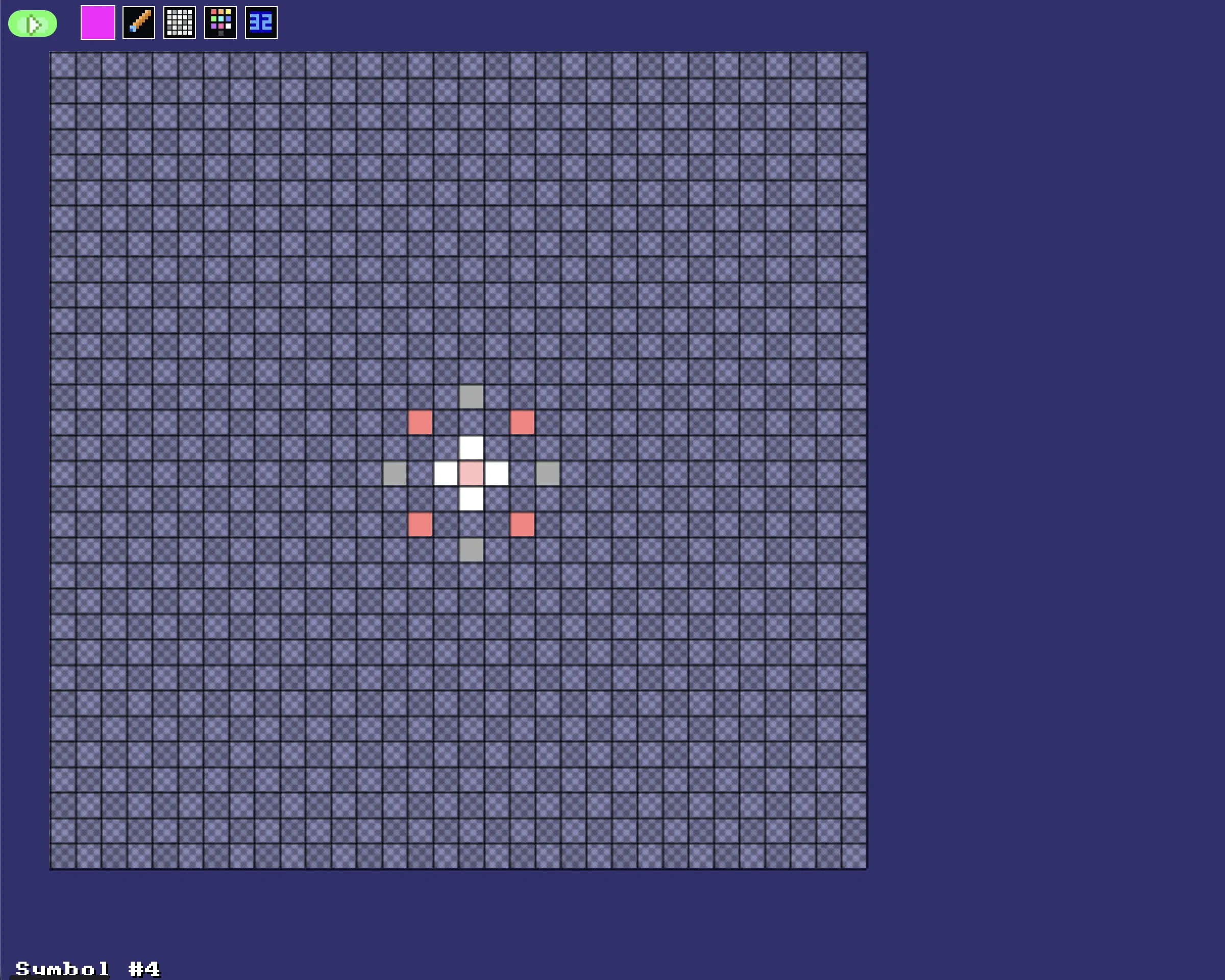
It doesn't need to be perfect!
You can be as artistic as you'd like.
Maybe draw some Mario style stars!
You can use the cursor keys to move your image around inside the grid.
Now all we have to do is tell the Starfield command that it should draw Symbol 4, using its third parameter.
  // Starfield using Symbol 4
  Starfield 1,0,4
Our game, so far.
// My Game
// by Mr Green
// Created 2025/12/16

Symbol 0,"2__0_0_0_0_0_0_0_0_0_0_0_0_0_0_0_0_0_0_0P?0_0/P?0!P0,P0_0/P0,P0?P,00P0_0/P00P,0.P,00P0_0/P00P,0.P,00P0_0/P00P,0.P,00P!0!P!00P,0_0?P@0_0_0_0_0_0/P!0.P!0_0_0_0_0_0.P?0PP0P?0_0_0!PP0_0_0/P.0PP0P.0_0_0/PP0_0_0_0,PP0_0@P_P,0PP0P_P,0.P0_0_0@P0.P0_0_0@P0.P0_0_0@P0.P0@P0@P0@P0.PP0/P0@P0/PP0?P0/P0P!0P0/P0!P?0,P0@P0,P?0@P,0,P0@P0,P,0_0?P,0@P,";
Symbol 1,"2__0_0_0_0_0_0_0_0_0_0_0_0_0_0_00P,0_0_0@P_P,0_0?P_P,0?P0_0?P0?P,0@P0_0?P0_0/P0_0?P0_0/P?0!P?0_0_00P0!P0_0_0!P@0_0_0_0_0_0/P!0.P!0_0_0_0_0_0.P?0PP0P?0_0_0!PP0_0_0/P.0PP0P.0_0_0/PP0_0_0_0,PP0_0!P_P?0PP0P_P!0_0_0_0,PP0_0_0_0,PP0_0_0_0,PP0_0P0@P0_0PP0_0P0@P0_0PP0_0P0P!0P0_0PP0_0P0P0.P0P0_0PP0_0P0P0.P0P0_0P,0/P,0P!0P,0/P.0_0_0_0P.0_0_0_0PP";
Symbol 2,"2__0_0_0_0_0_0_0_0_0_0_0_0_0NN00NN0_0_0/NPQNNQPN0_0_0!NPQ.PN0_0_0!NPQ.PN0_0_0!NPQ.PN0_0_0!NPQ.PN0_0_0!NPQ.PN0_0_0!NPQ.PN0_0_0!NPQ.PN0_0_0!NPQ.PN0_0_0!NPQ.PN0_0_0!NPQ.PN0_0_0?NPPQ.PPN0_0_0.NPPQ.PPN0_0_0.NPPQ.PPN0_0_0.NPPQ.PPN0_0_0.NPQ!PN0_0_0.NPQ!PN0_0_0.NPQ!PN0_0_0,NPPQ!PPN0_0_00NPPQ!PPN0_0_00NPPQ!PPN0_0_00NPPQ!PPN0_0,P_P_P_P0,PS_S_S_SP0PS_S_S_S,PPSSR,S,R,S,RRS,R,S,R,SSP0S_S_S_S,0,S_S_S_S";
Symbol 3,"2__P_P_P_P_P_P_P_P_P_P_P_P_P_P_P_P_P_P_P_P_P_P_P_P_P_P_P_P_P_P_P_P_P_P_P_P_P_P_P_P_P_P_P_P_P_P_P_P_P_P_P_P_P_P_P_P_P_P_P_P_P_P_P_P_P_P_P_P_P_P_P_P_P_P_P_P_P_P_P_P_P_P_P_P_P_P_P_P_P_P_P_P_P_P_P_P_P_P_P_P_P_P_P_P_P_P_P_P_P_P_P_P_P_P/";
Symbol 4,"2__0_0_0_0_0_0_0_0_0_0_0_0_0_0_0_0_0_0_0_0_0_0_0_0_0_0_0_0_0_0_0_0_0_0_0_0_0_0_0_0_0_0_0_0_0_0_0_0_z0_0_0_0020,20_0_0_00;0_0_0_0z0;1;0z0_0_0_0;0_0_0_0020,20_0_0_00z";


// Main Loop
GameRun=0
Repeat
  If GameRun==0 then Gosub .StartScreen
  If GameRun==1 then Gosub .InGame
Flip
Forever


// This is our Titlescreen
.StartScreen
CLS
ResetDraw

  ShowInvader=1
  if Wrap(Frames,0,20)<10 then ShowInvader=0
  DrawImg 320,160,ShowInvader

  SetFontSize 32
  Text 320,240,"Titlescreen!",1
  SetFontSize 16
  Text 320,360,"Press Fire to Play",1

  If GamePad(ButtonA)
    Gosub StartGame
    GameRun=1
  Endif
Return


// This prepares our game when the A Button is hit
.StartGame
  Score=0
  PlayerX=320 // Middle of the screen
  PlayerY=440 // Bottom of the screen

  BulletX=0  // Reset player's bullet
  BulletY=0

Return


// This is our ingame loop
.InGame
CLS
ResetDraw
  // Starfield using Symbol 4
  Starfield 1,0,4

  // Player
  DrawImg PlayerX,PlayerY,2
  Speed=4
  If GamePad(ButtonLeft)>0.5 then PlayerX=PlayerX-Speed
  If GamePad(ButtonRight)>0.5 then PlayerX=PlayerX+Speed
  // Using >0.5 allows players to use a thumbstick, too!

  PlayerX=Limit(PlayerX,32,640-32)


  // Player's Bullet
  // Keep the Bullet going upwards
  BulletSpeed=16
  BulletY=Limit(BulletY-BulletSpeed, -100,480)
  // Draw the Bullet
  DrawImg BulletX,BulletY,3

  If BulletY<0 And GamePad(ButtonA)
    BulletX=PlayerX
    BulletY=PlayerY
    PlaySFX("Lazer_2")
  EndIf


  // Quit button (Return)
  If GamePad(ButtonStart) then GameRun=0
    // We can hit the Return key to quit

  SetFontSize 16
  Text 320,16,Score,1
Return
We can change the "Feel" of our tank by changing the PlayerSpeed variable, and the speed of the bullet using the BulletSpeed variable.
Have a play with the two variables until you've found a speed that you're comfortable with.
Don't forget that you can also change the PlayerX Limit to a Wrap.
Try wrapping from side to side of the screen!
Did you try changing the Invader sprite, in the previous chapter?
I wonder if you could change the Player Sprite so that it would suitably match the Invaders?
Cats vs Dogs?
Lightbulbs vs Light switches?
Floppy Disks vs Compact Discs?
Try changing the Player Symbol, and see what you can come up with.