Using Variables
Variables
A variable is where the computer stores bits and pieces that we want to use later.
Think of a variable as being a box. We take a card and write our name, age, or any other data onto the card. We pop the card into a box, and give the box a name.
The box is our "variable", and what's written on the card is its "value".
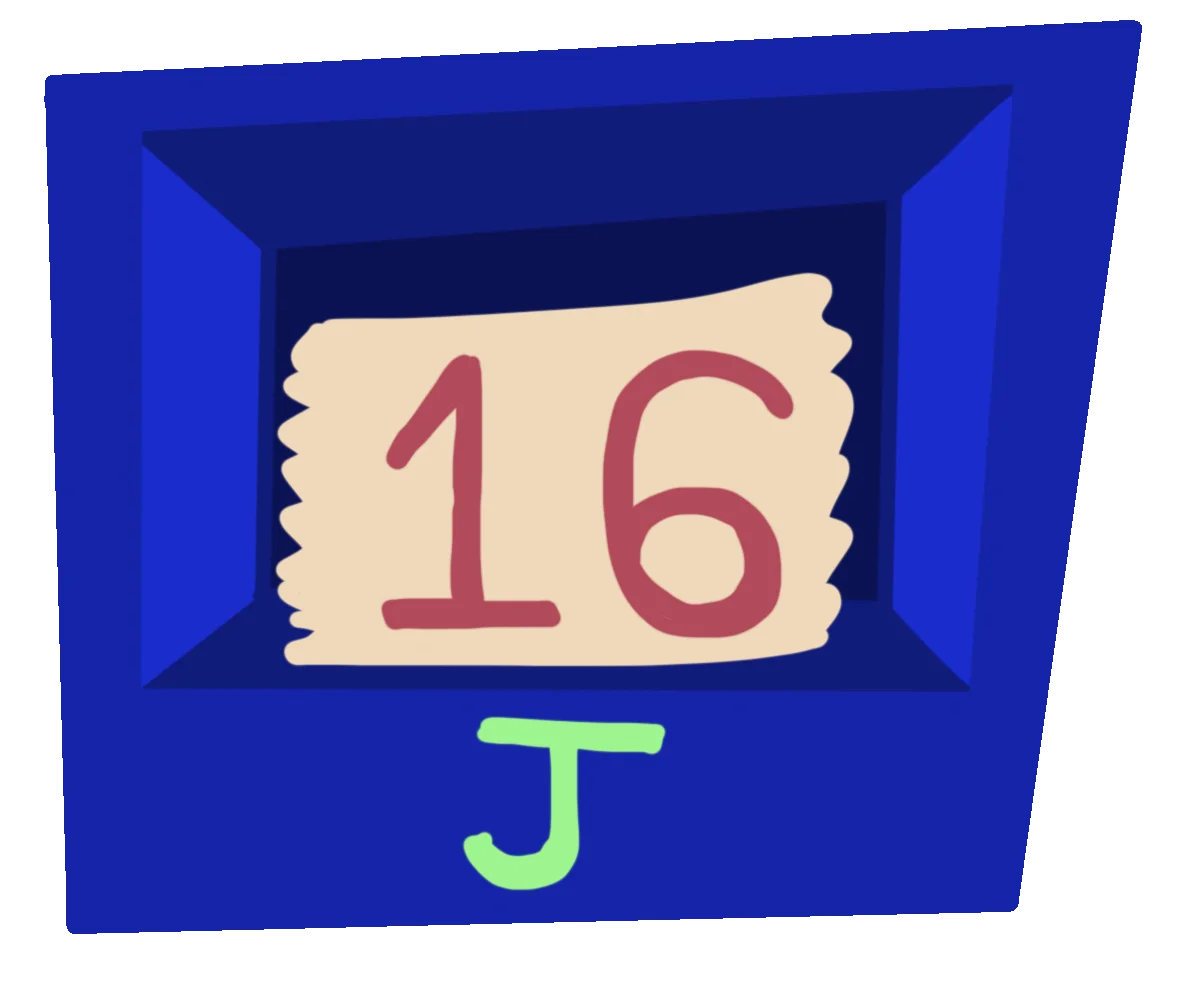
Let's imagine we have a card with the number 16 on it, and place it into a box called "J"
In our language we'd write this as J=16, where the equals sign tells the computer to store the value to the right of the equals, inside the box named to the left of the equals.
// Place 16 into "J"
J=16
Print "The value of J is "+J
Using Variables
Variables let us remember things in our programs, but are also the key to making our programs more interesting.
// Place 16 into "J"
J=16

// and 7 into "K"
K=7

// Put the result of J times K into "L"
L=J*K

Print "J times K is "+L
We can even place words or strings inside variables, so that we can do things with letters and words.
Name="Mr Green"
Print "Hello, "+Name
We can add the values up, combine them, use mathematics on them and a whole lot more.
Cash=75.64
Profit=32.99
Print "You Had      £"+Cash
Print "You Earned   £"+Profit
Print "You Now Have £"+(Cash + Profit)
Since the two variables both contain numbers, the computer understands that we want to add them up, instead of just sticking them together like words.
Changing Values
The value of a variable isn't locked once we've set them, so we can change the values inside them at any time.
Simply tell the computer to replace the contents using the = sign, the same way that we set them in the first place.
// Place the number 16 into "J"
J=16
Print J

// Replace the number in "J"
J=23
Print J
We can do things this way to let us perform some maths on our variables.
The computer does the math on the right side first. Then it puts the answer in the box on the left.
J=1
K=2
J=J + K
Print "1 + 2 = "+J
We can use the power of computing to perform some fast calculations.
Cash=75.64
Profit=32.99
Sales=16

// Multiply Profit and Sales, then add to Cash
Cash= Cash + ( Profit * Sales )

Print "You Now Have £"+Cash
Updating the same Variable
We can also use the same ability to update the value of a variable as we go through our code.
Here, we're telling J to become the result of "J times 2", each time.
J=16

  // Take the value of J (16)
  // Times 2 (32)
  // Then place the result into J

J=J * 2
  // We can read this line of code as
  // "J is J times 2"

Print J

// and again
J=J * 2
Print J

// and again
J=J * 2
Print J
We're taking the value from the box, performing the sum (value * 2), then placing the number back inside the same box, replacing the old value.
If I multiply it by two and put it back in the box, it now says 32.
Each time, the card's value increases.
If I multiply it by two and put it back in the box, it now says 64.
This is iterating.
Doing the same step, over and over again, changing the values each time.
If I multiply it by two and put it back in the box, it now says 128!
Working with Words
We can do some fun things with words, or string variables, too.
We've already seen how we can stick words together using the + symbol.
Message="Hell"
Message=Message+"o!"
Print Message

// Hello!
We can also Multiply words for repetition.
Message="Hello! "
Message=Message*3
Print Message

//  Hello! Hello! Hello!
As well as Subtract, to remove parts of a string.
Message="Saying Hello"
Message=Message-"ing"
Print Message

// Say Hello
Mixing Variables
Score=150
Print "Score "+Score
We've seen that it's easy enough to glue words and numbers together, but sometimes we might want to do more with our variables during the Print phase.
J=1
K=2

Print "J Glued to K = "+J+K
// Returns "J Glued to K = 12"

Print "J Plus K = "+(J+K)
// Returns "J Plus K = 3"
Hmm.
Once GotoJSE sees a String, it will start using "glue" and "repeat", as if everything is words. So in the first print example "12" is the result of gluing the 1 and 2 together.
If we want to tell the computer to "plus" and "multiply" numbers, we have to split the numbers into their own segment. This is why the second print shows 3, which is 1 plus 2.
We use ( brackets ) to tell the language "these should be treated as numbers".
Can you finish the two lines of code so that they each display the correct results?
A=1
B=2
C=3
D=4
Print "B Plus C = "
// Result "B Plus C = 5"

Print "D Glued to A = "
// Result "D Glued to A = 41"
How might the sum be written to display the correct result?
A=1
B=2
C=3
Total=
Print "The total is "+Total
// Result "The total is 6"